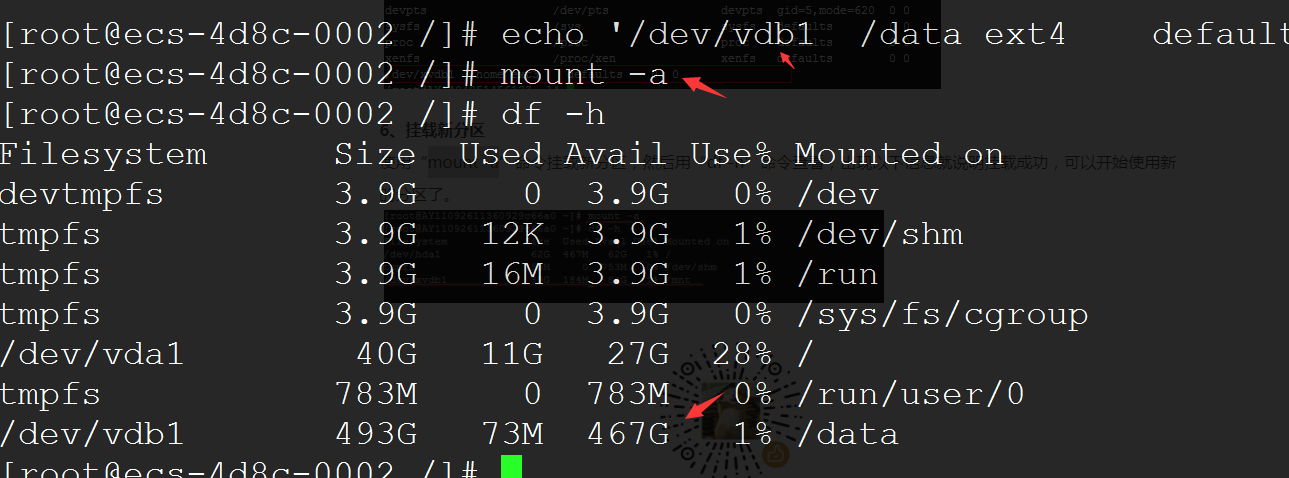
Check Current Disk Status
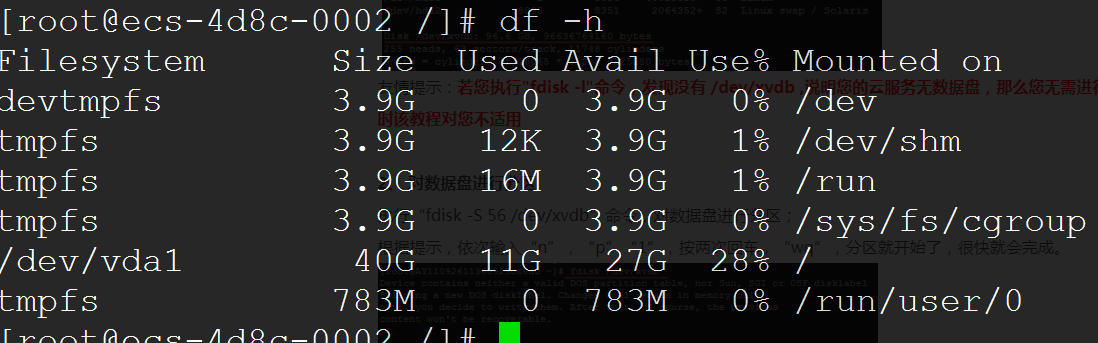
df -h
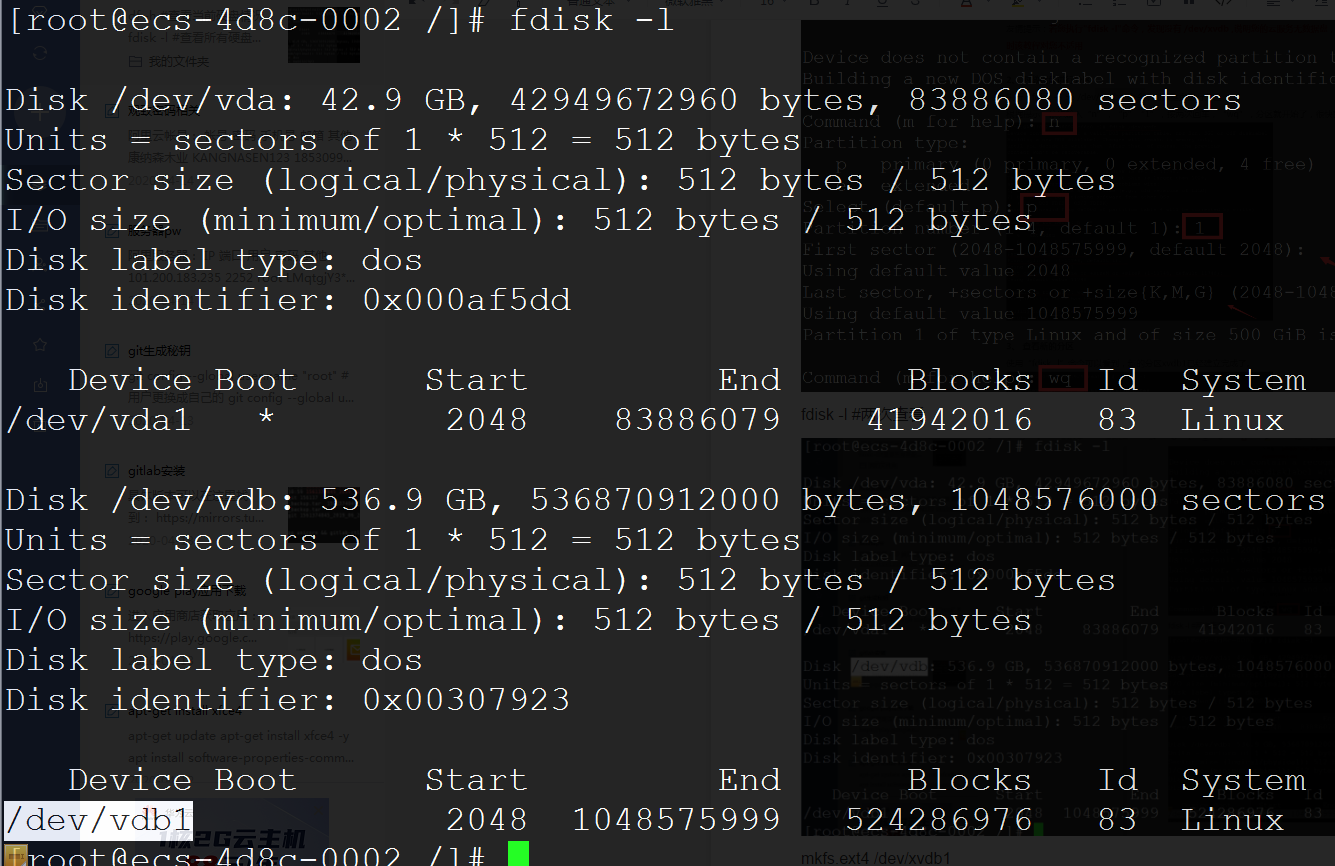
fdisk -l #View all disk information
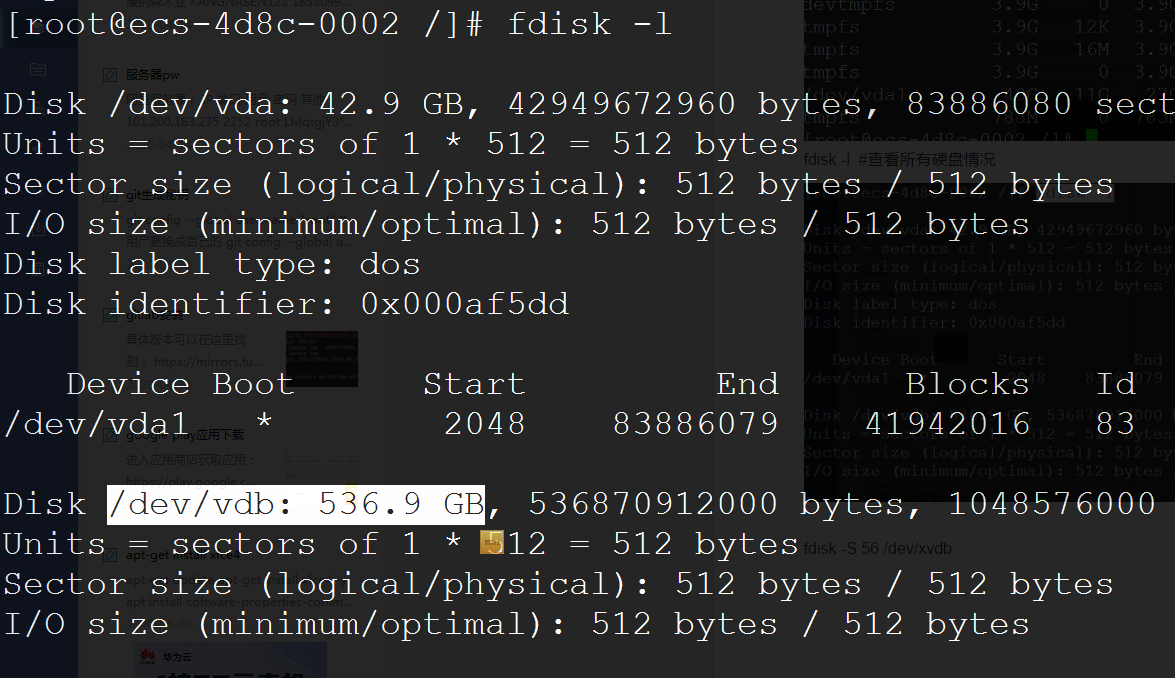
By comparison, we can see there is a 500G /dev/vdb disk that is not mounted.
Partition and Format
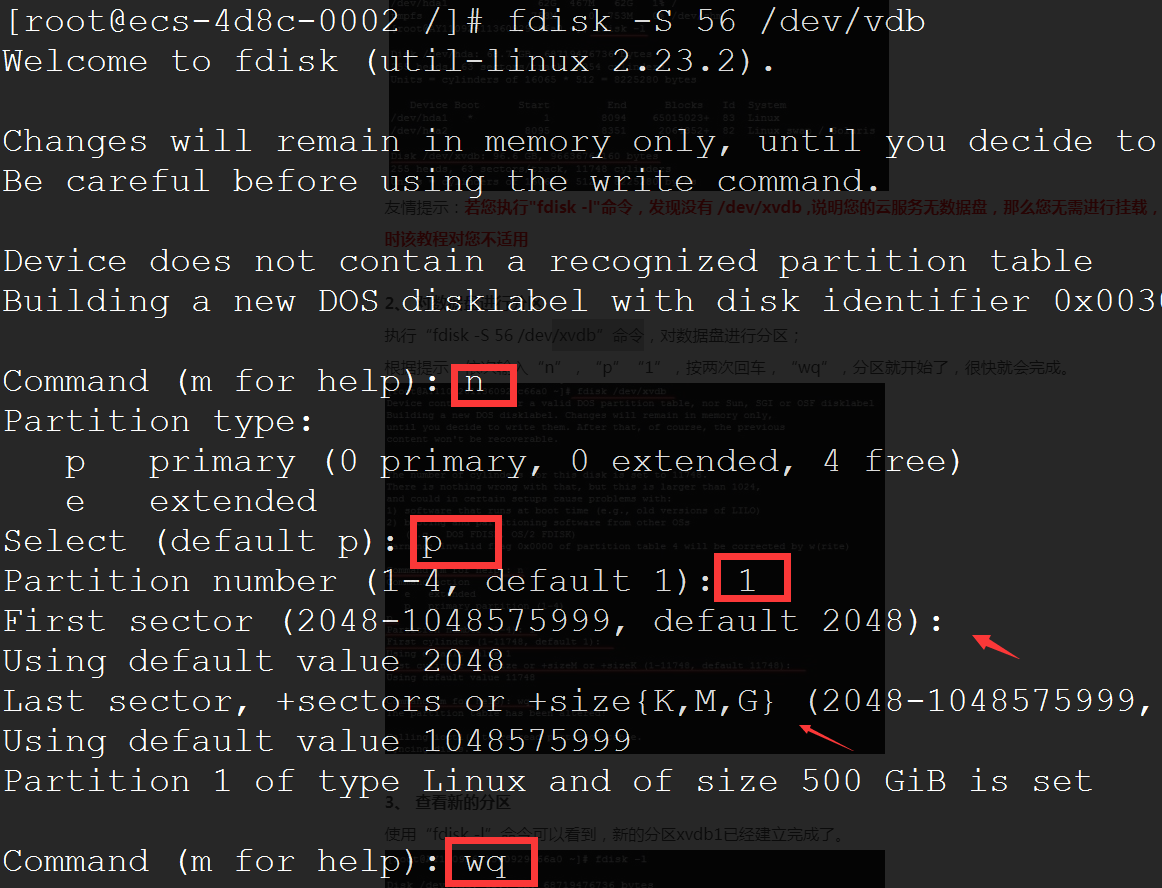
fdisk -S 56 /dev/vdb
Enter the following in sequence: "n" , "p" , "1" ,"Enter","Enter" , "wq".
fdisk -l #Check again
mkfs.ext4 /dev/vdb1 #Format the partition. Skip this step if already formatted.
mkdir /data #Create the mount point directory
echo '/dev/vdb1 /data ext4 defaults 0 0' >> /etc/fstab #Set up automatic mount on boot
mount -a #Mount
df -h #Check disk status