An essential task for internet cafe network administrators is ensuring every computer’s network connection functions properly, which requires mastering how to configure QoS on internet cafe routers. To help you better understand the configuration process, the following explains some key content found in the QoS settings interface of an internet cafe router.
Internet cafe router QoS settings include two parameters: “Upstream Bandwidth” and “Downstream Bandwidth”. Clicking the “Help” button on the page reveals the following information:
You can understand “Upstream Bandwidth” and “Downstream Bandwidth” as the actual upstream and downstream bandwidth of the broadband line subscribed to by the user. For example, if an ADSL line has 512Kbps upstream and 2Mbps downstream, you would fill in these values accordingly.
As mentioned above, it must be emphasized here: you must first enable the switch “Enable QoS” here and fill in the actual upstream and downstream bandwidth of the line; only then can you proceed to configure on the IPQoS page, otherwise an error will be prompted.
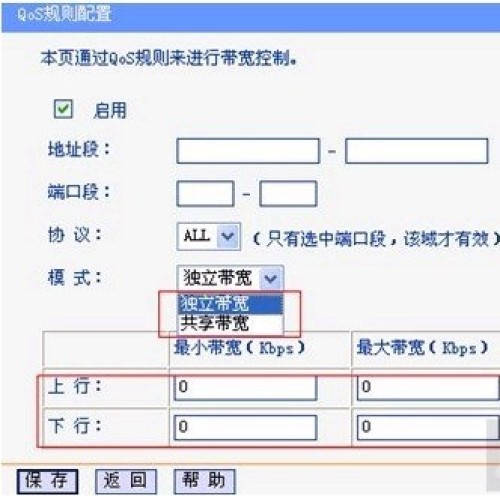
Here is an analysis of the internet cafe router QoS settings content:
1. Mode鈥擨ndependent Bandwidth. As the name implies, the following “Maximum Bandwidth” and “Minimum Bandwidth” apply to each individual IP within this IP address range. If the mode is set to “Shared Bandwidth”, then this range of IPs shares the parameters below.