|
While free, unencrypted wireless APs are everywhere, you shouldn’t use them to log into your online banking unless you don’t mind others snooping. So what’s the solution? A, or VPN (virtual private network). A VPN extends your private network to public places, so even if you’re connected to Starbucks Wi-Fi, your web browsing remains securely encrypted. Wi-Fi。,VPN,($35)。 ,VPN。,。,。 ,SettingsVPN。,。AboutVPN,。 ,,VPN。,。,Eric JodoinVPN,… ,,VPNs。
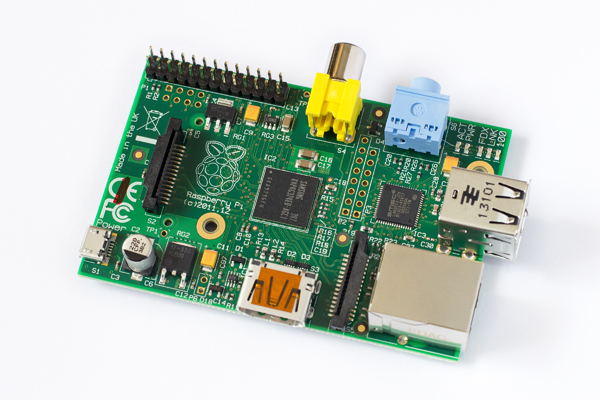
Raspberry Pi Model B:-。-。 SD card:8GB,。,SDNOOBS。 :。 Open VPN:VPN,。 2) SettingsIPAddress。,。,ReadWriteTutorial。 3) SSH。SSH,。,Settings。,ReadWriteTutorial。 4) 1194IPAddressUDP,,。TCP,,"UDP""TCP",1194。,ReadWriteTutorial。 ,,VPN。 ,,,。,! First Steps1) 。(pi)(respberry),。 terminal/PuTTY :
2) 。:
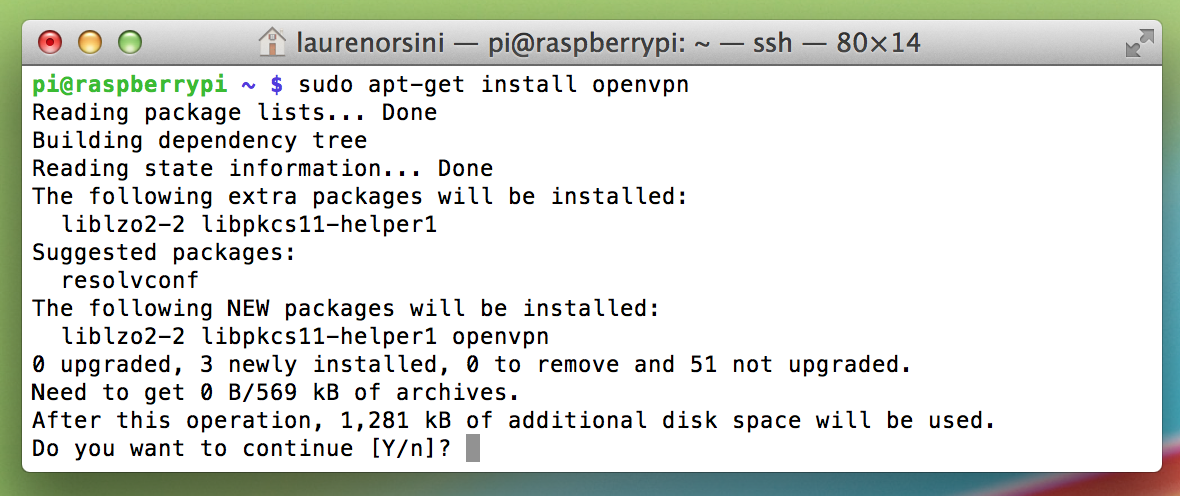
,。 3) (OpenVPN)。:
,。8GBSD,。 4) VPN,Address。。 OpenVPNEasy_RSA,RSA。1977,RSA。,。,。 Easy_RSA,。 ,"pi@raspberrypi""root@raspberrypi"。
root。root,root,。 ,:
,"cp""","r"。:。 /2.0/etcAddress()Address,OpenVPNAddress。
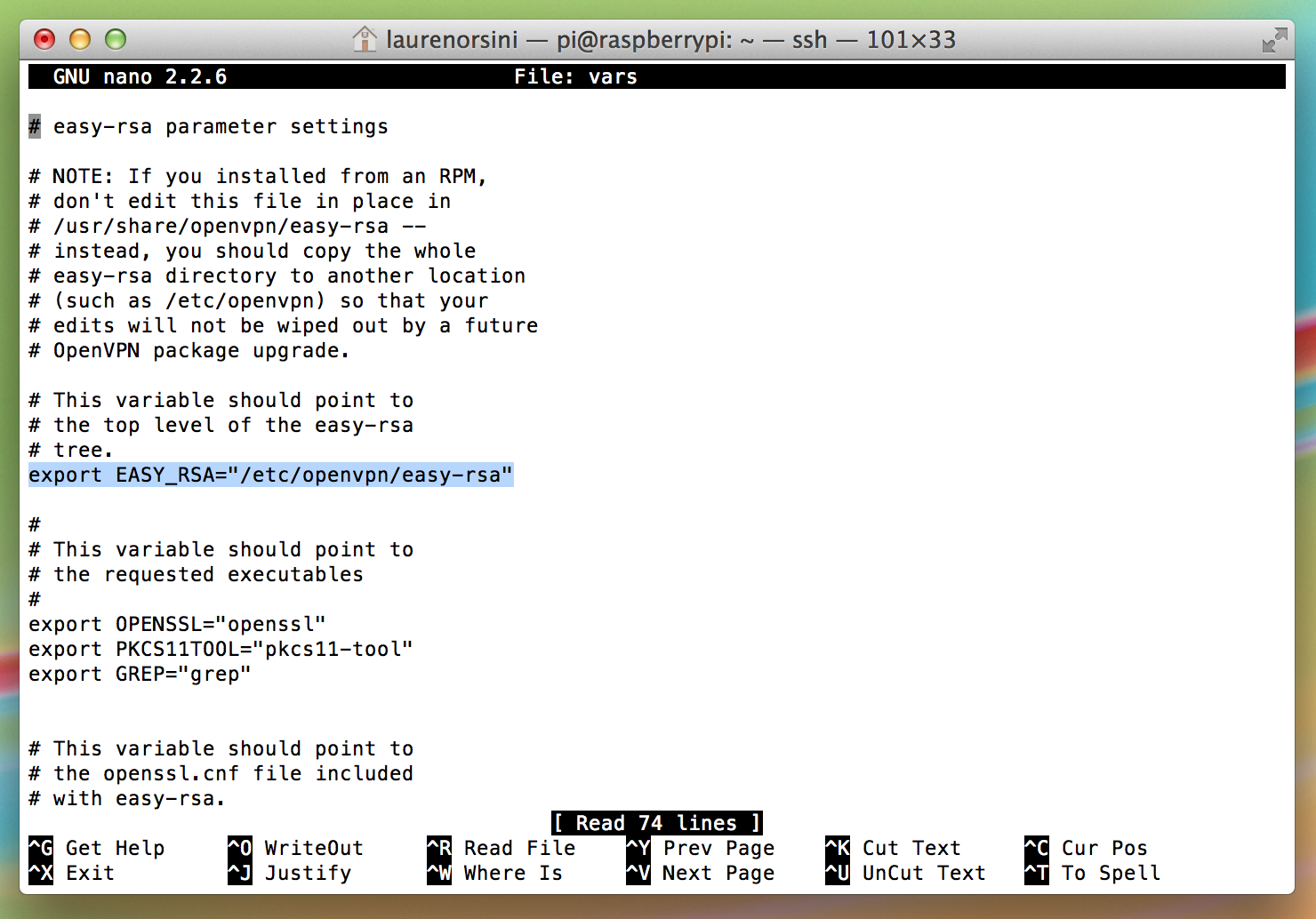
5) ,"cd",(change directory),Easy_RSA。,/etc/openvpn/easy-rsa/vars。nano: nano /etc/openvpn/easy-rsa/vars,,:
NanoRaspbian,,nano。 , EASY_RSA :
,13。
?"?"。,key,easy-rsa。 vars,Email,1024-bit2048-bit。vars,,"2048!"。 ,。:
Control+XLogoutnano。 6) CARoot CA。 ,(certificate authority (CA))。。 。,,AddressHTTPS。HTTPS,GeoTrust,。(HeartbleedHTTPS)。 ,,OpenVPN,。
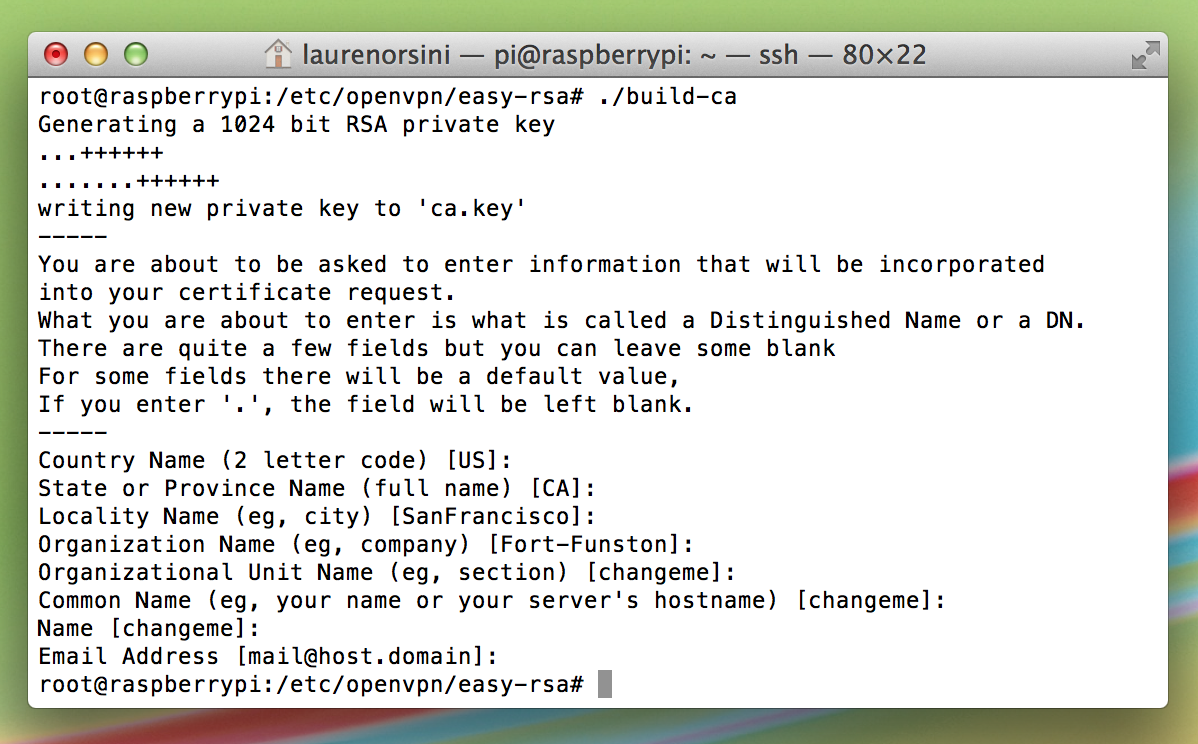
,: source ./vars → "source"(vars)。 ./clean-all → ,。(),。 ./build-ca → 。 ,,--,,,,Address。,"enter",。:
。“”"Server"。,:
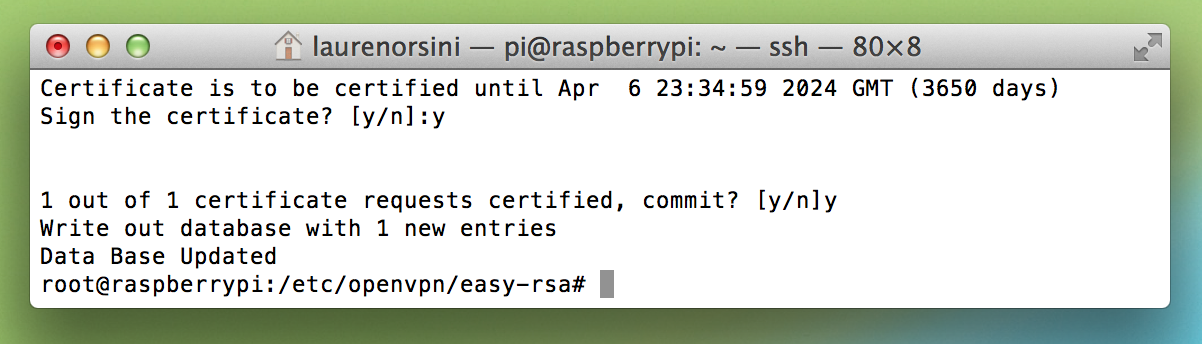
,,,: *Commom Name * 。 A challenge password? ,。 Sign the certificate? [y/n] ,"y"。 3650。,VPN,。 1 out of 1 certificate requests certified, commit? [y/n] ,"y"。
6) Settings。,""。,,,5。,,VPN。
Client1, Client2, Client3…
,! Enter PEM pass phrase Settings!,。 A challenge password? ! Sign the certificate? [y/n] 。
,。AndroidiOSOpenVPN,,。
,。,。
,:
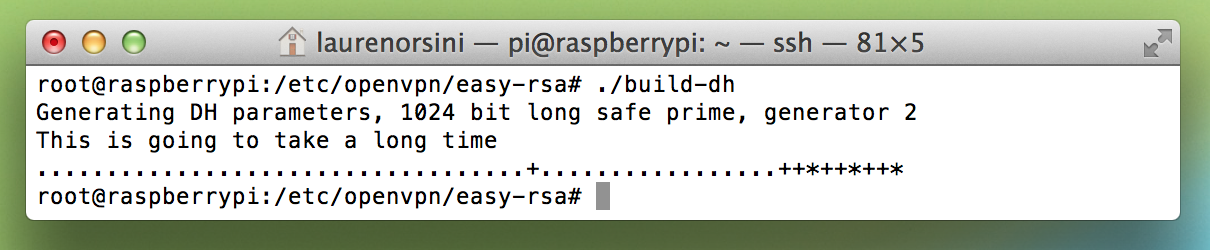
/easy-rsa/。 7) Diffie-Hellman key exange。VPN,。RSA,。
,2048-bit。,。,,1024-bit5。
8) ,OpenVPN(Denial of Service — DoS)。Address,。 HMAC(hash-based message authentication code):
9) 。OpenVPN。 Linux,.conf (configuration) OpenVPN,。nano.conf:
.conf,/etc/openvpn。。Address。,。 Control+X 。 10) 。,。
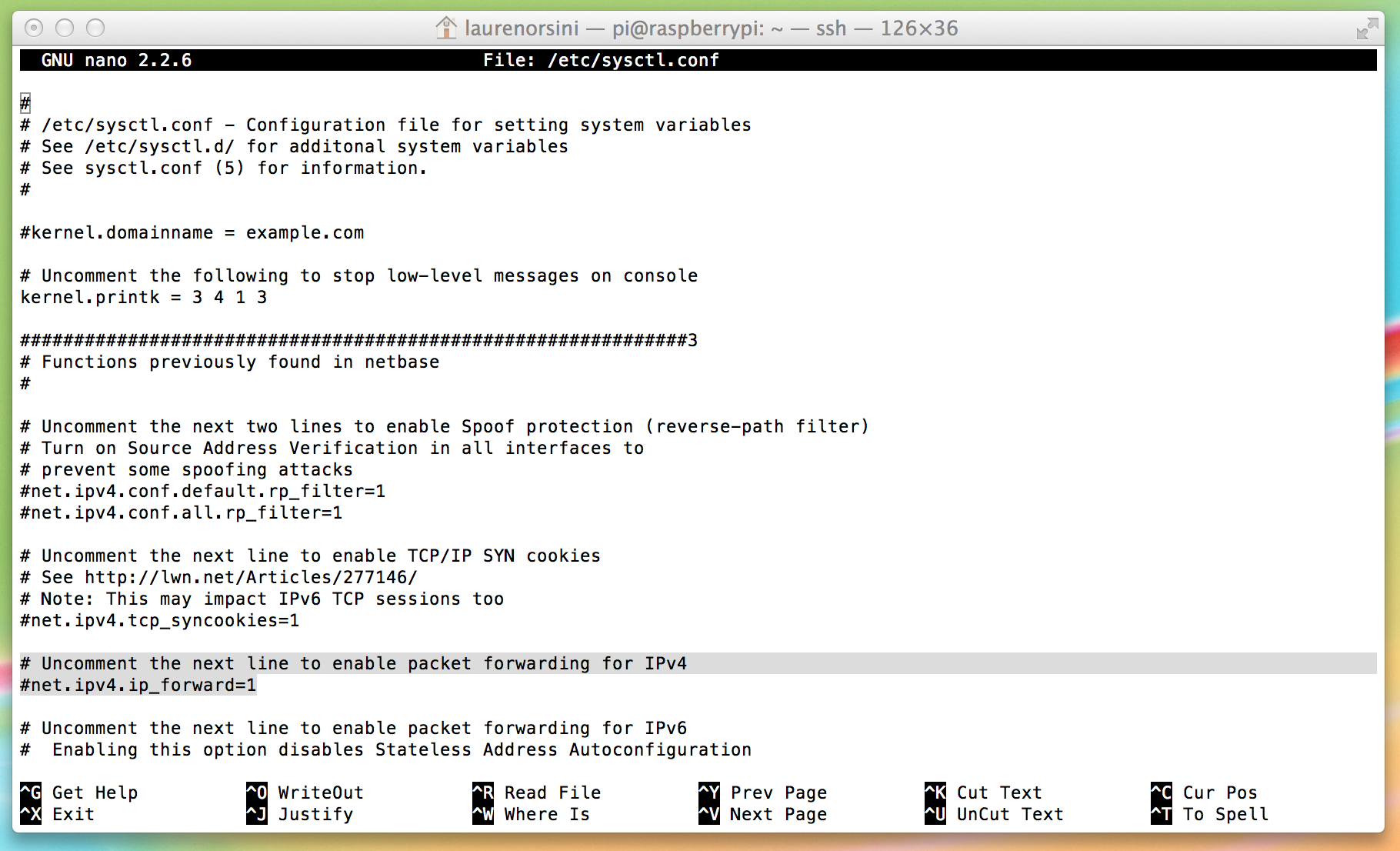
:"IPv4。"("Uncomment the next line to enable packet forwarding for IPv4。")。。
# 。IPv4。,,。 Control+X 。:
Raspbian。,OpenVPN,OpenVPN。 ,Raspbian。OpenVPN。
,:
IPAddressIPAddress! : 10.8.0.0 VPNAddress。 "eth0"。 "wlan0", 。 Control+X 。 , /etc/firewall-openvpn-rules.sh,。 700 (、、)。 ,root,,Linux,root。
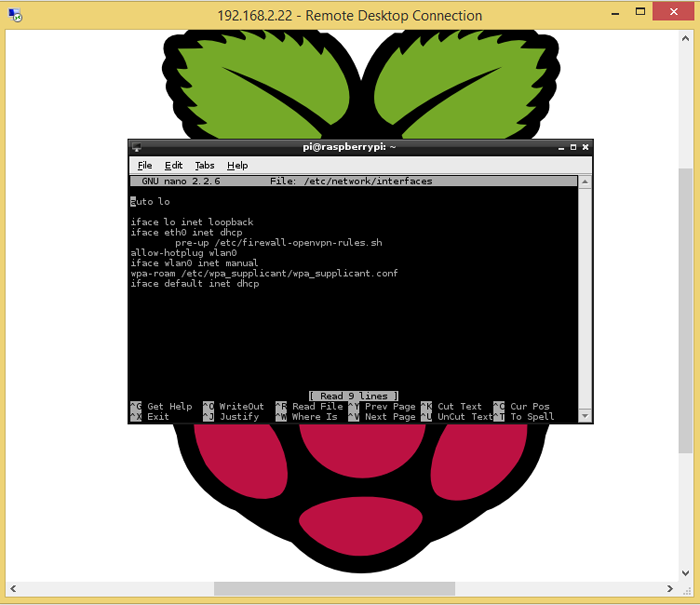
12) OpenVPN,interface,。
"iface eth0 inet dchp"。 。 ,,,:
Control+X (nano)。 ,, :。
Tors。 Lauren Ordini。 ReadWrite。 via: http://readwrite.com/2014/04/10/raspberry-pi-vpn-tutorial-server-secure-web-browsing |