

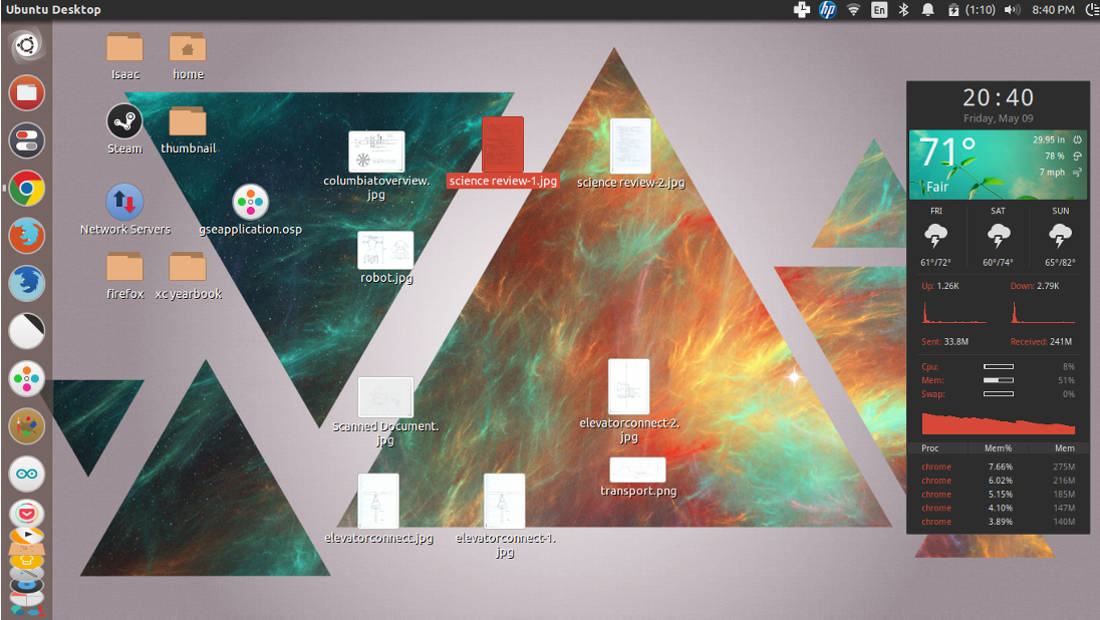
For users who want an easy-to-use interface, Ubuntu is a great Linux distribution, arguably the best for Linux newcomers. However, this comes with a side effect – Canonical has made many decisions about the interface and appearance for users, especially the Unity desktop environment.
But these are not set in stone. Here are some tips on how to make Ubuntu more comfortable for you. Looking at my Ubuntu setup in the screenshot above, you can see how my Unity desktop differs from the default configuration.
Let’s customize the Ubuntu desktop step by step.
1. Install Unity Tweak Tool
Before you can effectively modify Ubuntu’s appearance, you need to installUnity Tweak Tool. This is a special settings management tool for the Unity desktop environment, and you can use it to replace system icons and themes. You can download it from the Ubuntu Software Center, or if you prefer the terminal, use the following command:
- sudo apt–get install unity–tweak–tool
Gnome,Gnome Tweak Tool。Ubuntu:
- sudo apt–get install gnome–tweak–tool
2. GTK
Ubuntu,。Numix GTK+。http://numixproject.org/AboutNumix。Numix:
- sudo add–apt–repository ppa:numix/ppa
- sudo apt–get update && sudo apt–get install numix–gtk–theme
,Unity Tweak Tool,“”“”,“”。,,。Gnome-Look.org。NumixMoka,http://mokaproject.com/AboutMoka。
3.
NumixNumix。:
- sudo apt–add–repository ppa:numix/ppa
- sudo apt–get update
- sudo apt–get install numix–icon–theme–circle
,Unity Tweak Tool“”,。,。Moka、。
4. conky
Conky。,,。Conky:
- sudo apt–get install conky conky–all
curl,:
- sudo apt–get install curl
conkyHarmattan,15、、。,deviantARTzip,。.conky-weather.conkyrc(Ctrl+H)home。Conky。,.conkyrchome.conkyrc。
5.
,,、。。conky,。:
- sudo apt–get install indicator–weather
- sudo apt–get install indicator–multiload
,。:
- sudo add–apt–repository ppa:tsbarnes/indicator–keylock
- sudo add–apt–repository ppa:atareao/atareao
- sudo apt–get update
- sudo apt–get install indicator–keylock
- sudo apt–get install touchpad–indicator
Login。
6. CompizSettings
Unity Tweak Tool,CompizSettings.
Warning:
Settings,CompizSettings。。UbuntuSettings。Ubuntu:
- sudo apt–get install compiz compizconfig–settings–manager compiz–fusion–plugins–extra compiz–fusion–plugins–main compiz–plugins
Ubuntu!,。?Ubuntu!
via: http://www.muktware.com/2014/05/customize-ubuntu-desktop-6-steps/26750