

How to Configure DNS MX Records for a Mail Server
Using Wanwang (Aliyun) as an example:
Step 1: Add an A record for mail.domain.com
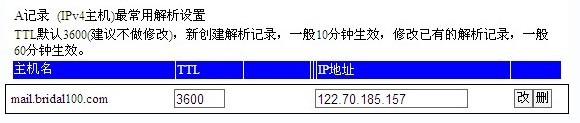
Step 2: Set the MX record to point to the newly created mail.domain.com with a priority of 10

This completes the MX record configuration for your domain. Next, simply install and configure your mail server software correctly, such as Winmail Server or iMail Server, and open the required ports — SMTP port 25, POP3 port 110, Webmail port 6080, etc. (if behind a router, port forwarding is required). Your mail server will then be ready for normal operation.