

When using VMware to set up a test environment, you often need to clone multiple virtual operating systems (I am using CentOS 6.4), which leads to MAC address conflicts.
Here is the fix:
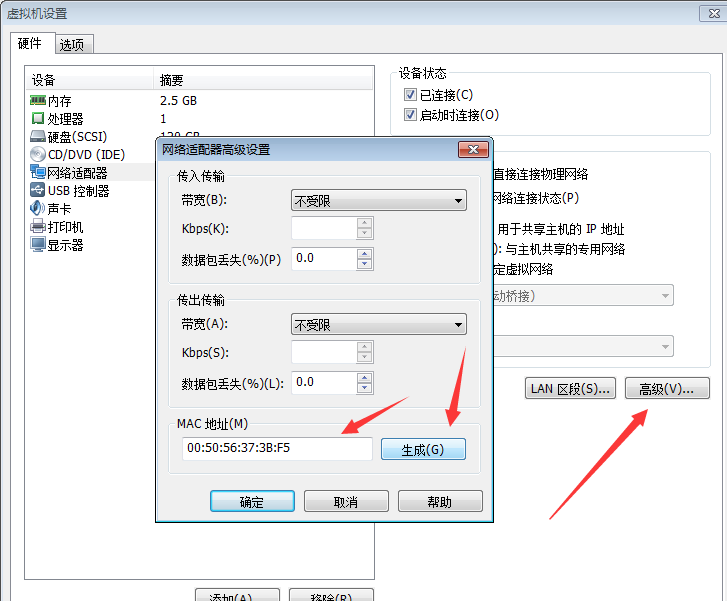
Open the virtual machine settings —— Network Adapter —— Advanced, check the MAC address, and generate a new one:
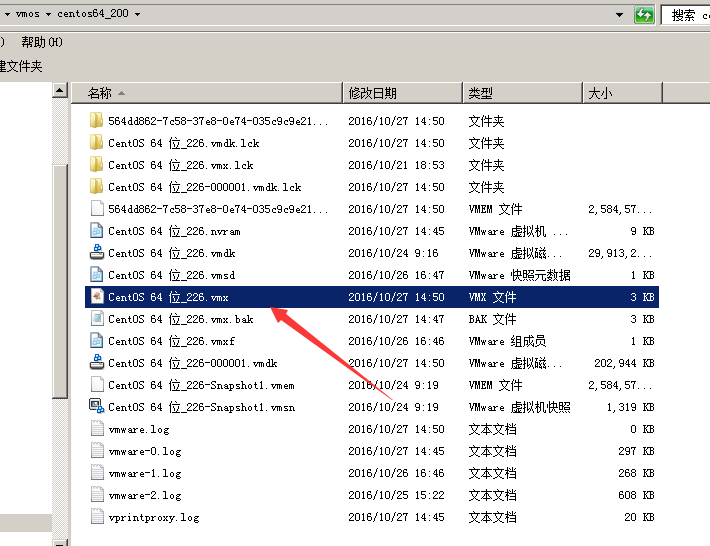
Power off the virtual machine, navigate to the directory of the virtual operating system, find the file with the .vmx extension, and open it with a text editor. Locate these two lines:
Using my example, before modification it was:
ethernet0.generatedAddress = "00:0c:29:a9:2b:6f"
uuid.bios = "56 4d 99 42 34 12 2e 53-db 08 a7 1b 9b a9 2b 6f"
Modify it to match the newly generated address:
ethernet0.generatedAddress = "00:50:56:37:3B:F5"
uuid.bios = "56 4d 99 42 34 12 2e 53-db 08 a7 1b 9b 37 3B F5" #