

<<
FlashFXP needs no introduction — it’s an exceptionally great FTP client software. While there are similar programs like CuteFTP and FileZilla, without diving into feature comparisons, its clean and elegant interface alone is endearing. FlashFXP’s update cycle is impressively fast! It can release two minor version updates within a month, with the latest version currently being FlashFXP 4.4.4.2043, released just three days ago. Honestly, for average users like us, FlashFXP is mainly used for uploading or downloading various FTP files, so there’s no real need to always chase the latest version. Of course, within our capabilities, this site strives to provide the latest cracked version. This article brings you the official original version of FlashFXP (with built-in Simplified Chinese), paired with a clean Crack using a working registration code or Key, unlike the various portable or cracked editions circulating online.
FlashFXP v4.3.0.1946 Changelog:
Fixed a SOCKS5 regression issue in FlashFXP, unable to connect via SOCKS5.
Fixed keyboard multi-selection issue when using Ctrl and Shift keyboard modifiers.
Fixed an issue where the re-download function on the right-click menu was non-functional in the active edit window.
This update resolves several crashes, addressed from user-submitted crash reports.
Updated remote drag-and-drop/handler code to improve compatibility and resolve possible delays when dragging from the remote browser window.
Fixed an Access Violation error that could occur under some conditions inside the disconnect event handler.
Fixed the position of the Go To dialog prompt window in the editor.
FlashFXP v4.3.0.1940 Changelog:
Updated languages.
FTP: Fixed an issue with anonymous login where no username was sent during the login process.
Disk space calculation: Fixed an issue with list redraw after clicking a column header to change sort order.
Status bar: Fixed an issue with the NVDA screen reader reading the status bar title.
Changed the order in which subfolders are deleted when removing from a remote server.
Fixed a potential deadlock when forcing a disconnect on a remote server.
Fixed SOCKS5 compatibility issue when connecting to a server via a host using active mode (PORT).
Updated installer to allow users to individually select languages to install.
FlashFXP v4.3.0.1936 Changelog:
Updated languages.
Updated OpenSSL to 1.0.1.
Fixed several issues where scheduled tasks would fail to transfer files and errors would not be displayed in the task scheduler.
Fixed an issue where a scheduled task would attempt to prompt the user if the server certificate or host key was not trusted; now automatically rejects any untrusted host.
Fixed an Access Violation crash if FlashFXP was closed via the taskbar while a child dialog was waiting for user input.
Added the ability to change the application data folder after installation via the installer maintenance mode (Control Panel / Programs and Features).
Fixed an issue where the estimated queue remaining time was incorrectly calculated during uploads.
Fixed an issue where the mouse cursor would disappear when attempting to drag/drop to move within the remote file browser.
If a server connection was refused or timed out, it could cause a deadlock in FlashFXP making it appear frozen for up to 30 seconds, due to an issue in the socket closing method.
Resolved broken FTP file uploads using active mode (PORT) data connection.
FlashFXP v4.3.0.1933 New and Improved Features:
Updated SFTP engine to the latest version.
Improved screen reader support. If you find any issues, please let us know so we can get them fixed. We have tested with Window-Eyes and NVDA. Now, all controls should provide appropriate descriptions when tabbing, hovering, or selecting.
Many improvements to Task Scheduling. (Modifying or creating a task has changed the syntax and parameters used by FlashFXP; these changes are not backward compatible with previous versions.)
Improved FTP uploads where the connection would sometimes be dropped at the end of the transfer.
Many code optimizations and performance (speed) improvements.
Added [Site Manager] multi-selection for the site list. This should make site management easier, especially when wanting to delete or move multiple sites at once.
Improved [Preserve file date/upload] feature, now performed as a separate operation after the file transfer completes. This way, if the command fails, it won’t confuse the user into thinking the transfer itself failed.
Changed [Task Schedule] repeat until configuration, allowing “until” to be optional; if unchecked, the task will run indefinitely. Previously there was no clear way to set this.
[Translation] Added input validation to the personal identification number field.
Improved [Queue/Operation] queue deletion logic to check if the same file/folder is queued for transfer and reorder the delete operation if it determines the file will be deleted before the transfer. Most users prefer deletion after file transfer, not before. This check is at the source file location.
Added [File List] icon shortcut overlay for symbolic link files. When a file is detected as a symbolic link, this icon is shown, as not all servers indicate when a file is actually a symbolic link.
Improved [Tree] navigation performance, eliminating a bottleneck that resulted in a 50% speed increase in certain operations.
Added ability to drop external folder/shortcuts onto the address bar of the local browser to quickly jump to the folder of the dropped item.
Improved performance on low-latency connections when transferring many small files (10x speed increase).
Added ability to use keyboard shortcut Shift+End during rename (F2) to select the entire filename.
Changed the creation and management of data channel sockets/objects to improve efficiency and performance.
Improved the method for site-to-site transfer abort. This new method has been tested with pure-ftpd, Gene6 FTP, proftpd, glftpd, ioftpd, vsftpd, drftpd, and serv-u.
Added a file replace dialog when attempting to move a file to a location that already contains a file with the same name, allowing the user to choose the desired action: Overwrite, Skip, Rename, Cancel.
Improved user experience (reduced flickering) when minimizing/maximizing and restoring the main window.
Improved content layout and positioning when using large fonts or font scaling.
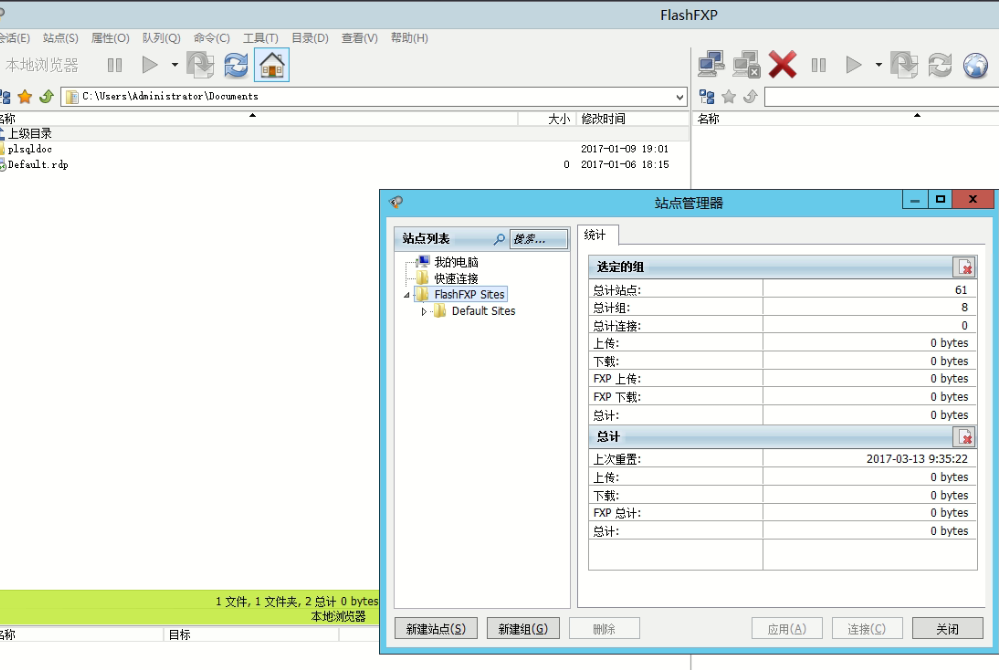
Crack Method
Proceed in two steps:
1. After installation, do not rush to open the main program. Copy the FlashFXP.exe file from the Crack directory inside the compressed package and overwrite the FlashFXP