

A while back, I was swamped with project work. Recently, due to department restructuring, I’m about to move on to new projects. I’ll need to learn a lot of new things again, which is still very exciting. Today after work, I checked my VPS status and found that the VPS only had a little over 1G of space left! My first reaction was an intrusion, but checking the logs revealed no abnormal logins. Plus, I usually log in with a private key without a password, so the possibility of being hacked wasn’t very high. I was very puzzled because the system files should only occupy around 3G, and I don’t usually store large files on the VPS, so the space shouldn’t have decreased so drastically. So, I started investigating with `du` and finally found the culprit! It turned out to be the mysql log files.
After MySQL has been running for a period, a bunch of files similar to mysql-bin.000*** appear in the mysql directory, starting from mysql-bin.000001 and continuing sequentially. They took up a massive amount of hard drive space, up to over a dozen gigabytes. It turns out that files like mysql-bin.000001, mysql-bin.000002, etc., are database operation logs. For example, when you UPDATE a table or DELETE some data, even if the statement has no matching data, this command is still stored in the log file. The log also records the execution time of each statement. What are these mysql-bin.00001 files mainly used for? 1. Data Recovery
If your database has a problem and you have a previous backup, you can examine the log files to find out which command caused the issue and figure out a way to recover your losses.
2. Synchronizing Data Between Master and Slave Servers
All operations on the master server are recorded in the log, and the slave server can follow this log to ensure synchronization between the two.
3. How to Clean Up
Run /usr/local/mysql/bin/mysql -u root -p to log in and execute:
reset master;
If you only have one MySQL server, locate the my.cnf file under /etc/ vim /etc/my.cnf and take the following two lines
#log-bin=mysql-bin #binlog_format=mixed and comment them out, then delete all these log files in the var directory under mysql, and restart the mysql service.
However, if you have set up a master-slave server setup, you will need to do the following.
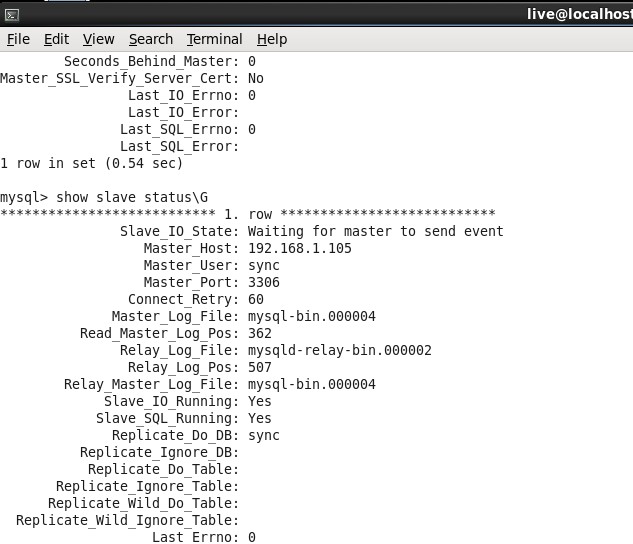
A: On each slave server, use SHOW SLAVE STATUS to check which log it is currently reading.
B: Use SHOW MASTER LOGS to get a list of logs on the master server.
C: Determine the earliest log among all slave servers. This is the target log. If all slave servers are more up-to-date, it’s the last log on the list.