

Chrome is the most popular web browser. Whether you like using it or not, Chrome delivers a great user experience.
Although it is available on Linux, it is not an open-source web browser.
And, if you like the look and feel of Chrome but want an open-source solution, Chromium is an option.
But isn’t Chrome based on Chromium? (Yes.) And it’s also developed by Google, right? (Also yes.)
So, what’s the difference between Chrome and Chromium? In this article, we’ll dive deep into them and cover some benchmarks comparing the two.
User Interface
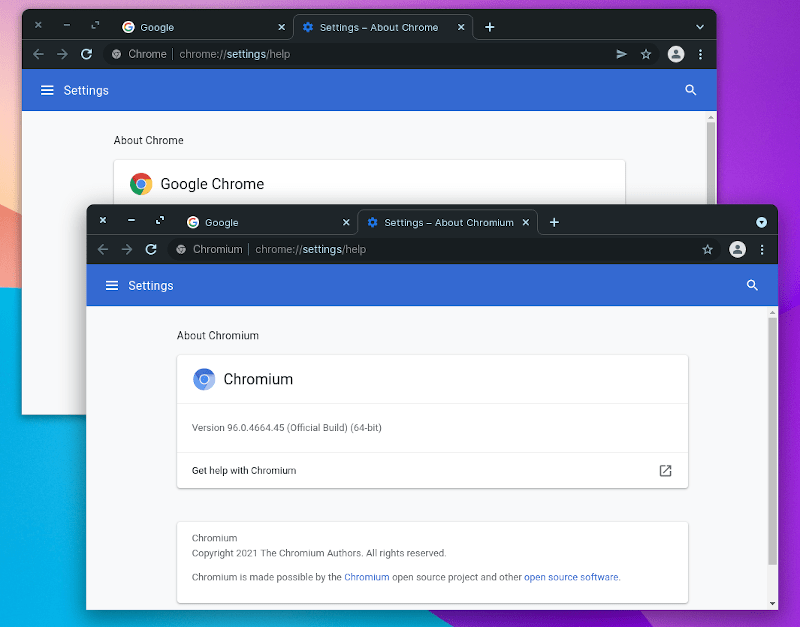
Chrome and Chromium running side by side on Zorin OS 16
The user interfaces of Chrome and Chromium are very similar, with a few minor differences.
For instance, I noticed that Chrome’s system title bar and borders were disabled by default from the start. In contrast, when I tested it, Chromium had them enabled by default.
You can also notice a share button in Chrome’s address bar, which is absent on Chromium.
These aren’t major visual differences, but rather a series of UI tweaks based on available features. So, you can expect a similar user experience, with differences lying under the hood. If you care about the user interface, both browsers should suit you well.
Open Source vs. Proprietary Code

Chromium is entirely open source, meaning anyone can use and modify the code as they see fit (according to the license). You can check its source code on its GitHub mirror.
This is why you find many Chromium-based browsers like Brave, Vivaldi, and Edge.
With so many choices, you can pick whichever you like best.
On the other hand, Chrome incorporates proprietary code into Chromium, making Chrome a proprietary browser. For example, one can fork Brave, but cannot fork Google Chrome and restrict the use of Google-specific code/work within it.
For the end user, whether it’s open source or not doesn’t affect the user experience. However, with an open-source project, you get more transparency and don’t have to rely on a company to communicate what they plan to change and what they are doing with the browser.
So, yes, if you don’t like proprietary code, Chromium is the choice for you.
Feature Differences
It’s no surprise that Google doesn’t want its competitors to have similar capabilities. Therefore, Google has been locking down Chromium and disabling many Google-specific capabilities in it.
Consequently, you’ll find some differences in the capabilities of the two browsers.
Not only that, but since Chromium is open source, you may notice some inconveniences. Don’t worry, I’ll point out the key differences below.
| Chrome | Chromium |
|---|---|
| Has sign-in and sync features | No sign-in and sync features |
| Supports media codecs for using Netflix | Requires manual installation of codecs |
For starters, the Google-backed sign-in/sync functionality is no longer available in Chromium. It used to support sign-in and sync until Google decided to remove it from the open-source project.
Next, Chrome has built-in support for high-quality media codecs. So, you can load content from Netflix. However, these are not present in Chromium.
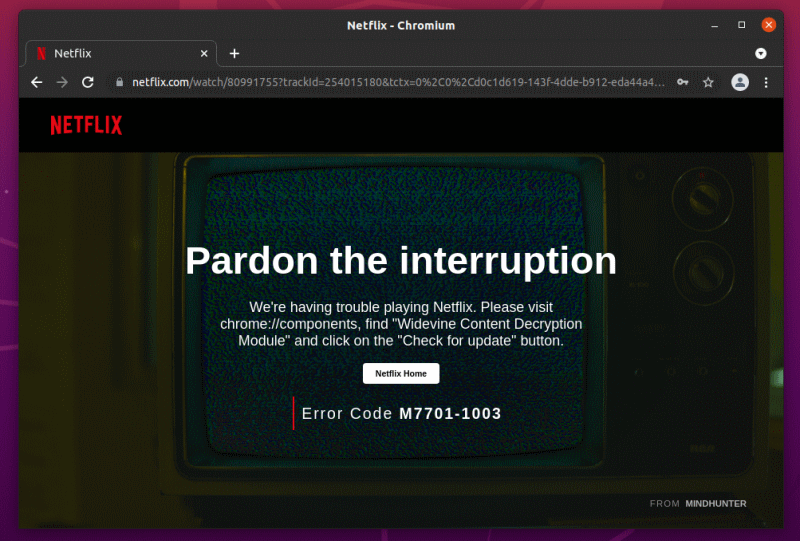
Netflix doesn’t work by default in Chromium
Technically, Chromium does not include the Widevine Content Decryption Module. Therefore, you need to manually install the required codecs to get most things working.
However, you can play content from platforms like Apple Music on both browsers without any issues.
Installation and Latest Updates
You can install Chrome on almost any platform. Linux is no exception. Just head to its official website, grab the DEB/RPM package for a quick installation. The installed application also updates automatically.
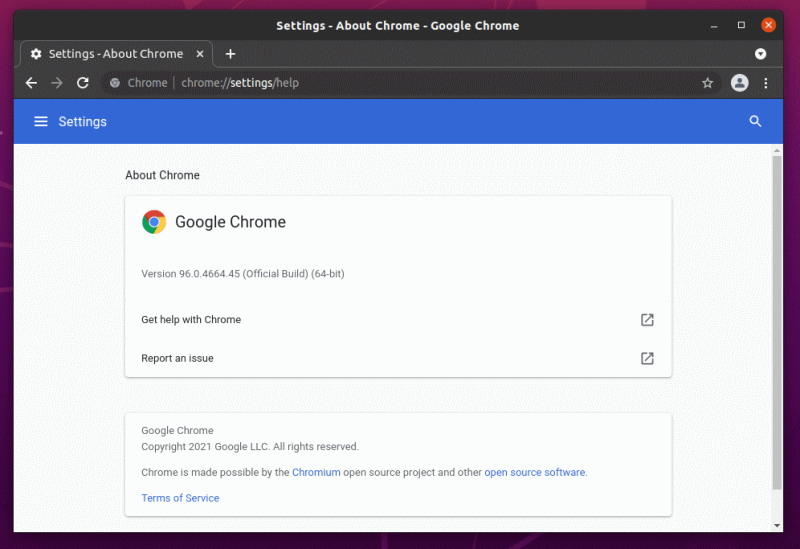
Installing Chromium isn’t as straightforward on several platforms. There was a time when some Linux distributions featured Chromium as the default browser. Those days are gone.
Even on Windows, Chromium’s installation and updates aren’t as smooth as Chrome’s.
On Linux, installing Chromium is a whole different story. Popular distributions like Ubuntu package it as a sandboxed Snap application.
Even if you try to install it using the terminal, hoping to get it from the APT repository, it’s still a Snap.
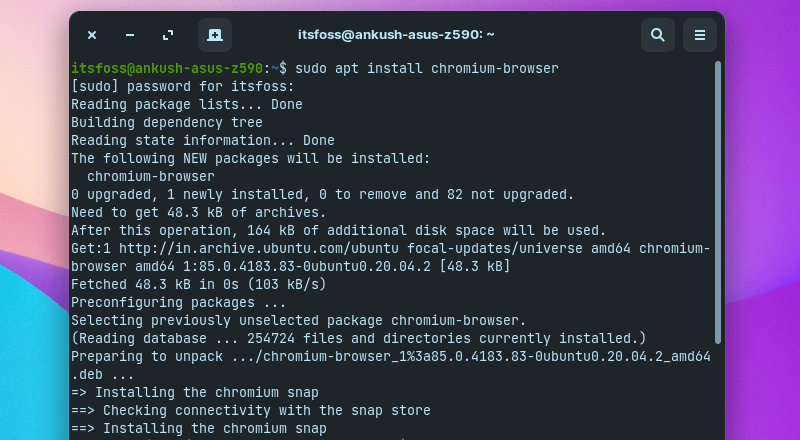
With Snap packages, you might face integration issues with your custom desktop theme. Snap applications also have longer startup times.
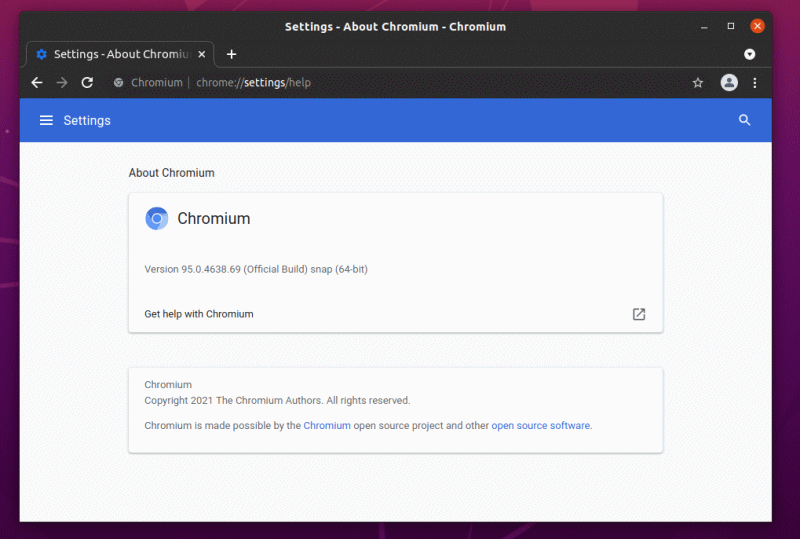
And, if you build it and manually install Chromium, you’ll have to update it manually.
Privacy Angle
Chrome should be good enough for most users. However, if you are concerned about your privacy, Chrome tracks usage information and some browsing-related data.
Recently, Google introduced a new Chrome API that allows websites to detect when you are idle and when you are not. While this is a huge privacy concern, it’s not the only one.
Google constantly experiments with new ways to track users; for example, as pointed out by the EFF, Google’s FLoC experiment was not well-received.
Technically, they claim they want to enhance user privacy while still providing advertising opportunities. However, as of now, this is an impossible task.
In contrast, Chromium should fare much better in terms of privacy. However, if you hate having anything related to Google in your browser, even the slightest telemetry, you should try UnGoogled Chromium.
It’s Chromium, but without any Google components.
Browser Performance
There are various browser benchmarks that can give you an idea of how well a browser handles tasks.
Considering the advanced web applications and resource-intensive JavaScript on websites, if a web browser’s performance is poor, your experience will be noticeably bad when you have many active tabs open.
JetStream 2 and Speedometer 2 are two popular benchmarks that give you a performance estimate for handling various tasks and responsiveness.
Besides these, I also tried Basemark Web 3.0, which also tests various metrics and gives you a composite score.
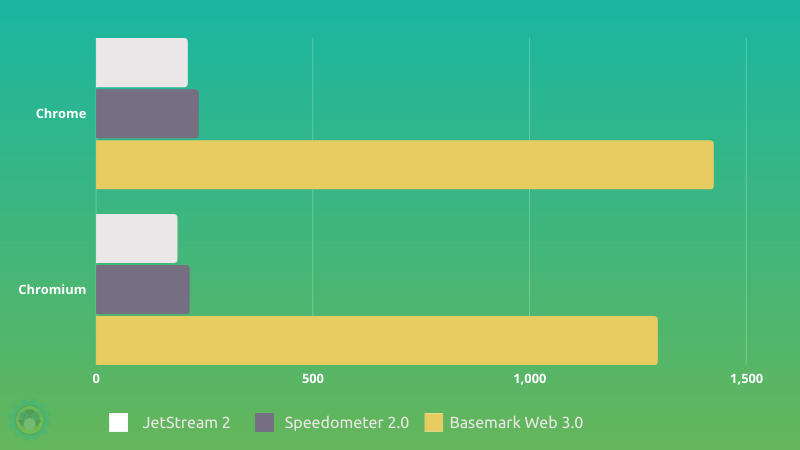
Overall, Chrome wins here.
However, it’s worth noting that your system resources and background processes can impact performance differently when running the browser. So, take that into consideration as well.
Which One Should You Pick?
The choice of browsers exists because users like different things. Chrome offers a good feature set and user experience. If you use Google-powered services in some form, Chrome is an easy recommendation.
However, if you are concerned about privacy and proprietary code, Chromium or UnGoogled Chromium, or any other Chromium-based browser like Brave, can be a good choice.
That’s all I have on comparing Chrome and Chromium. I’m open to your thoughts. The comments section is all yours.
via: https://itsfoss.com/chrome-vs-chromium/
Author: Ankush Das Topic Selector: lujun9972 Translator: wxy Proofreader: wxy
This article is originally compiled by LCTT, proudly presented by Linux中国