

Square’s engineers use a variety of code editors: Sublime, IntelliJ, Xcode, and Vim. Among them, Vim is the most widely used. Over time, Vim enthusiasts at Square compiled their configurations, shortcuts, and plugins into a single repository, affectionately named Maximum Awesome, and open-sourced it. We hope that other OS X users can get up and running with Vim within minutes.
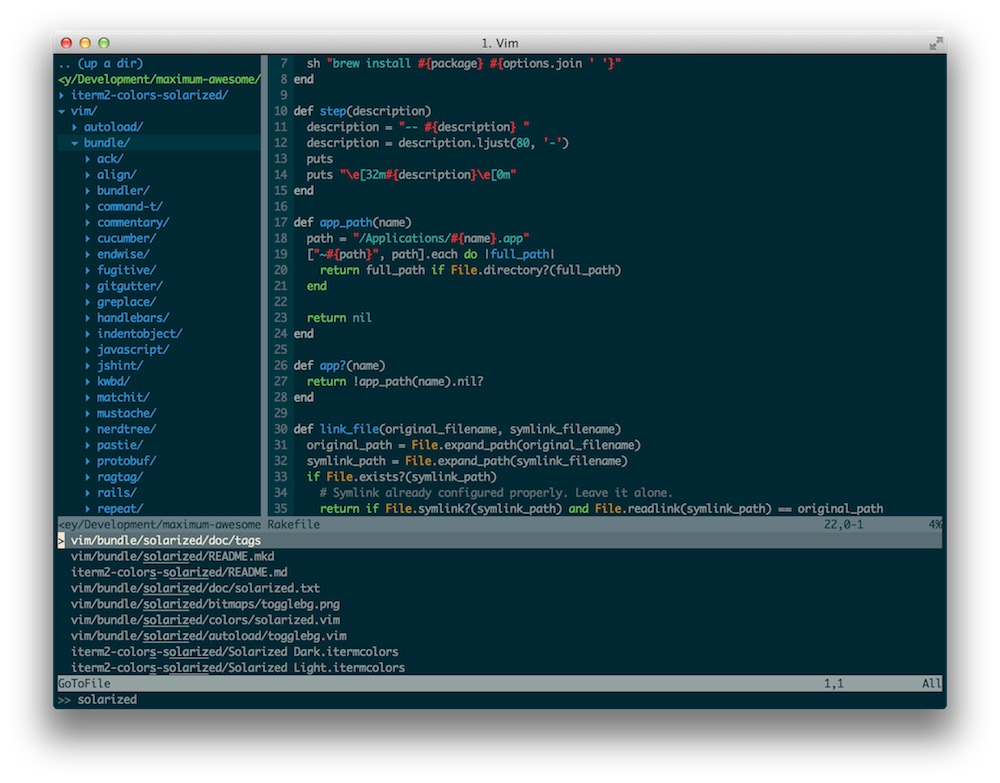
Maximum Awesome comes packed with features you’d expect from a full-fledged IDE: syntax highlighting, code completion, error highlighting, and more. Here are some of my favorite shortcuts and plugins:
- Shared Clipboard: Vim’s registers are synced with the OS X clipboard, allowing you to move code just like in native applications.
- Command-T Plugin: For those who use Sublime or TextMate, this will feel familiar. In Vim, use the shortcut
,tfollowed by the name of the file you want to open.
- NERDTree Plugin: Browse your project’s file structure, move files, or create new ones without ever leaving the comfort of Vim. Use
,dto open the drawer, or,fto reveal the current file in NERDTree.
- Integrated Git: This plugin bundles most git commands, but my favorites are
:Gblameand:Gdiff. Use:Gblameto see who wrote different parts of a file, and:Gdiffto compare what I just wrote in a side-by-side view.
- Quick Code Commenting: Use
///to quickly comment out a single line of code, or//to comment out selected code.
Of course, there are some non-Vim components here too. Maximum Awesome pairs with iTerm 2, a tmux configuration file, and the Solarized color scheme. For more details, Vim enthusiasts should head over to: https://github.com/square/maximum-awesome
(Translated from an article on the official Square blog dated August 28)
Note: As of 2013-8-30 10:23:19, this project already had 702 stars on GitHub.
Original Article: Riley Strong Translation by: Jobbole– Huang Limin
Translated Article Link: http://blog.jobbole.com/46966/