

MySQL Error: SQLSTATE[HY000]: General error: 1030 Got error 28 from storage engine
Checking the logs indicated it was a database storage issue, but since we were using Alibaba Cloud’s MySQL service, we had to inspect it from the Alibaba Cloud console.
Upon reviewing the Alibaba Cloud MySQL error logs, the content was as follows:
Sort aborted: Error writing file '/home/mysql/log/tmp/MYFo1tXI' (Errcode: 28 – No space left on device)
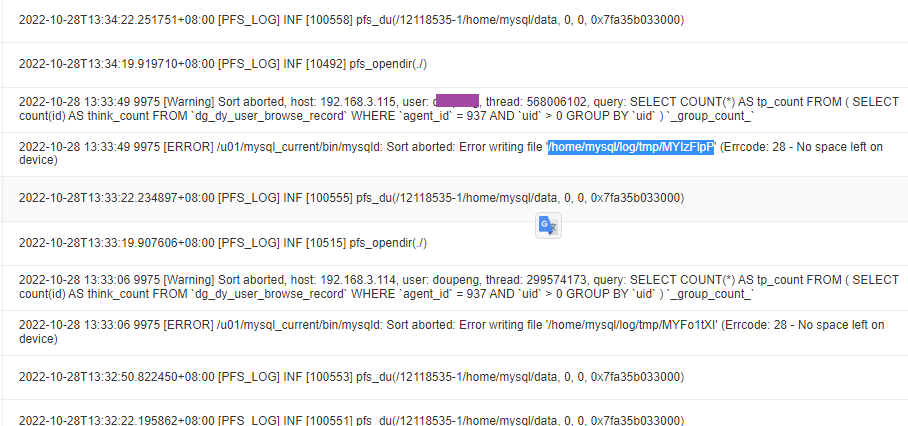
It turned out that MySQL creates temporary files when executing SQL queries. The size of this temporary file depends on the SQL statement and the table size. To determine the exact size, you need to monitor this temporary folder while the SQL is running.
Solution: Expand the temporary directory size. Taking “/home/mysql/log/tmp” as an example, simply increase its capacity.
Since we were using Alibaba Cloud, we contacted Alibaba Cloud support directly to handle it: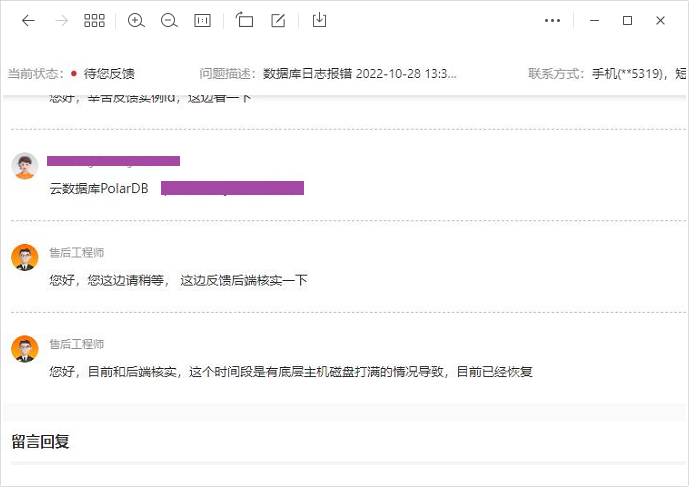
If you are managing your own database server, please clean up the relevant directory yourself. The directory path can be found in the my.cnf configuration file.