

If your server has less than 1GB of RAM, installing the fileinfo extension may fail. For example, if your server is just a small VPS overseas with only 512MB of memory.
So how do you install the fileinfo extension on a low-memory machine? Below, we provide several installation approaches:
1. Stop other services on the server, such as PHP, Nginx, etc., to free up some memory for the installation.
2. Add swap memory. This method is relatively straightforward. You can refer to the following address for instructions. However, if your VPS uses OpenVZ architecture, this method may not work:
https://www.cnop.net/system/linux/2022-08-10/2929.html
3. If neither of the above methods works, you can only use the third approach: install the same PHP version with fileinfo on another server (such as a local virtual machine), and then copy the fileinfo.so file from there to the relevant folder on your server. Assuming the PHP modules folder location is "/www/server/php/74/lib/php/extensions/no-debug-non-zts-20190902", copy the fileinfo.so inside it to your low-memory server.
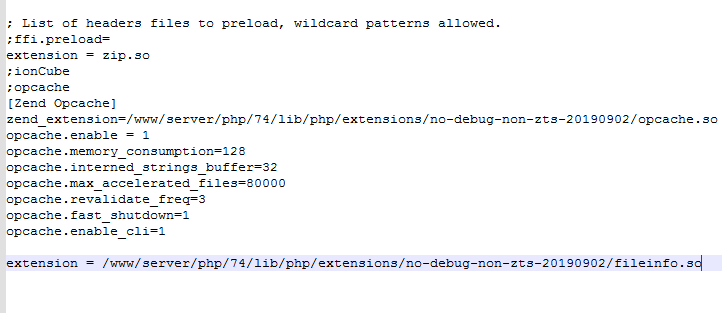
vim /www/server/php/74/etc/php.ini # Add the following content inside (adjust the path according to your actual setup)
extension = /www/server/php/74/lib/php/extensions/no-debug-non-zts-20190902/fileinfo.so
Finally, restart php-fpm:
service php-fpm restart