Improper website directory permissions can easily lead to site defacement or malware injection. Correct directory permission settings should follow the principle of least privilege. For example, website directories generally only need 644 permissions, while folders should be set to 755 permissions.
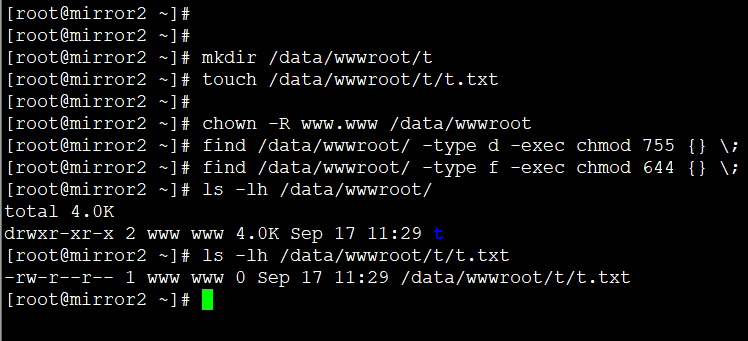
Taking Nginx as an example, assuming the site user and group are both www (the Nginx runtime user), and the website directory is “/data/wwwroot”, we can apply simple authorization with the following commands:
chown -R www.www /data/wwwroot
find /data/wwwroot/ -type d -exec chmod 755 {} \;
find /data/wwwroot/ -type f -exec chmod 644 {} \;
You can check the effect after applying the settings with the following commands:
ls -lh /data/wwwroot/
ls -lh /data/wwwroot/t/t.txt