

SQL> alter database open; #The command throws the following error
ERROR at line 1:
ORA-10458: standby database requires recovery
ORA-01152: file 1 was not restored from a sufficiently old backup
ORA-01110: data file 1: '/data/oracle/oradata/dg/system01.dbf'
Primary server log is as follows:
tail -f /data/oracle/diag/rdbms/orcl/orcl/trace/alert_orcl.log
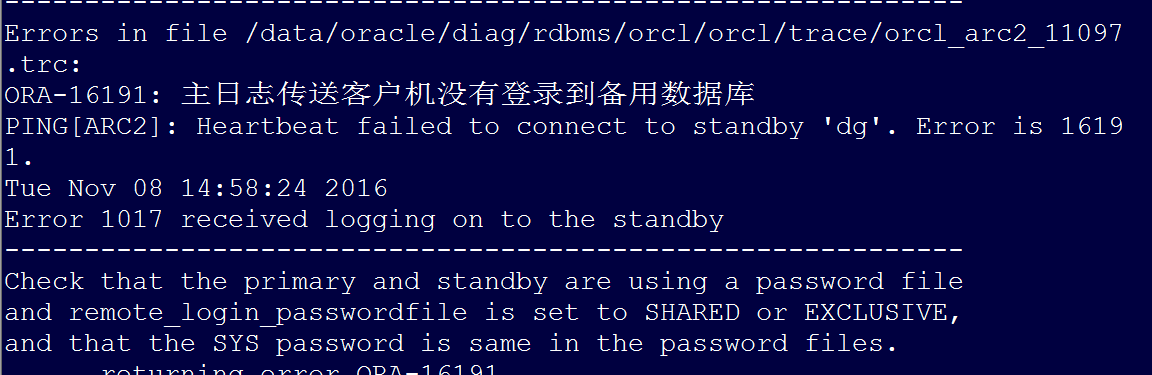
Cause: Possibly related to password inconsistency. Re-sync the primary server’s orapworcl password.
Standby server:
$cd /data/oracle/product/11.2.0/db_1/dbs/
$scp [email protected]:/data/oracle/product/11.2.0/db_1/dbs/orapworcl ./
#Note: The IP above is my server IP and path. Please modify it according to your actual situation, or copy using other methods.
$cp orapworcl orapwdg
Restart the database:
$sqlplus / as sysdba
SQL> startup nomount
ORACLE instance started.
Total System Global Area 977076224 bytes
Fixed Size 2219312 bytes
Variable Size 570426064 bytes
Database Buffers 398458880 bytes
Redo Buffers 5971968 bytes
SQL> alter database mount standby database;
Database altered.
SQL> alter database open;
Database altered.