

<<
Software download links:
http://mirror.cnop.net/oracle/PLSQL_install.zip
or
http://share.cnop.net/file426/1806028-428340587
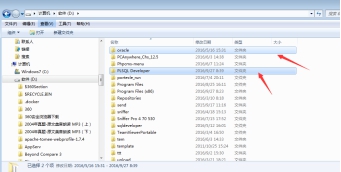
1. Extract and place this compressed package in the root directory of your system’s D: drive:
2. Configure environment variables:
User variable settings: Right-click My Computer -> Advanced -> Environment Variables, create the following new entries and fill in the values below:
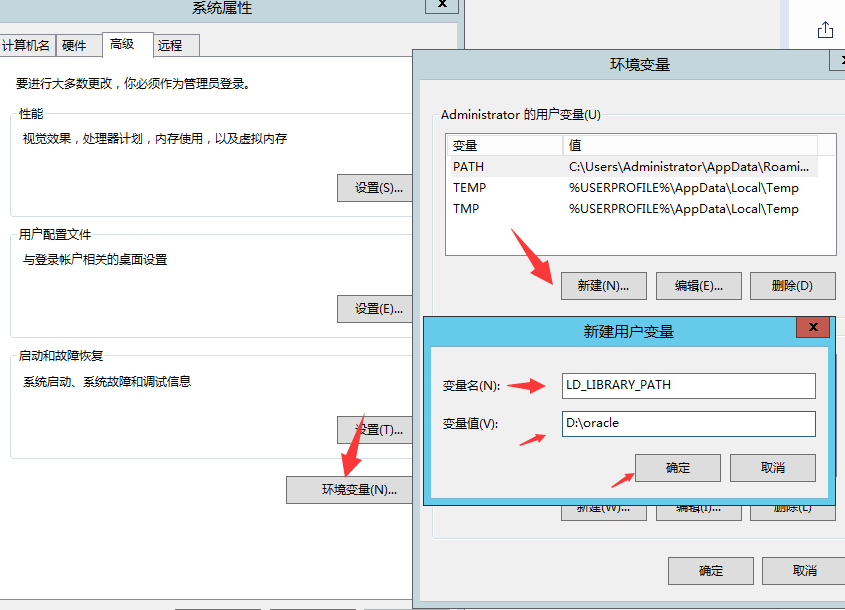
LD_LIBRARY_PATH D:/oracle
NLS_LANG AMERICAN_AMERICA.UTF8
SQLPATH D:/oracle
TNS_ADMIN D:/oracle
System variable: Double-click path