

In SQL Server Configuration Manager, double-click “TCP/IP”
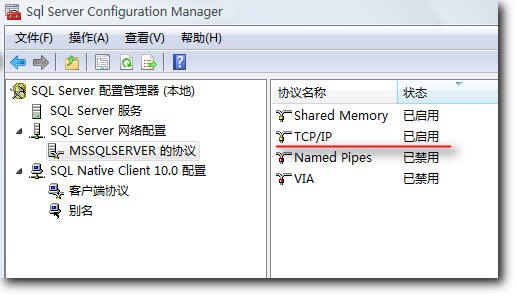
TCP/IP Settings
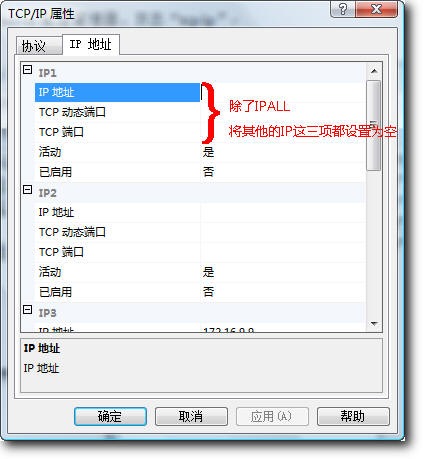
Only configure the TCP port under IPALL at the bottom.
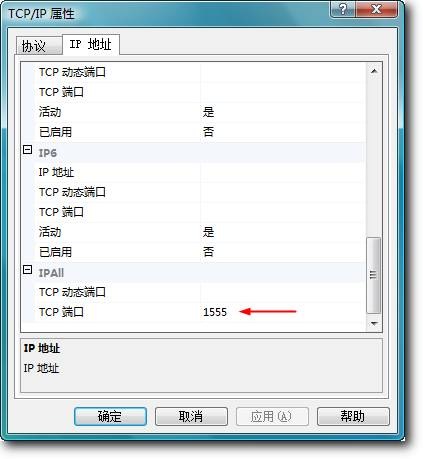
After confirming, restart the SQL Server service. Open SQL Server Management Studio and enter 127.0.0.1,port number as the server name, where the port number is the one you just configured.
Firewall
Control Panel -> Windows Firewall, under Exceptions add the SQL Server port you just configured.