

Sometimes when using shared hosting, you need to redirect multiple domains under a single hosting account to their respective www-prefixed versions. Below, we’ll use the examples of redirecting 123.com to www.123.com, 456.com to www.456.com, and 789.com to www.789.com to illustrate how to write the web.config file:
https://www.cnop.net/uploadfile/2015/1012/20151012023108244.rar
As you can see above, the key to handling multiple websites is to differentiate the rule name values.
After completing the setup, check if it’s successful here:
http://tool.chinaz.com/pagestatus/default.aspx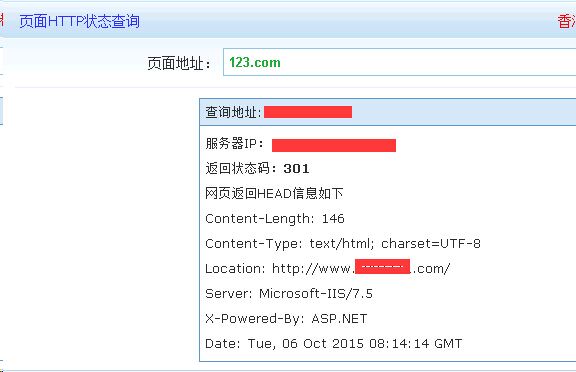
https://www.cnop.net/uploadfile/2015/1012/20151012023108244.rar