

HTTP Error 404.15 – Not Found: Request Filtering Module Configured to Deny Requests with Excessively Long Query Strings
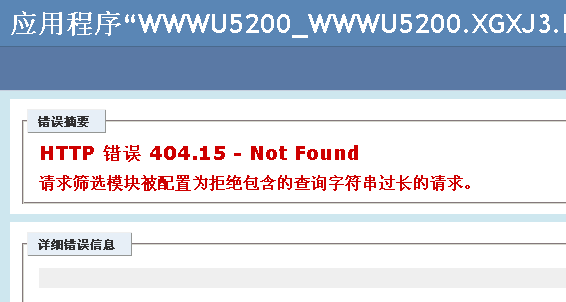
The error details are as follows:
HTTP Error 404.15 – Not Found
The request filtering module is configured to deny a request where the query string is too long.
•Request filtering is configured on the Web server to deny the request because the query string is too long.
Actions you can try:
•Verify the configuration/system.webServer/security/requestFiltering/requestLimits@maxQueryString setting in the applicationhost.config or web.config file.
Links and More Information: This is a security feature. Do not change this feature unless you fully understand the scope of the change. You can configure the IIS server to deny requests whose query string length exceeds a specified value. If the request’s query string is greater than the configured value, this error will be returned. If you need to increase the allowed query string length, modify the configuration/system.webServer/security/requestFiltering/requestLimits@maxQueryString setting.
1. In the project’s web.config file, add the following configuration under the <system.webServer> path:
<security>
<requestFiltering>
<requestLimits maxQueryString="4080" />
</requestFiltering>
</security>
If already configured, you can modify the maxQueryString value.
2. To apply this configuration to all projects, locate the applicationHost.config file in C:WindowsSystem32inetsrvconfig and add the following configuration under the <system.webServer> path:
<security>
<requestFiltering>
<requestLimits maxQueryString="4080" />
</requestFiltering>
</security>
If already configured, you can modify the maxQueryString value.