

How to Check Current Nginx and MySQL Connection Counts
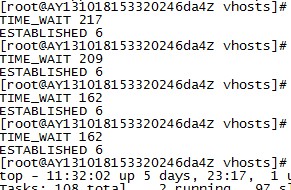
View all current Nginx connections and their states:
#netstat -n | awk '/^tcp/ {++S[$NF]} END {for(a in S) print a, S[a]}'
TIME_WAIT 17
ESTABLISHED 3254
LAST_ACK 236
FIN_WAIT_1 648
FIN_WAIT_2 581
CLOSING 7
CLOSE_WAIT 4916
State description:
CLOSED // No connection is active or in progress
LISTEN // Server is waiting for incoming calls
SYN_RECV // A connection request has arrived, waiting for confirmation
SYN_SENT // Application has started, opening a connection
ESTABLISHED // Normal data transfer state / current concurrent connections
FIN_WAIT1 // Application says it has finished
FIN_WAIT2 // The other side has agreed to release
ITMED_WAIT // Waiting for all packets to die
CLOSING // Both sides trying to close simultaneously
TIME_WAIT // The other side has initiated a release
LAST_ACK // Waiting for all packets to die
Check current MySQL connections:
1. View detailed information on all current connections:
./mysqladmin -uadmin -p -h10.140.1.1 processlist
2. Only view the current connection count (Threads is the connection count):
./mysqladmin -uadmin -p -h10.140.1.1 status
Note: (Differentiate user accounts)
Check MySQL connection count and the current user’s MySQL connection count
First, log into the MySQL prompt as an administrator.
#mysql -uroot -pxxxx
mysql> show processlist; Displays the first 100 connection entries. show full processlist; Displays all. By the way, if you log in with a regular account, it will only show that user’s connections. Note the semicolon at the end of the command.
If we want to check this server’s settings: #vi /etc/my.cnf
set-variable=max_user_connections=30 This is the per-user connection limit
set-variable=max_connections=800 This is the global connection limit
#netstat -n | awk '/^tcp/ {++S[$NF]} END {for(a in S) print a, S[a]}'
TIME_WAIT 17
ESTABLISHED 3254
LAST_ACK 236
FIN_WAIT_1 648
FIN_WAIT_2 581
CLOSING 7
CLOSE_WAIT 4916
State description:
CLOSED // No connection is active or in progress
LISTEN // Server is waiting for incoming calls
SYN_RECV // A connection request has arrived, waiting for confirmation
SYN_SENT // Application has started, opening a connection
ESTABLISHED // Normal data transfer state / current concurrent connections
FIN_WAIT1 // Application says it has finished
FIN_WAIT2 // The other side has agreed to release
ITMED_WAIT // Waiting for all packets to die
CLOSING // Both sides trying to close simultaneously
TIME_WAIT // The other side has initiated a release
LAST_ACK // Waiting for all packets to die
Check current MySQL connections:
1. View detailed information on all current connections:
./mysqladmin -uadmin -p -h10.140.1.1 processlist
2. Only view the current connection count (Threads is the connection count):
./mysqladmin -uadmin -p -h10.140.1.1 status
Note: (Differentiate user accounts)
Check MySQL connection count and the current user’s MySQL connection count
First, log into the MySQL prompt as an administrator.
#mysql -uroot -pxxxx
mysql> show processlist; Displays the first 100 connection entries. show full processlist; Displays all. By the way, if you log in with a regular account, it will only show that user’s connections. Note the semicolon at the end of the command.
If we want to check this server’s settings: #vi /etc/my.cnf
set-variable=max_user_connections=30 This is the per-user connection limit
set-variable=max_connections=800 This is the global connection limit