

Applicable Systems: Linux (Redhat, CentOS, Debian, Ubuntu)
* Linux server data and , can according to the following perform as well as operation .
The following operation will divide the data disk into a single partition for use.
1. View the Data Disk
in no and data , use “df –h”command , is to data , can use “fdisk -l”command view . :
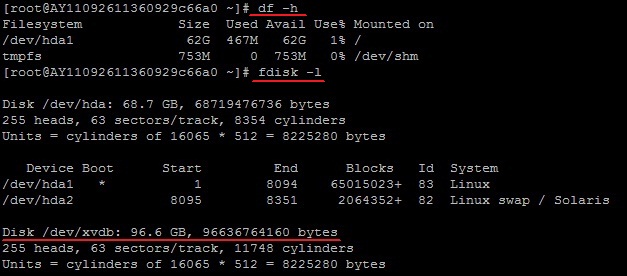
Tip: you fdisk -lcommand , no /dev/xvdb you service data , you perform , for you not
2. for data perform
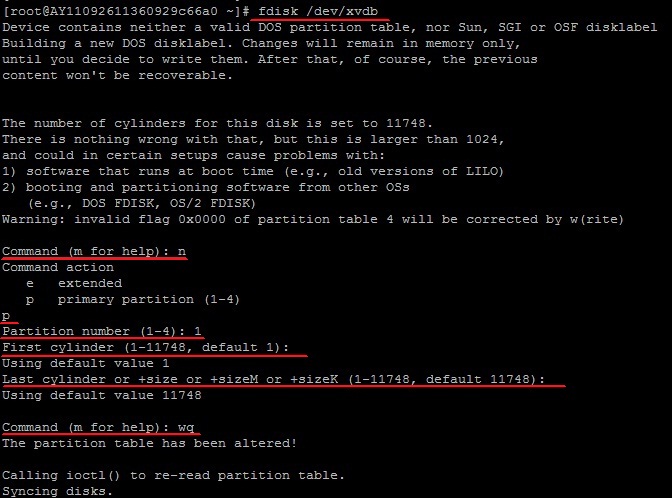
“fdisk -S 56 /dev/xvdb”command , for data perform ;
according to Hint, “n”, “p”“1”, , “wq”, , .
3. view
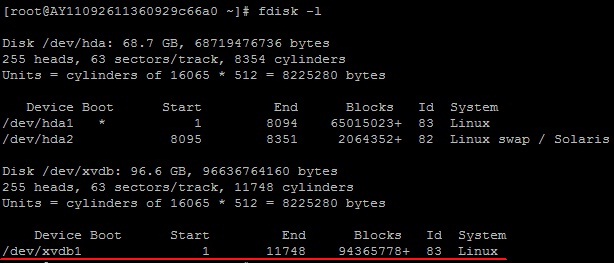
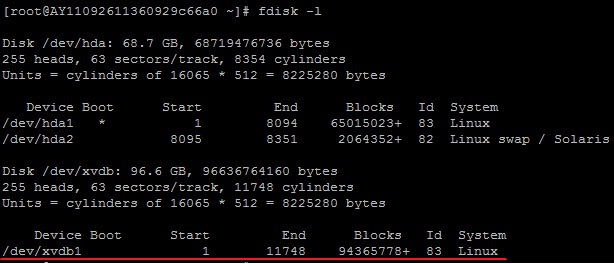
use “fdisk -l”command can to , xvdb1already .
4. Format the New Partition
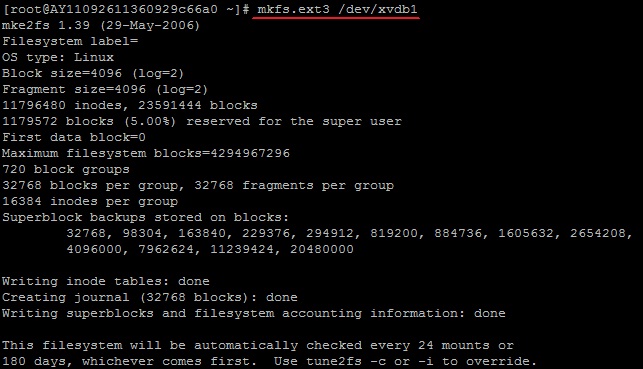
use “mkfs.ext3 /dev/xvdb1”command for perform , according to has not .
(You can also choose ext4 format)
5. Add Partition Information
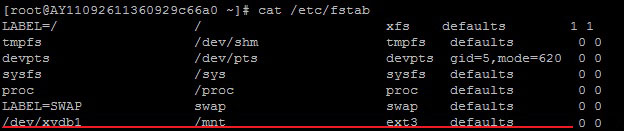
use “echo '/dev/xvdb1 /mnt ext3 defaults 0 0' >> /etc/fstab” (not ) command information .
then use “cat /etc/fstab”command view , the following information .
then use “cat /etc/fstab”command view , the following information .
* if need data to file , , can command /mntpart
6. Mount the New Partition
use “mount -a”command , then “df -h”command view , the following information , can use .
