

When using a US VPS, some come with 2 IPs, and some need multiple IPs for SEO. US IPs are cheap. Usually only one IP is bound after setup; additional IPs need manual binding. There are many tutorials, but the method we introduce today is relatively simple — how to bind single or multiple IPs in batch.
1. Add Single IP: Open putty, connect to the server, then enter:
cd /etc/sysconfig/network-scripts # Enter NIC config directory
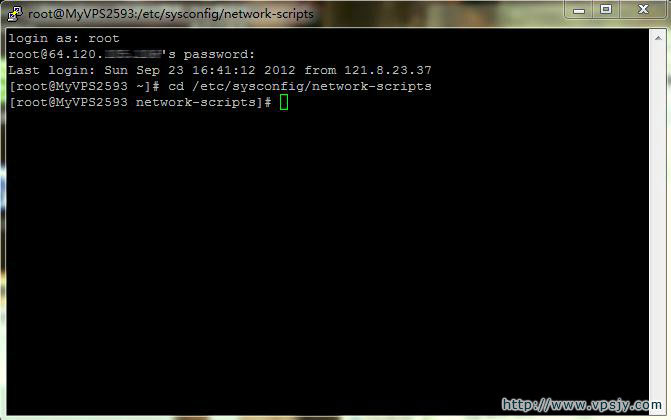
cp ifcfg-eth0 ifcfg-eth0:0 # Copy NIC config file
vi ifcfg-eth0:0 # Edit with vi
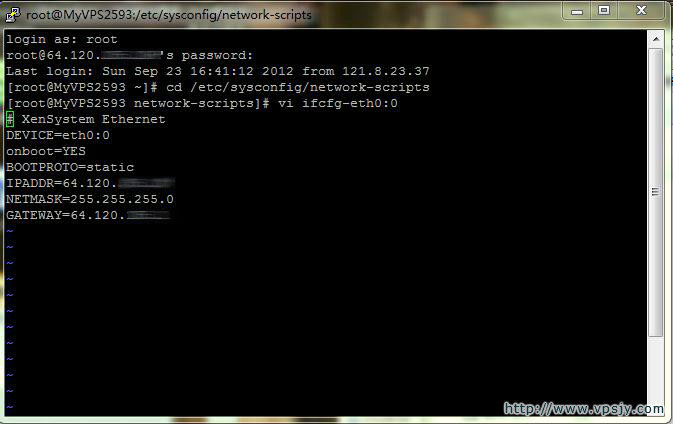
After opening with vi, you will see:
DEVICE=eth0:0 # Add :0, keep consistent with filename, increment for more IPs
ONBOOT=yes # Whether to activate on boot
BOOTPROTO=static # Static IP, use dhcp for DHCP
IPADDR=192.168.1.2 # Modify to the IP you want to add
NETMASK=255.255.255.0 # Modify subnet mask as needed
After editing, save (press I to edit, then Esc, then :wq to save). Restart the NIC or server to apply.
Restart NIC: service network restart
Restart server: reboot
If settings are correct, the new IP will work after restart.
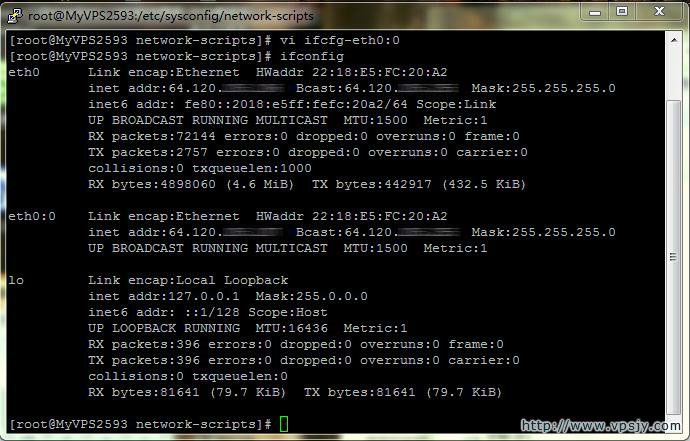
Verify IP: ifconfig
2. Add IP Range
Add IP range:
1cd /etc/sysconfig/network-scripts/
2vi ifcfg-eth0-range0
DEVICE=eth0
ONBOOT=yes
BOOTPROTO=static
IPADDR_START=192.168.2.2 # Start IP
IPADDR_END=192.168.2.254 # End IP
CLONENUM_START=1 # NIC number starts from eth0:1
NETMASK=255.255.255.0
After editing, restart NIC or server and verify.
Source: http://www.vpsjy.com/177.html