

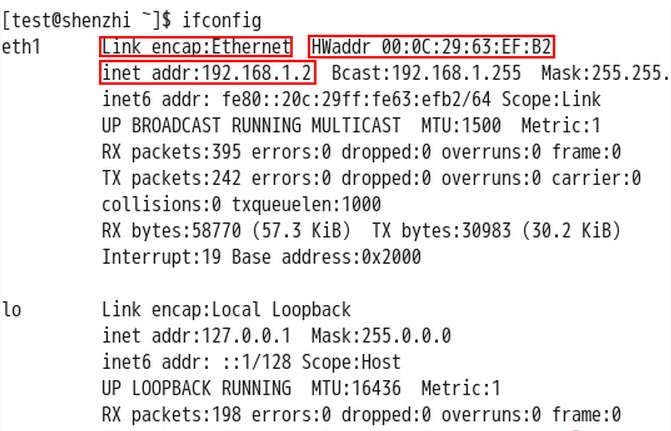
First, use ifconfig -a to check which interface is in use. The following example uses eth0 to configure the settings:
#Edit:
vi /etc/sysconfig/network-scripts/ifcfg-eth0
Contents
DEVICE=eth0BOOTPROTO=staticBROADCAST=192.168.1.255IPADDR=192.168.1.25NETMASK=255.255.255.0GATEWAY=192.168.1.254ONBOOT=yes
DNS1=8.8.8.8
DNS2=8.8.4.4
You can also set the DNS separately as follows: Open /etc/resolv.conf and fill in the DNS servers according to your situation:
nameserver 8.8.8.8
nameserver 8.8.4.4
The command to restart the network card is:
service network restart
Network card activation command:
ifup eth0