

Note: Basic firewall operation commands:
Check firewall status:
[root@localhost ~]# service iptables status<Enter>
Stop firewall:
[root@localhost ~]# service iptables stop <Enter>
Start firewall:
[root@localhost ~]# service iptables start <Enter>
Restart firewall:
[root@localhost ~]# service iptables restart <Enter>
Permanently disable firewall:
[root@localhost ~]# chkconfig iptables off<Enter>
Re-enable after permanent disable:
[root@localhost ~]# chkconfig iptables on<Enter>
1. Check firewall status
[root@localhost ~]# service iptables status<Enter>
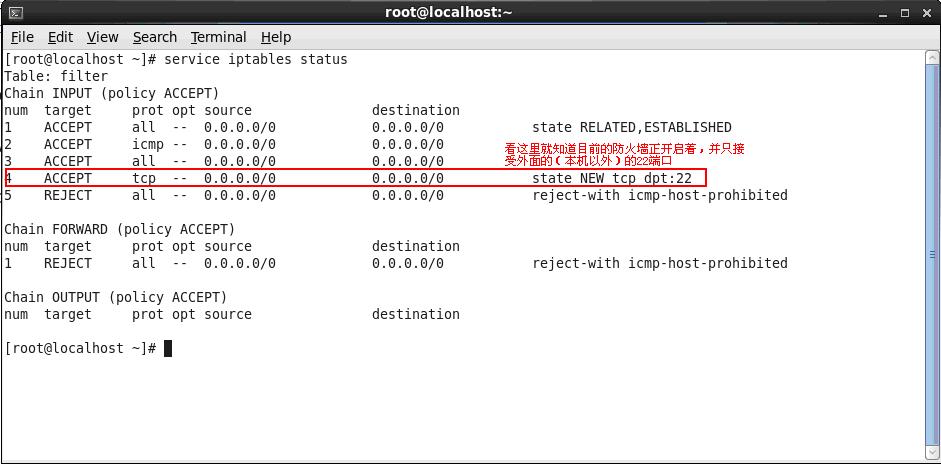
2. Edit the /etc/sysconfig/iptables file. In this example, we will open ports 8080 and 9990
Open /etc/sysconfig/iptables with an editor
3. Follow the same pattern to add ports 8080 and 9990
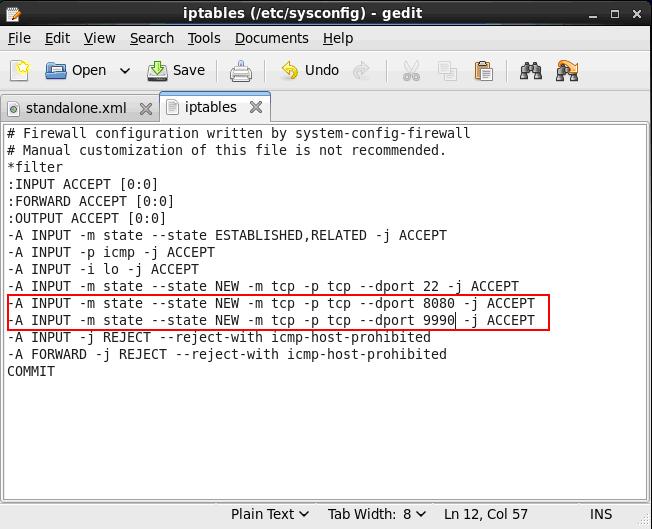
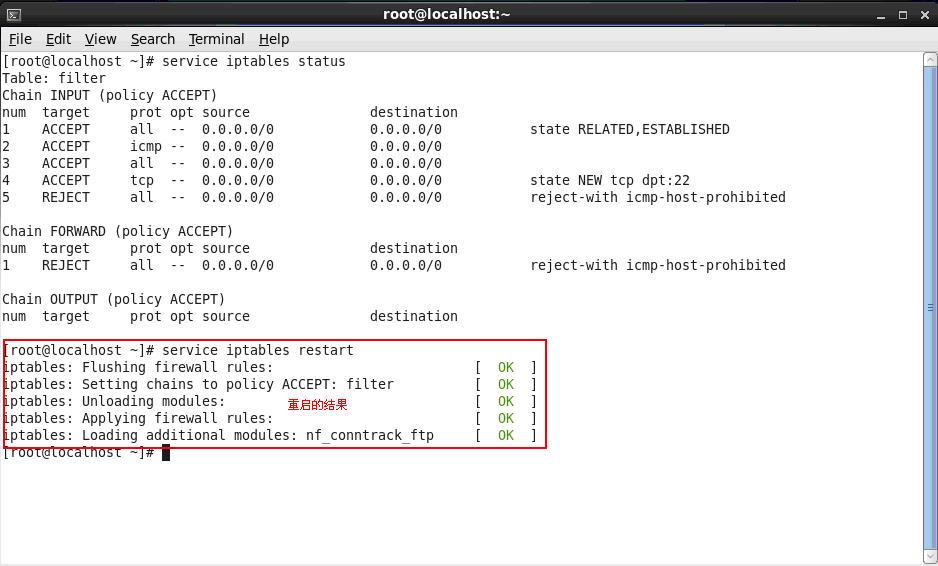
4. Save the /etc/sysconfig/iptables file and execute in the terminal
[root@localhost ~]# service iptables restart <Enter>
5. Re-check firewall status
[root@localhost ~]# service iptables status<Enter>
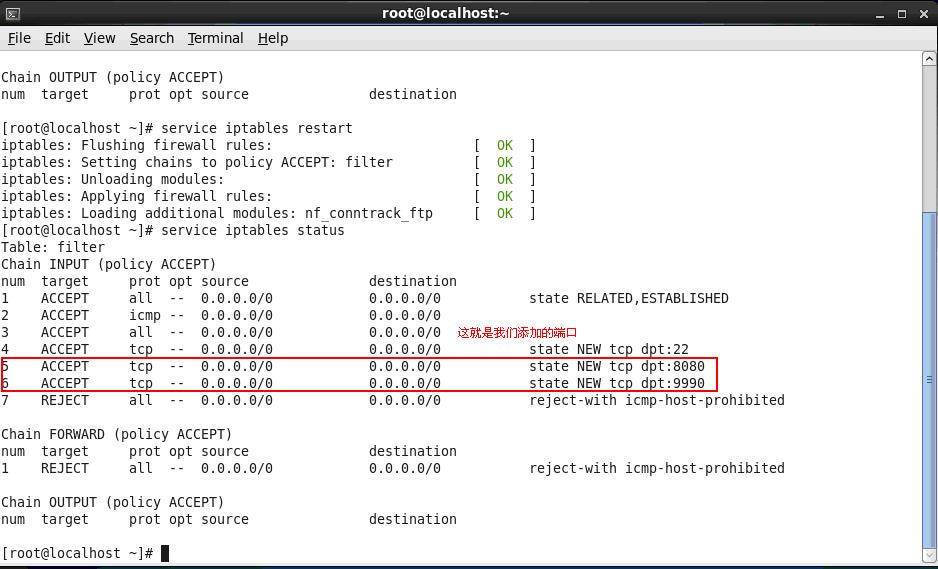
6. At this point, ports 8080 and 9990 on the server are now accessible to external services.
7. Opening other ports follows the same pattern as shown above.
Original article: http://my.oschina.net/u/593517/blog/297941