

1. Check Hard Disk Information:
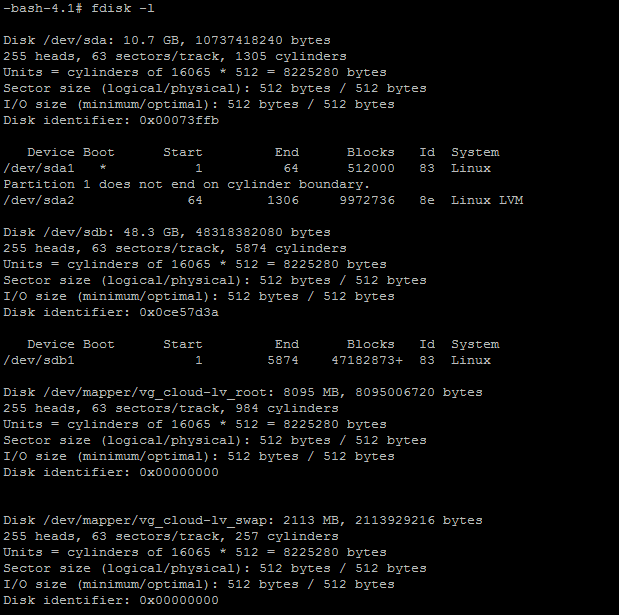
#fdisk -l
Take my disk info as an example:
2. Check File System Format (will be needed later):
#df -T
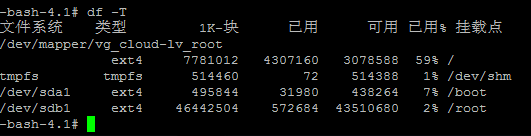
3. Now mount the 48.3GB /dev/sdb shown in the image:
Open the fstab file for startup mounting
vi /etc/fstab
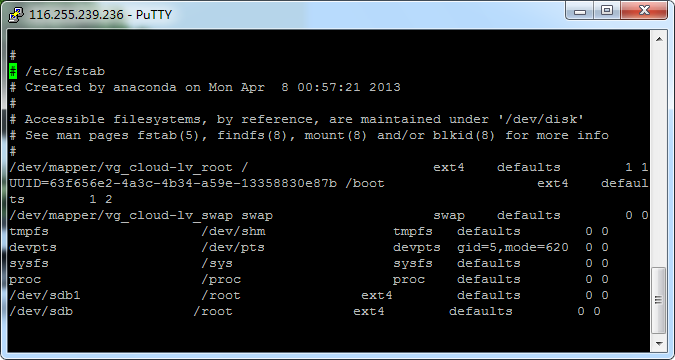
Add the following line at the end:
/dev/sdb /root ext4 defaults 0 0
As shown below:
4. Restart the Server
init 1