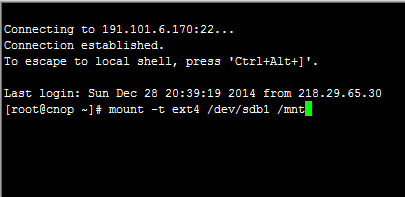
Home › System › Linux › How to Manually Mount an EXT Drive in Linux How to Manually Mount an EXT Drive in Linux Categories: Linux 2014-12-30 root Comments (0) Here’s how to mount an ext4 partition /dev/sdb1 to /mnt on CentOS: mount -t ext4 /dev/sdb1 /mnt « Previous How to Auto-Mount and Partition a New Hard Drive on Linux via /etc/fstab Next »How to Configure Network Interfaces in Linux Related Posts DataX MySQL to ClickHouse Data Sync Example 2025-06-03 How to Self-Host a RustDesk Server 2024-08-26 How to Install Google Pinyin Input Method on Linux 2024-06-01 How to Fix “Failed to Handler Mux Client Connection” 2024-01-13 How to Sync Linux Server Time With Internet 2024-01-13 How to Install the GPM PHP Extension 2022-12-04 Leave a Comment Cancel replyYour email address will not be published.Comment * Name * Email * Website Save my name, email, and website in this browser for the next time I comment. Δ