

Environment: CentOS 5, 7
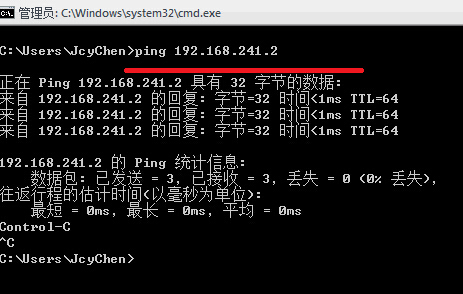
You can use the following command to test before disabling:
ping 192.168.241.2 #Replace with your own IP
Disable Ping (Temporary, for when rebooting the host is inconvenient)
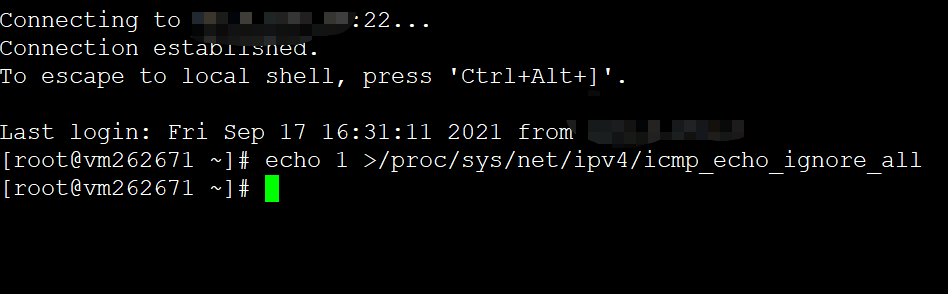
The command is as follows (takes effect immediately, but will be reset after a restart):
echo 1 >/proc/sys/net/ipv4/icmp_echo_ignore_all
銆€銆€
Permanently Disable Ping
Add the command to run automatically at startup or reboot:
For CentOS 5, add on startup:
vi /etc/rc.d/rc.local #Edit the startup file and add the following command
echo 1 > /proc/sys/net/ipv4/icmp_echo_ignore_all
For CentOS 7, add on startup:
echo "net.ipv4.icmp_echo_ignore_all=1" >> /etc/sysctl.confsysctl -p #Apply immediately
You can combine the temporary and permanent methods. Test the result after completion.
How to Enable: Allow Ping
Simply change the 1 to 0 in the commands above:
echo 0 >/proc/sys/net/ipv4/icmp_echo_ignore_all
For CentOS 5, remove from startup:
vi /etc/rc.d/rc.local #Edit the startup file, delete the following
echo 0 > /proc/sys/net/ipv4/icmp_echo_ignore_all
For CentOS 7, remove from startup:
vi /etc/sysctl.conf #Edit the startup file, delete the following
net.ipv4.icmp_echo_ignore_all=0sysctl -p #Apply immediately