

Crontab is a very useful Linux tool that enables scheduled execution of scripts and programs. Below we’ll use a scheduled MySQL backup script as an example, showing how to run backup.sh every day at 23:00:
crontab -e

Write the following code and save with shift+z+z:
0 23 * * * /home/mysqlauto/backup.sh
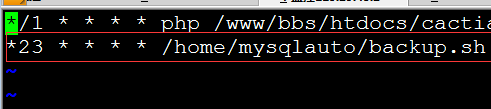
The sh script will then execute automatically every day at 23:00. If you want it to run every 10 minutes, change it to the following:
*/10 * * * * /home/mysqlauto/backup.sh