

During the installation of Kali 2020, you are required to create a standard user and set a password, but you are not prompted for a root password. Here is how to set it.
First, power on and log into the system with your standard user and password, then open the terminal and enter:
sudo passwd root
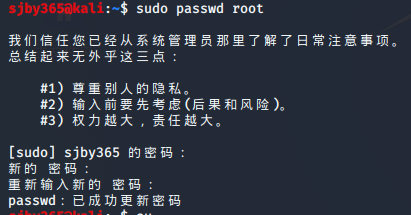
Follow the prompt above — enter your standard user password, then type the new root password and you’re done.