Environment: CentOS 6.4
The PHP memcache extension enables support for the memcached database caching server. Below is the installation method.
1. Download
Download URL: http://pecl.php.net/package/memcache
Filename: memcache-3.0.8.tgz
After downloading, upload the file to the /usr/local directory
2. Installation
tar -zxvf memcache-3.0.8.tgz
cd memcache-3.0.8
Execute:
/usr/local/php/bin/phpize
Configuring for:
PHP Api Version: 20131106
Zend Module Api No: 20131226
Zend Extension Api No: 220131226
./configure –enable-memcache –with-php-config=/usr/local/php/bin/php-config –with-zlib-dir
make
make install
Installing shared extensions: ls /usr/local/php/lib/php/extensions/no-debug-non-zts-20121212/
ll ls /usr/local/php/lib/php/extensions/no-debug-non-zts-20121212/

Seeing memcache.so in the image above indicates the installation was successful.
3. Configure PHP Support
vi /usr/local/php/lib/php.ini
Add
extension=memcache.so
Save and exit.
4. Restart Services
/etc/init.d/php-fpm restart #Restart PHP
service nginx restart #Restart Nginx
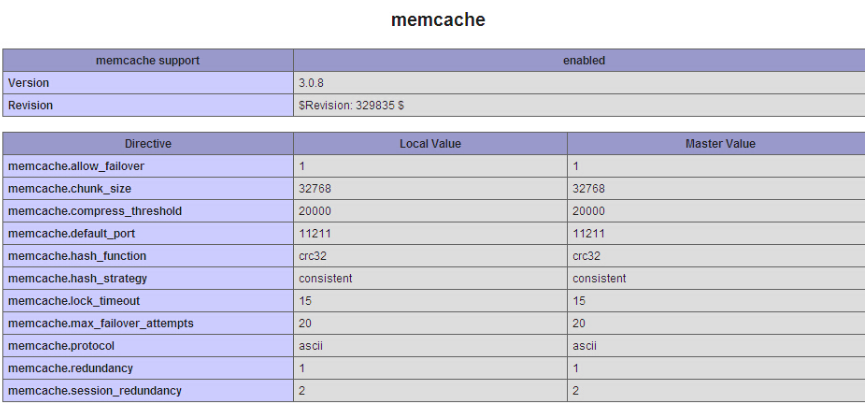
Check phpinfo to see that it is now supported