

<<
Error Pulling Code from Git: Permission denied (publickey). fatal: Could not read from remote repository. Please make sure you have the correct access rights and the repository exists.
Cause: The public key of your local machine has not been added to Git. Add it to fix this.
1. Generate an SSH key on the machine you want to pull code to (using my CentOS 7 as an example):
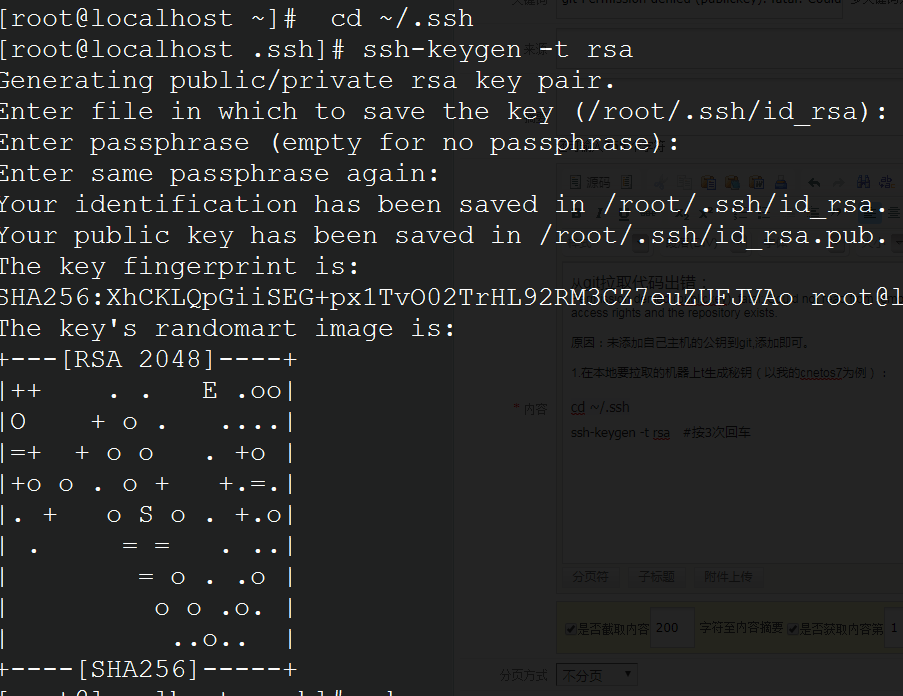
cat id_rsa.pub #View the public key code and copy it.
ssh-rsa AAAAB3NzaC1yc2EAAAADAQABAAABAQC+ttxGK1g+auNIXZFWlRRNBNQqfMazUsu6KaOp5cz+E31a/QzFBnm1wbTIxToUafBbSEgZcq4p6te505+Rcw3ZMkVjth/oFhAdYQ4r45KNbAhTbOmvsn78gLjpPWCVPwKKgaWRX5EBeIs2+80tTMs74PmFtcZ8vS4gpieHz1fLQha7SZxbJo12LzljL+UxA8lHM7UsZR2vdtnQsyPoS62nNEmobKUGCJLTdZ+8FuTu0QKFsmX7NF8MN0WNcoDVEZwN2AxROTcDNixTstCIpSj9fiPddQgYpubtUvrSpNC5ddavlRhWdegGzWcC9nFYZblYYF1uwD7NNpO8Hs5u98uHv3 [email protected]
2. Log in to your Git account and click the Settings icon in the upper right corner: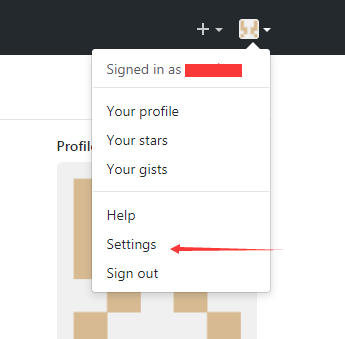
Click “New SSH key”, create a new SSH key, and paste your machine’s public key into it:
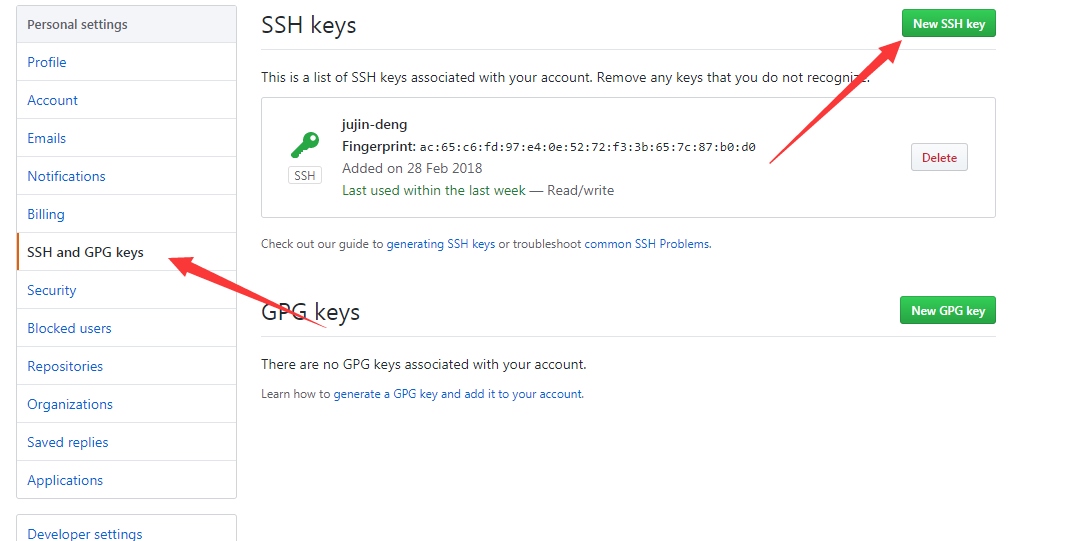
Then try pulling the files again.