

MailGun is an excellent email delivery tool. It offers a free trial with 5,000 emails per month for the first three months. After that, it costs $0.80 per 1,000 emails, which is roughly 0.5 RMB each—quite affordable.
1. Register an Account (Skip) and Add a Domain
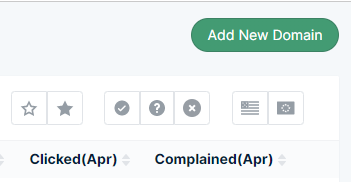
Go to your user dashboard and click “Add New Domain”:
https://app.mailgun.com/app/sending/domains
Enter a subdomain. Here we use mail.cnop.net as an example:
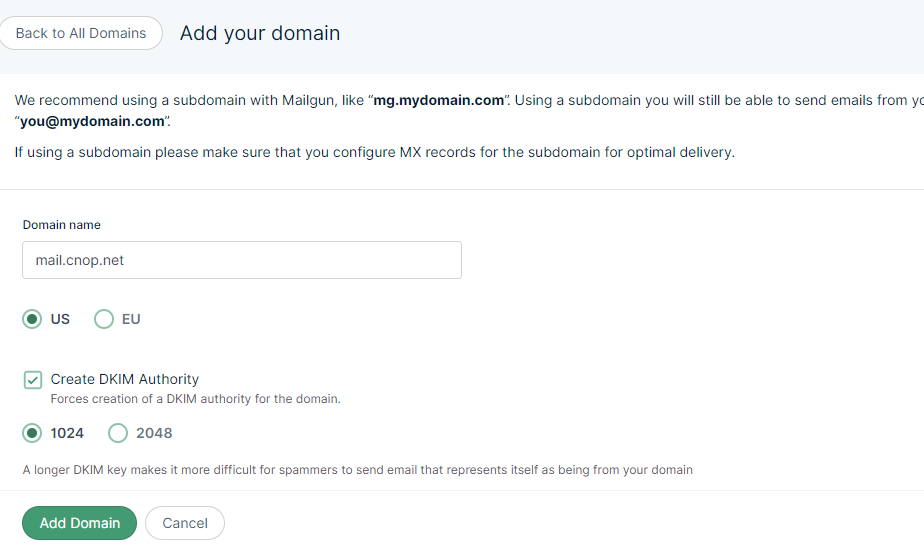
Click “Add Domain”.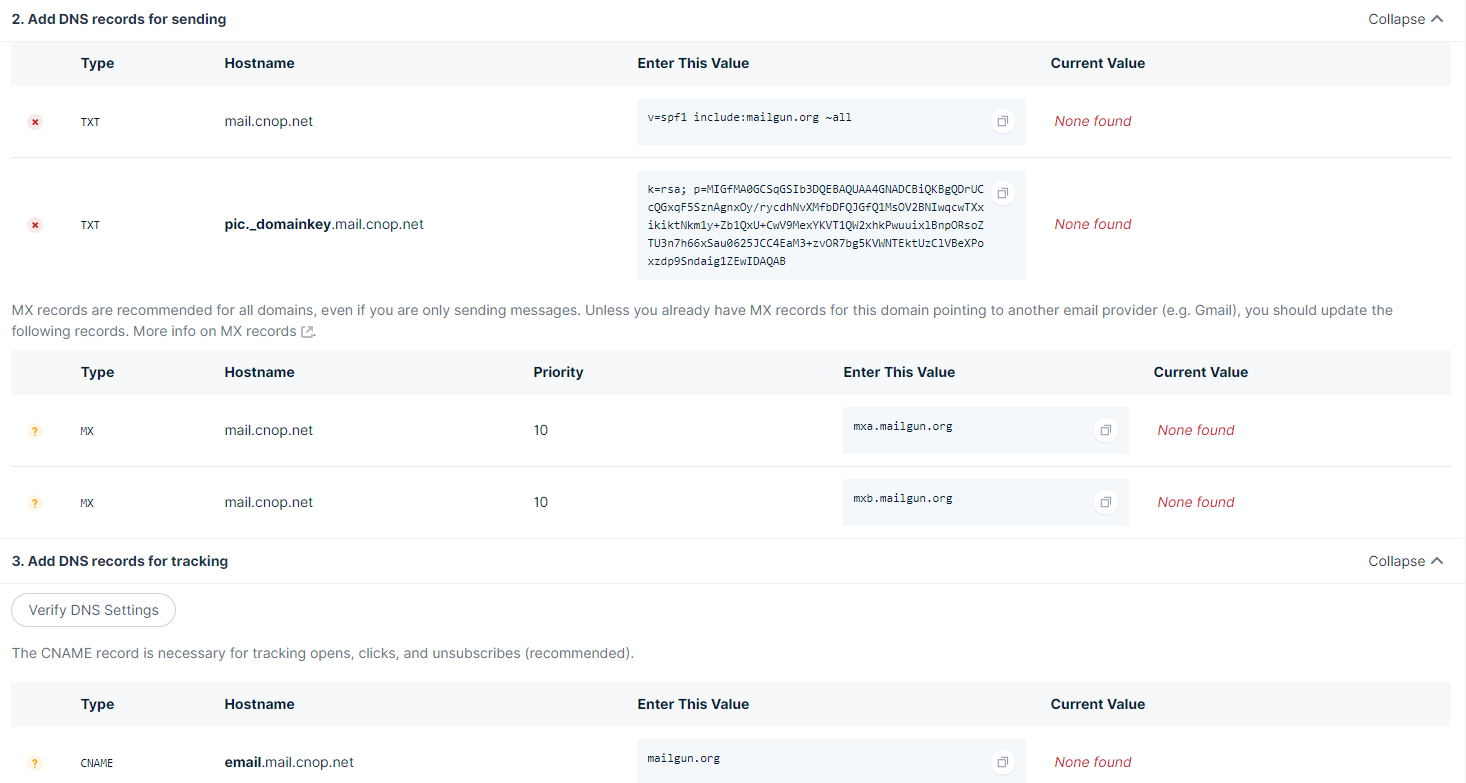
Configure the DNS records as instructed:
| Type | Record Name | Value |
| TXT | mail.cnop.net | v=spf1 include:mailgun.org ~all |
| TXT | pic1._domainkey.mail.cnop.net | k=rsa; p=MIGfMA0GCSqGSIb3DQEBAQUAA4GNAD |
| MX | mail.cnop.net | mxa.mailgun.org |
| MX | mail.cnop.net | mxb.mailgun.org |
| CNAME | email.mail.cnop.net | mailgun.org |
2. Configure DNS Records
Here’s an example using my Godaddy DNS settings (note: when entering the hostname, do not include the main domain suffix. For example, for mail.cnop.net, enter only “mail”).
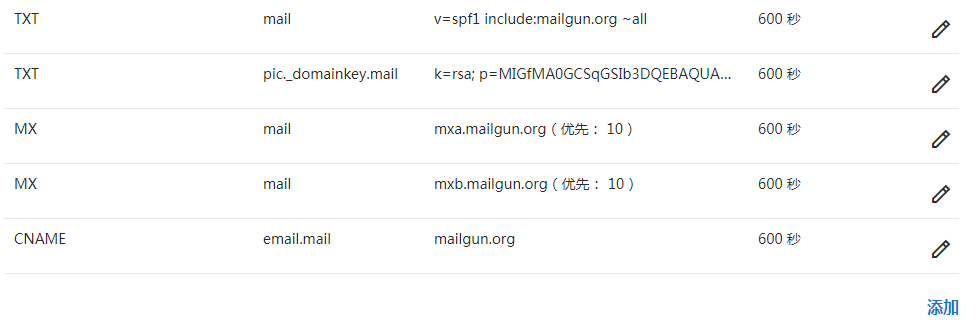
Once all records are added and propagated, click “Verify DNS Settings”:
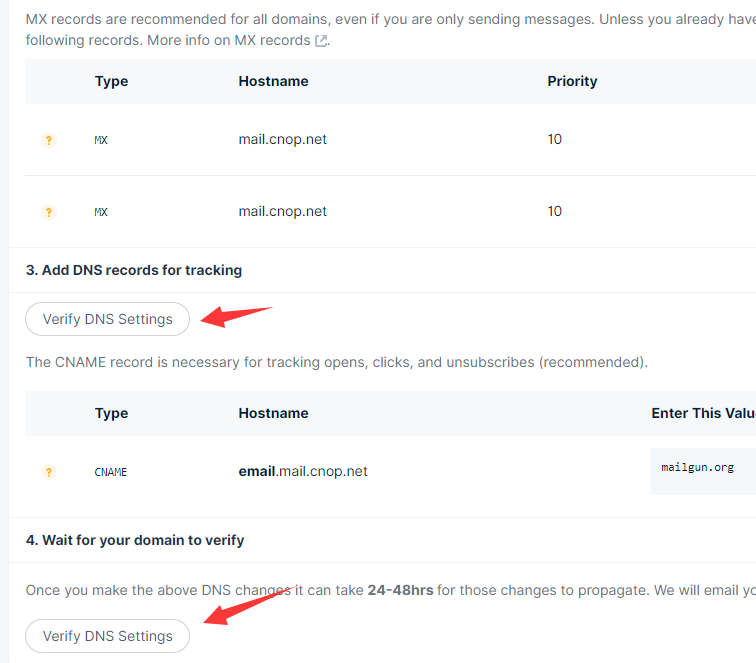
After the records take effect, it will look like this:
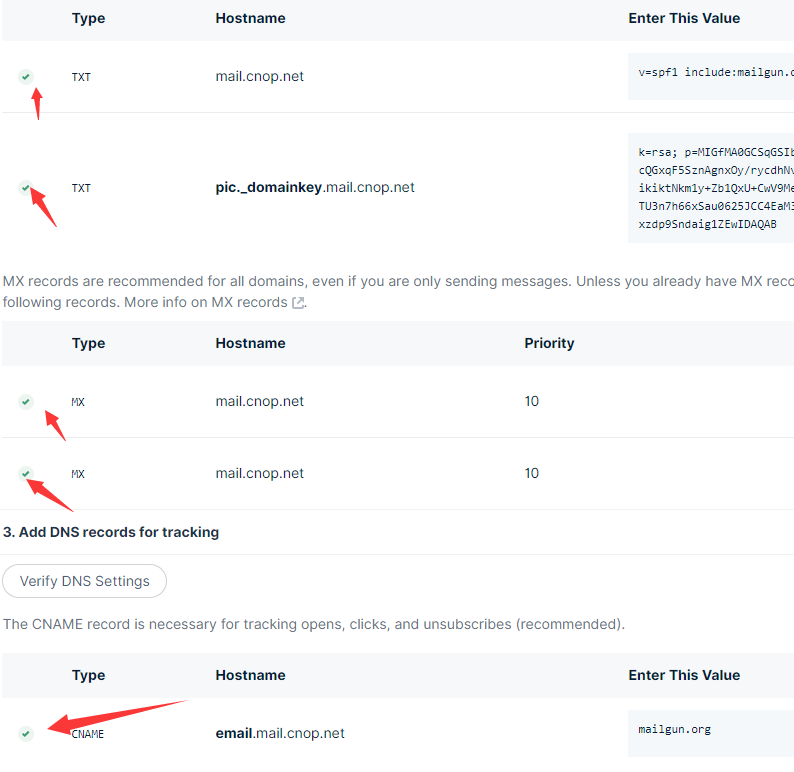
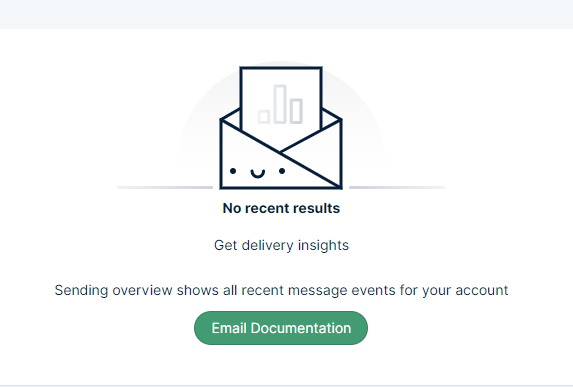
Successful verification will appear as follows:
3. Add a Mailbox User
https://app.mailgun.com/app/sending/domains/mail.cnop.net/credentials
Click “New SMTP User” in the upper right corner
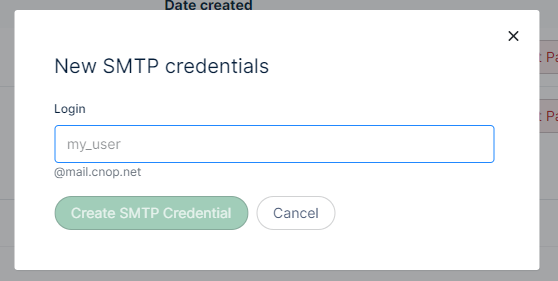
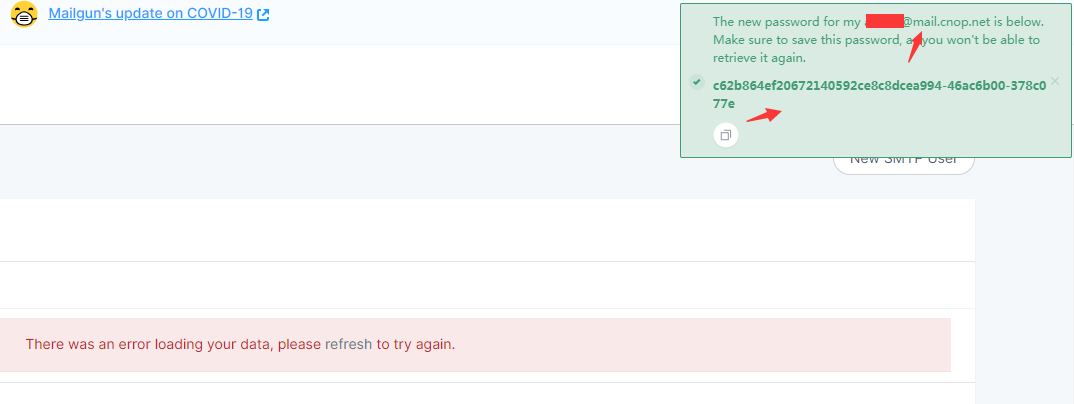
After creating the user, a password for the new account will be displayed in a popup.
4. Send a Test Email (Remember to Replace with Your Own Details)
This example uses a Linux system. For more methods, refer to the official documentation:
https://documentation.mailgun.com/en/latest/quickstart-sending.html#send-via-smtp
Find your API key in the user dashboard:
https://app.mailgun.com/app/account/security/api_keys
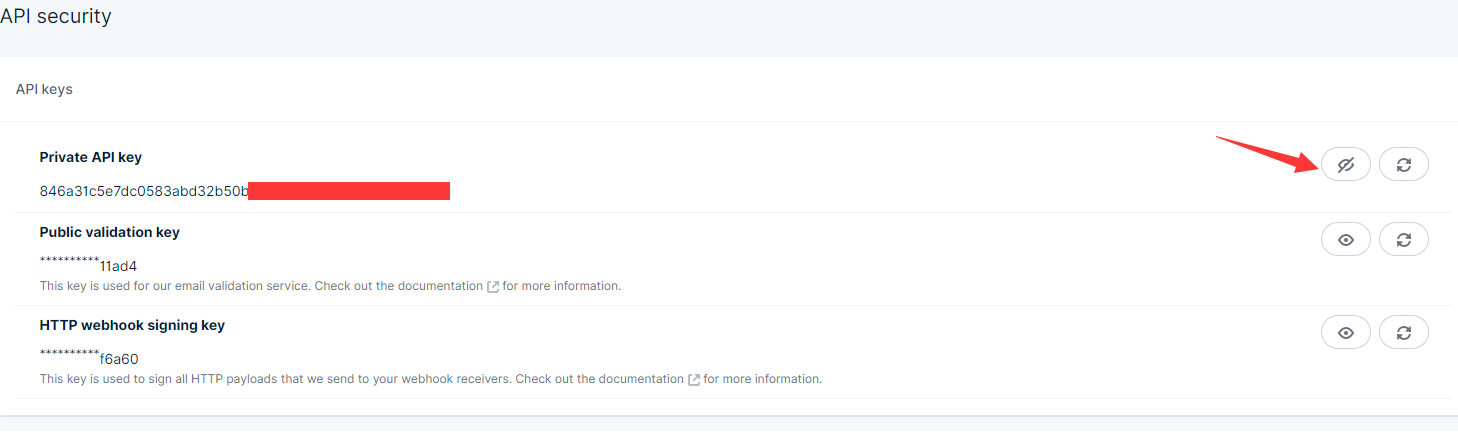
Send the email:
curl -s –user 'api:846a31c5e7dc0583abd32b50ba83a10a-6b6vvv' https://api.mailgun.net/v3/mail.cnop.net/messages -F from='[email protected]' -F [email protected] -F [email protected] -F subject='Hello' -F text='Testing'
In this command:
api Followed by your API key
from The email account you just created
to Followed by the destination email addresses. Here we send to sjbyddd and sjbyaaa as examples.
subject The email subject
text The email body
Check the inbox and spam folders of the recipient email addresses to see if the mail arrived.
Send script attachment: https://www.cnop.net/uploadfile/2020/0402/20200402103136550.zip