What is the most popular server-side technology today? The answer is probably cloud native! KubeSphere, a cloud-native distributed operating system with Kubernetes at its core, is very much a part of this booming cloud-native wave. KubeSphere continues its commitment to 100% open source, leveraging the power of the open source community to rapidly expand globally.
On November 3, 2021, the KubeSphere open source community excitedly announced the official release of KubeSphere 3.2.0!
Six months ago, KubeSphere 3.1.0 introduced features like “edge computing” and “metering and billing”, extending Kubernetes from the cloud to the edge, while further improving interaction design and user experience. Three months ago, KubeSphere released v3.1.1, which allowed specifying an existing Prometheus in the Kubernetes cluster when deploying KubeSphere.
Today, KubeSphere 3.2.0 brings even more exciting features, adding support for “GPU resource scheduling management” and GPU usage monitoring, further enhancing the experience in cloud-native AI scenarios. It also strengthens features such as “multi-cluster management, multi-tenant management, observability, DevOps, application store, and microservice governance”, further refining interaction design and comprehensively improving user experience.
Moreover, v3.2.0 received contributions and participation from more enterprises and users beyond QingCloud. Whether it was feature development, functional testing, bug reports, feature requests, enterprise best practices, bug fixes, internationalization translations, or documentation contributions, all these contributions from the open source community provided tremendous help for the release and promotion of v3.2.0. We extend our special thanks at the end of this article!
Key Updates in KubeSphere 3.2.0
GPU Scheduling and Quota Management
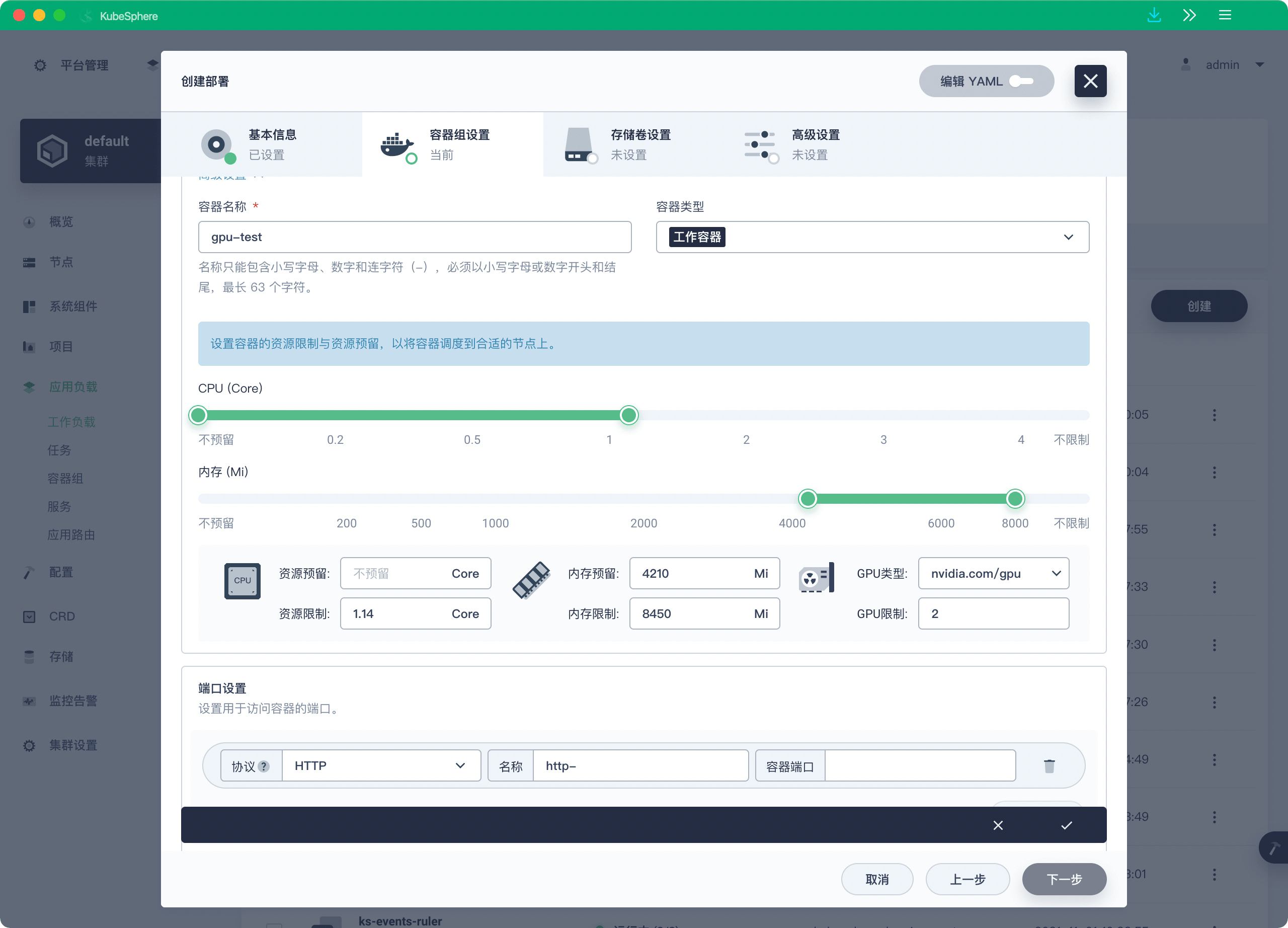
With the rapid development of AI and machine learning technologies, more and more AI companies require GPU resource scheduling management in their server clusters. Monitoring GPU usage and GPU resource quota management are highly demanded by the community. The KubeSphere Chinese forum received many GPU-related requests. KubeSphere has always supported GPU, and v3.2.0 makes GPU management even easier to use.
KubeSphere 3.2.0 supports visual creation of GPU workloads, scheduling of GPU resource tasks, and tenant-level quota management for GPU resources. It can integrate with Nvidia GPU or vGPU solutions.
Enhanced Observability
As container and microservice technologies become increasingly popular, the calling relationships between systems grow more complex, and the number of processes running in the system skyrockets. Thousands of processes running in distributed systems make it difficult to track dependencies and call paths using traditional monitoring techniques. This is where observability becomes crucial.
Observability is the ability to measure a system’s internal state by examining its outputs. If a system’s current state can only be estimated through output information, i.e., telemetry data, then the system is considered "observable." The three pillars of observability include Logging, Tracing, and Metrics. The data collected through these three pillars is collectively called telemetry data.
- More powerful custom monitoring dashboard
KubeSphere has supported cluster-level custom monitoring since v3.1.0, allowing users to select default templates, upload templates, or customize templates to generate monitoring dashboards. KubeSphere 3.2.0 adds support for Grafana in default templates. Users can import Grafana dashboards by specifying a dashboard URL or uploading a Grafana dashboard JSON file. KubeSphere will automatically convert the Grafana dashboard into a KubeSphere monitoring dashboard.
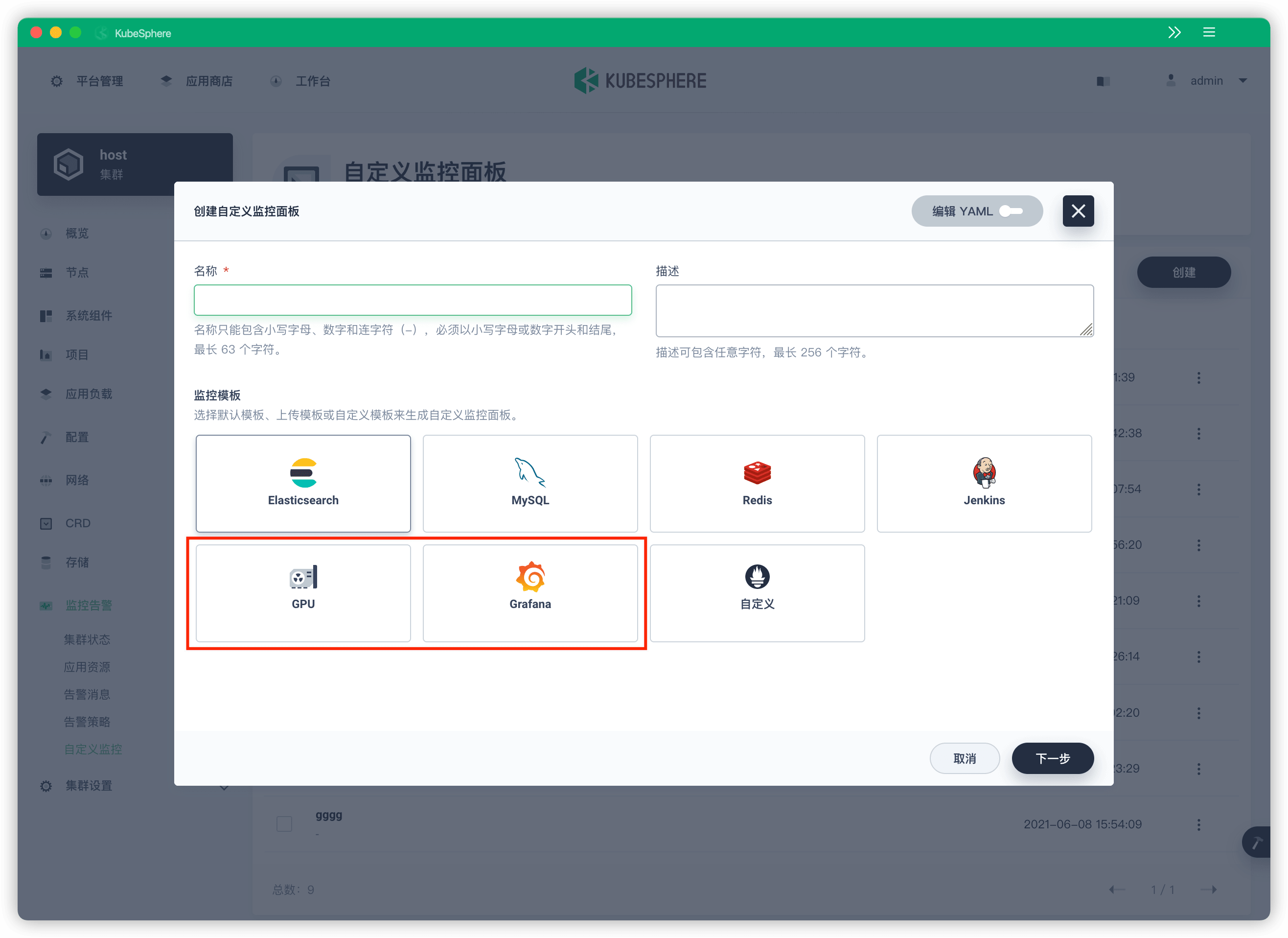
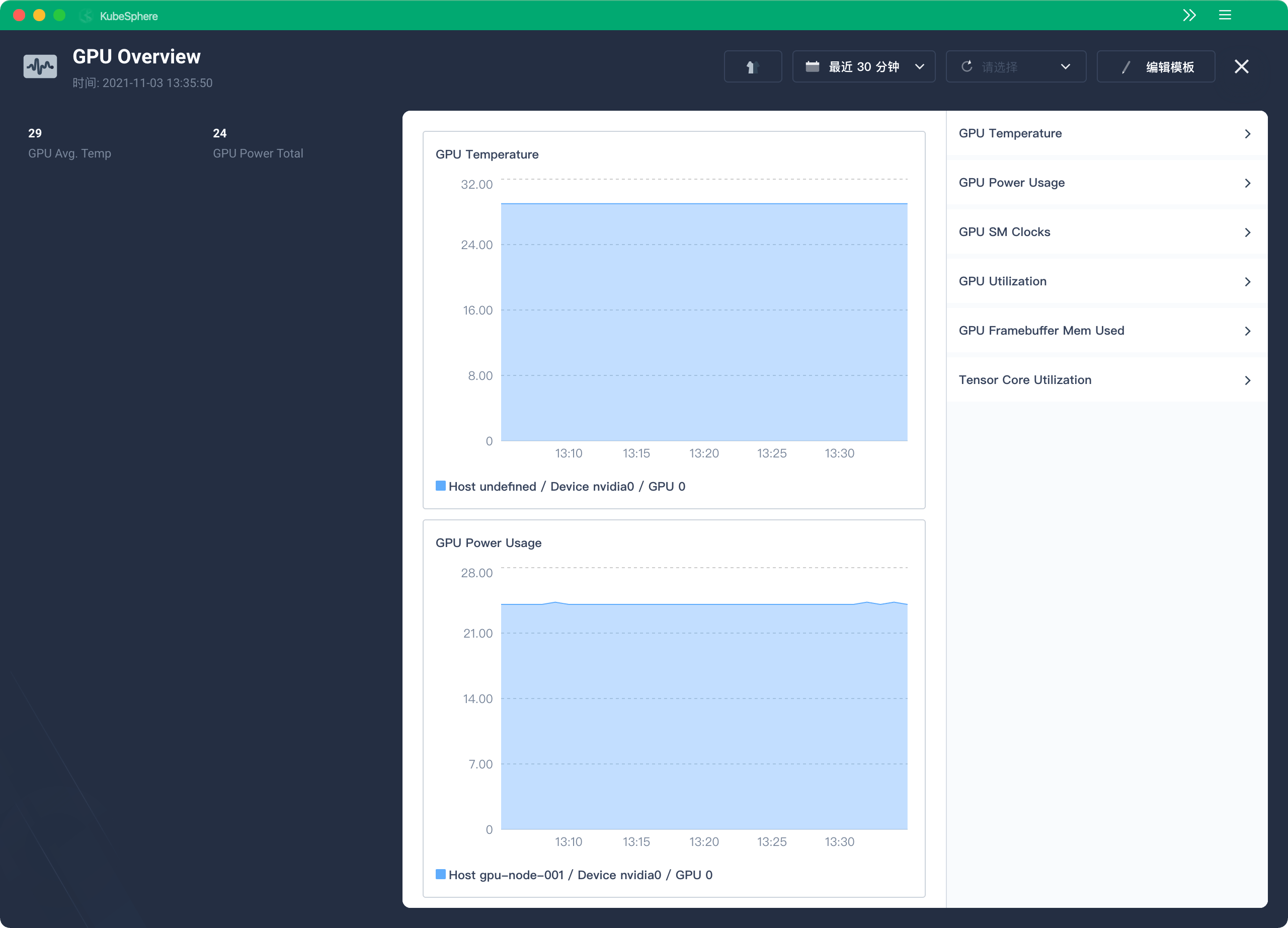
Default monitoring templates for GPU resources are also provided with default metrics, reducing the configuration cost of users creating custom YAML templates.
- Alert notifications and logging
-
Support communication with Elasticsearch via HTTPS
-
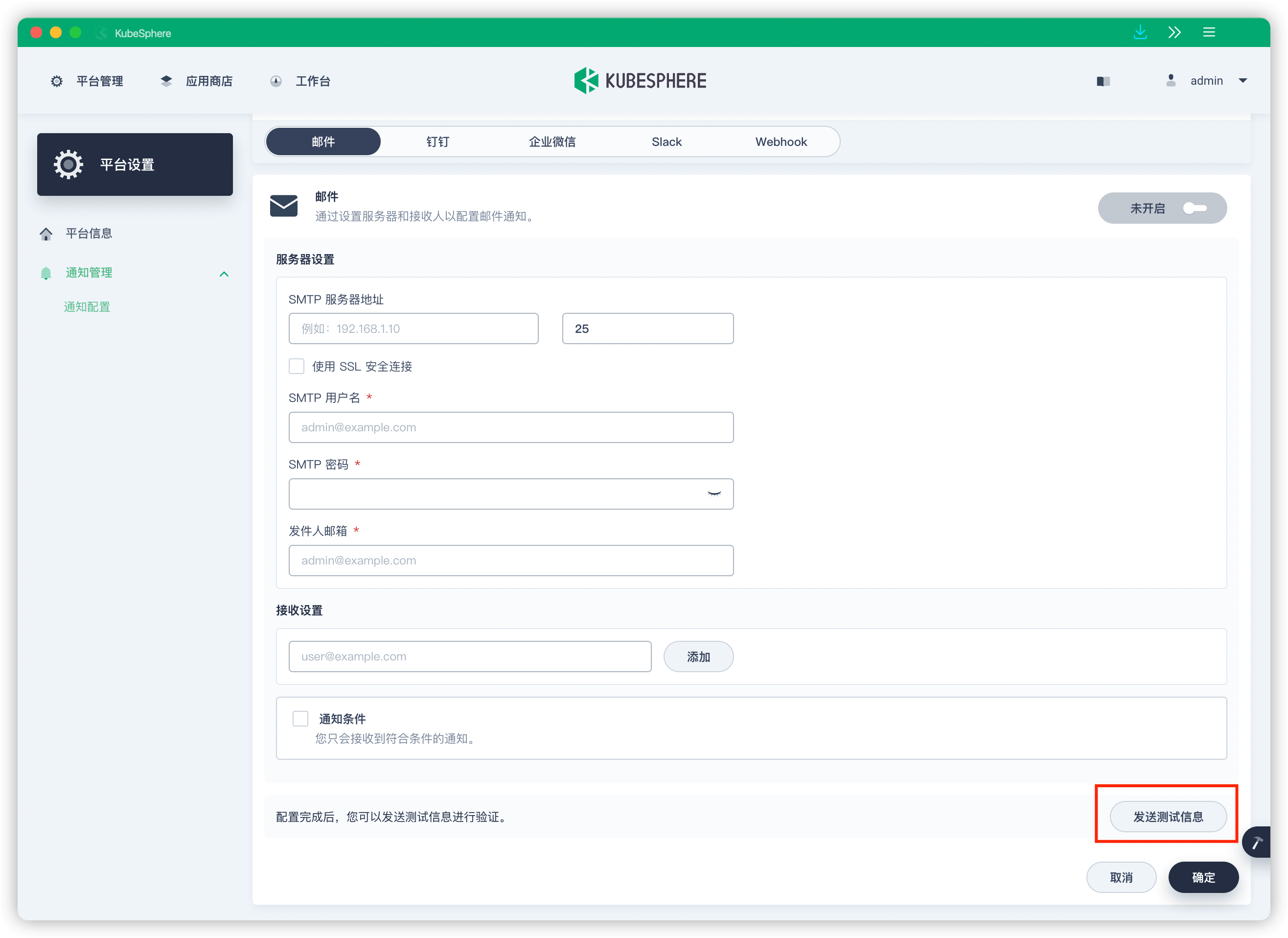
After KubeSphere 3.1 added email, DingTalk, WeChat Work, Webhook, and Slack notification channels, v3.2.0 adds support for testing and validating alert notification channel configurations.
- ETCD monitoring panel now supports automatically labeling the ETCD Leader with
Leadertag
Multi-cloud and Multi-cluster Management
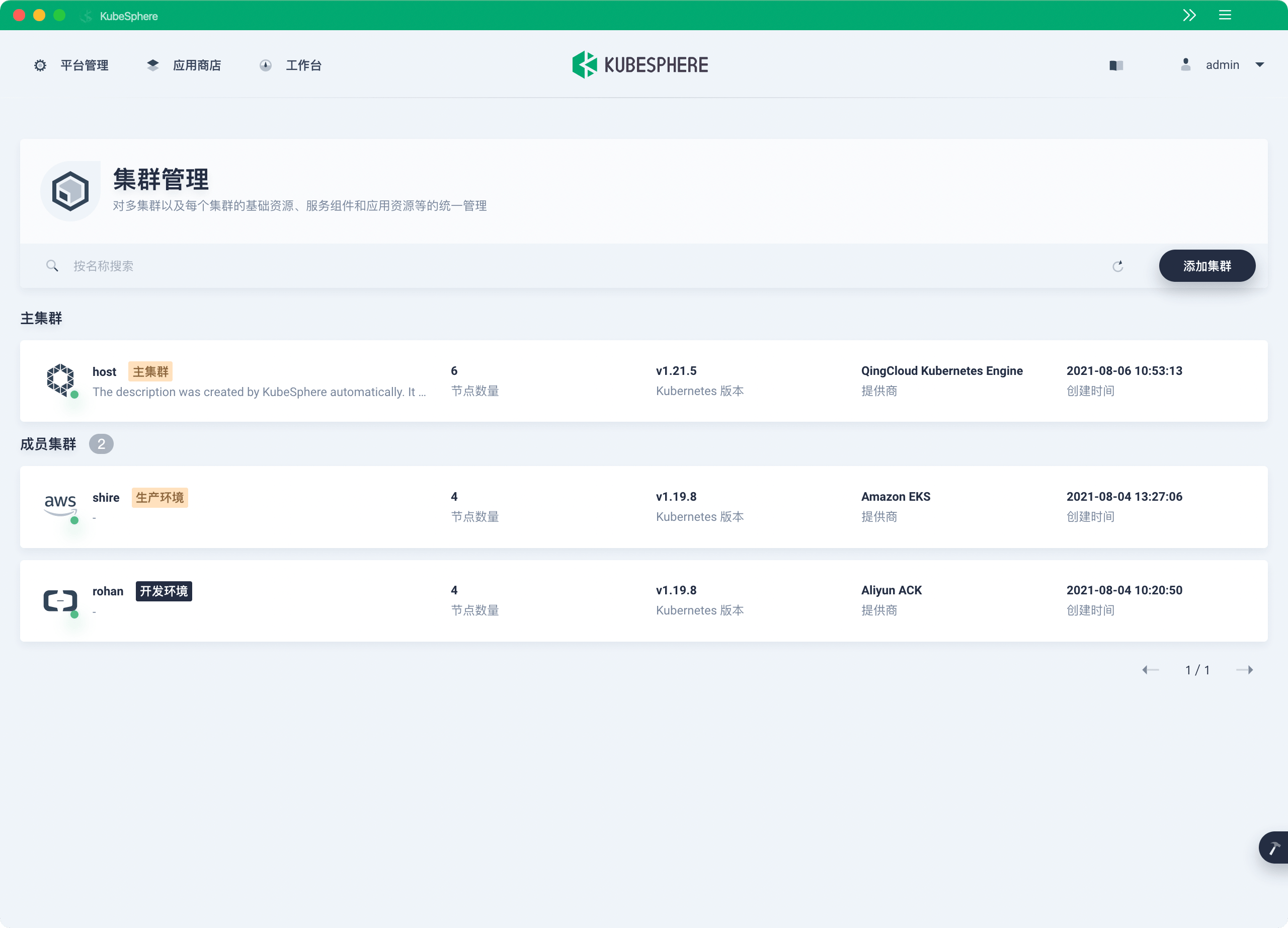
As Kubernetes becomes more widely adopted in enterprises, CNCF’s 2020 user survey showed that nearly 80% of users run more than 2 Kubernetes clusters in production. KubeSphere aims to solve multi-cluster and multi-cloud management challenges, providing users with a unified control plane to distribute applications and their replicas across multiple clusters in public clouds and on-premises environments. KubeSphere also features cross-cluster observability, including multi-cluster monitoring, logging, events, and audit logs.
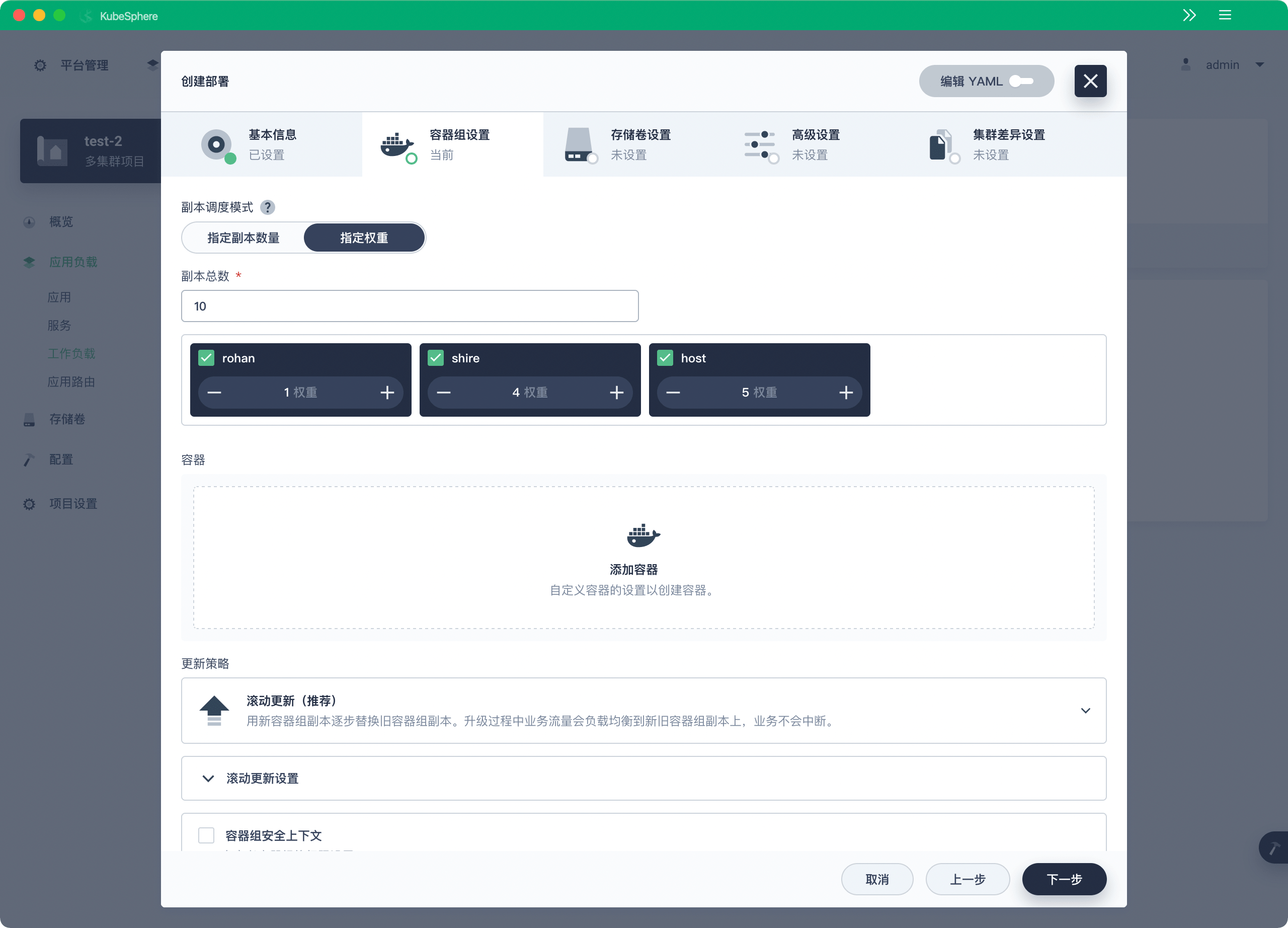
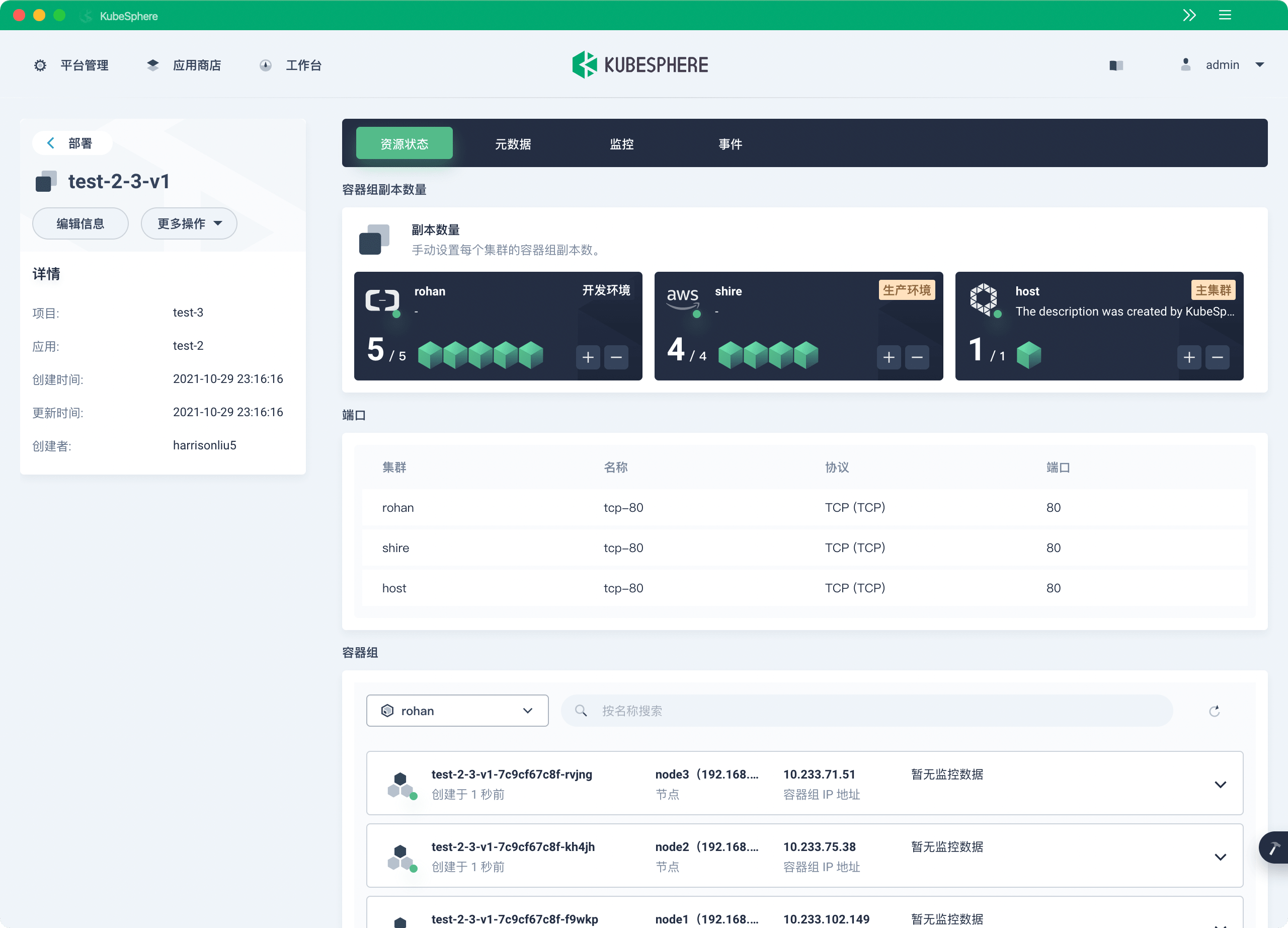
KubeSphere 3.2.0 goes further in cross-cluster scheduling. When creating cross-cluster federated deployments (federatedDeployment), KubeSphere not only supports distributing workloads across multiple clusters with different replica counts but also allows specifying the total number of replicas distributed across clusters on the detail page, as well as custom weight ratios for distributing replicas across clusters. This feature is very useful when users want to flexibly scale deployments and distribute multi-replica workloads across clusters at different proportions.
Ops-Friendly Storage Management
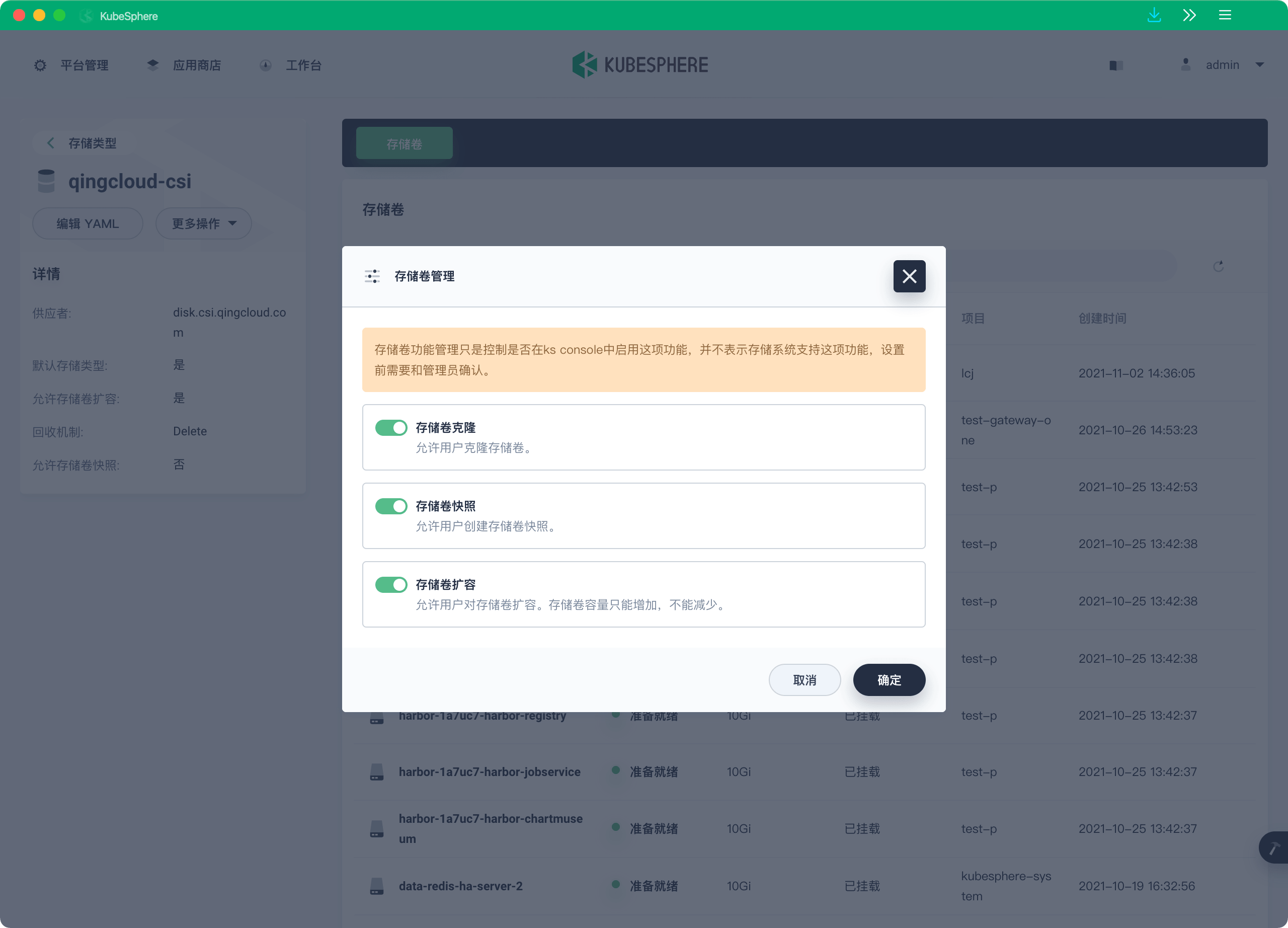
Persistent storage is one of the most critical capabilities for running Kubernetes in production environments. Stable and reliable storage safeguards core enterprise data. KubeSphere 3.2.0 adds a Volume Management feature to the Console interface. Administrators can configure whether to allow users to clone, snapshot, or expand volumes under a StorageClass, providing more convenient persistent storage operations for stateful applications.
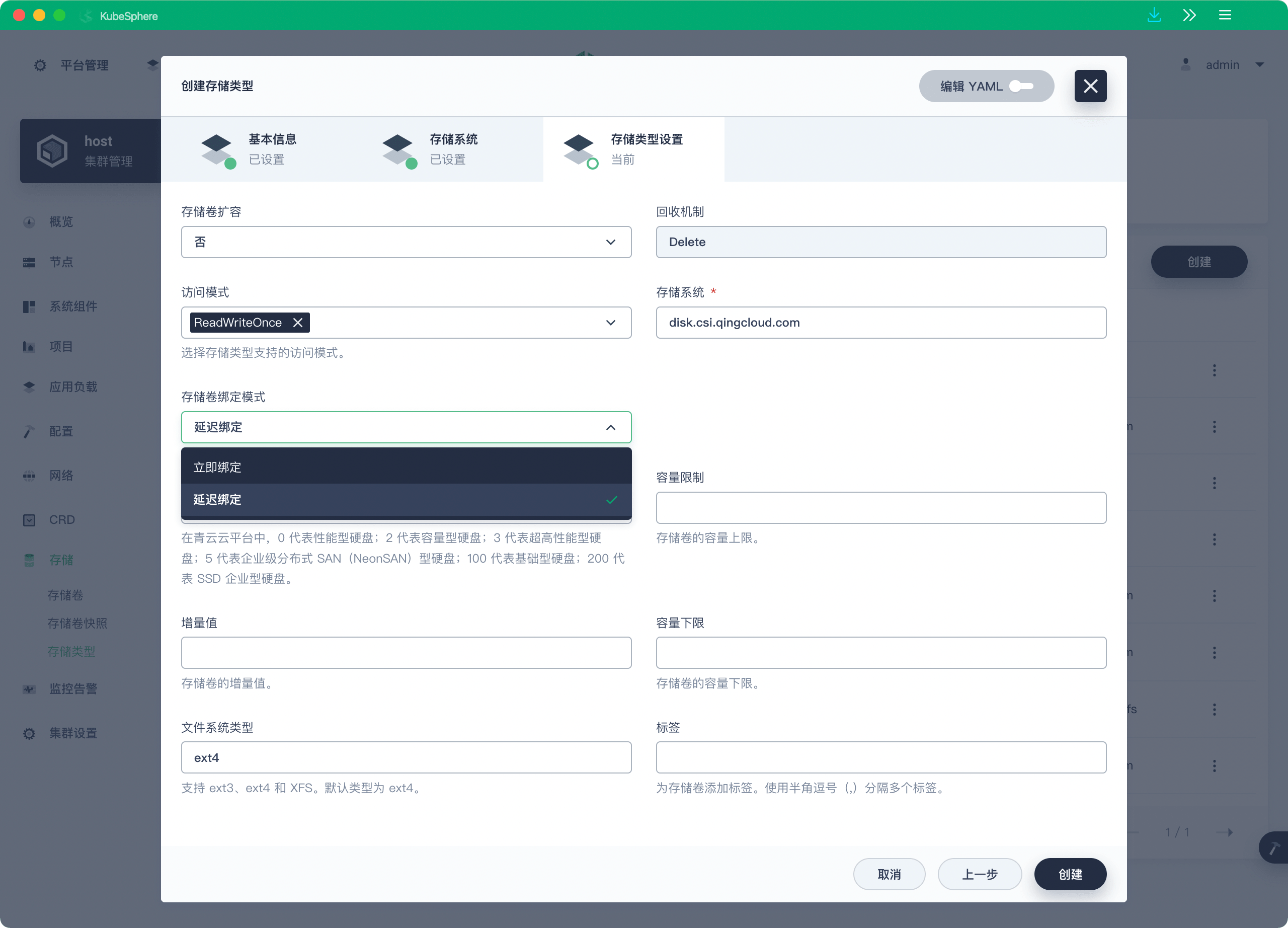
By default, the Immediate binding mode is not ideal for topology-constrained storage backends, potentially causing Pod scheduling failures. v3.2.0 adds the WaitForFirstConsumer binding mode, which ensures that PVC and PV are not bound until the Pod is scheduled, allowing for reasonable scheduling based on Pod resource requests.
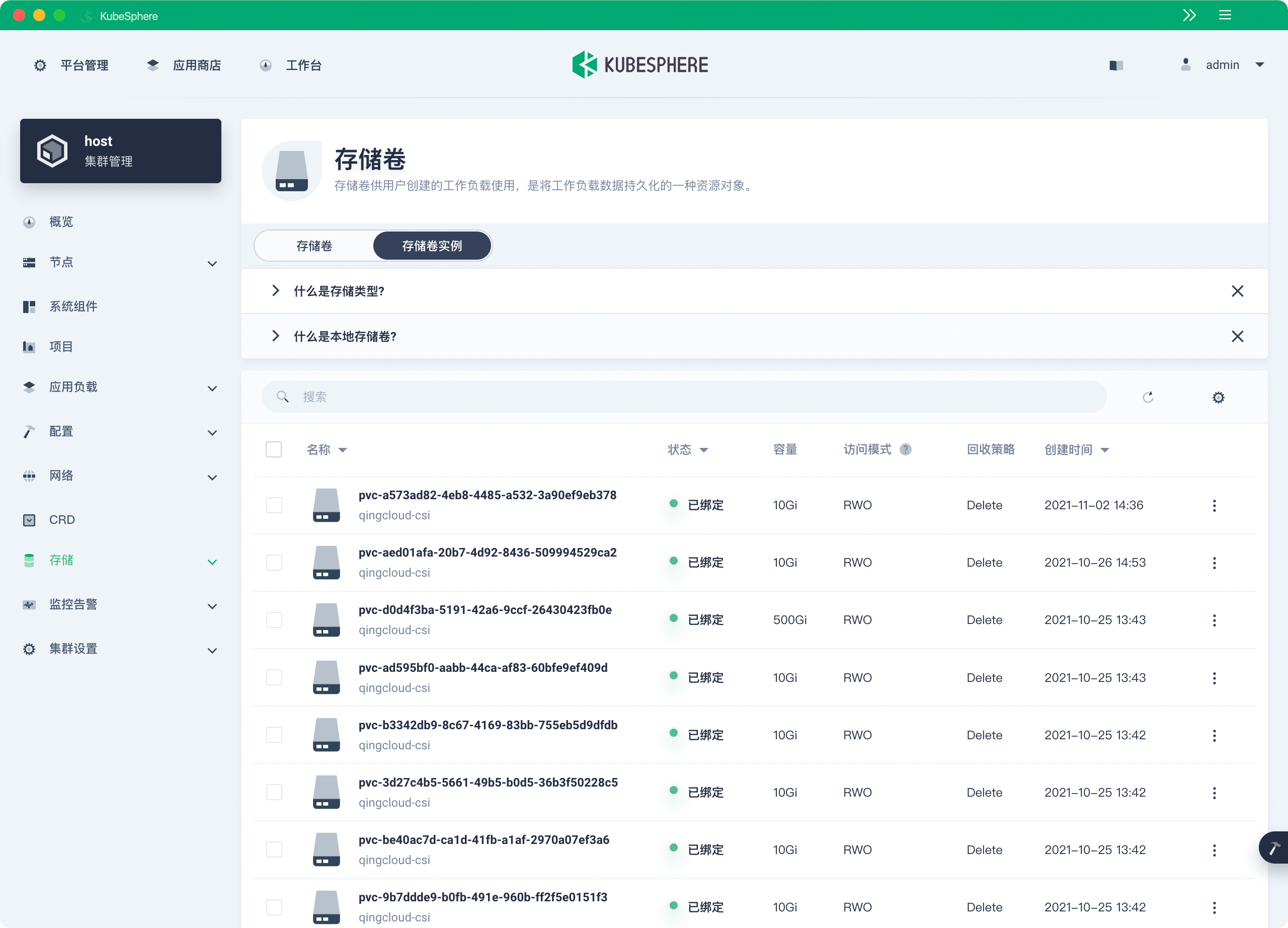
Previously, the KubeSphere Console only supported managing PVCs, not PV resources. This feature has been implemented in KubeSphere 3.2.0. Users can now view PV information on the Console interface, as well as edit and delete them.
When creating volume snapshots, users can also specify the snapshot type, i.e., specify the VolumeSnapshotClass, allowing the storage backend to create snapshots.
Cluster-Level Gateway Support
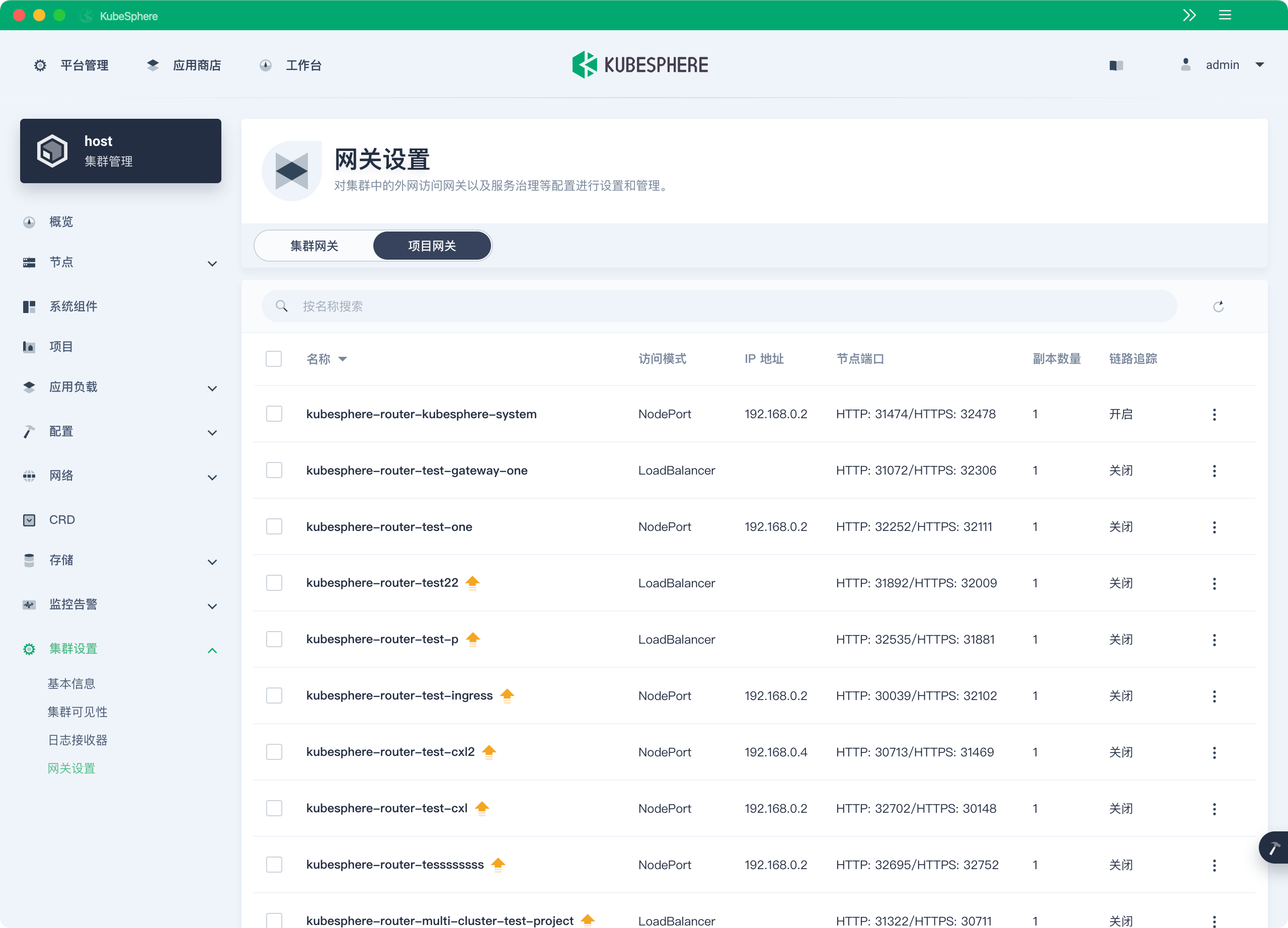
KubeSphere 3.1 only supported project-level gateways. If users had too many projects, it would inevitably waste resources. Moreover, gateways in different workspaces were independent of each other.
KubeSphere 3.2.0 introduces cluster-level global gateways, allowing all projects to share the same gateway. Previously created project gateways are not affected by the cluster gateway.
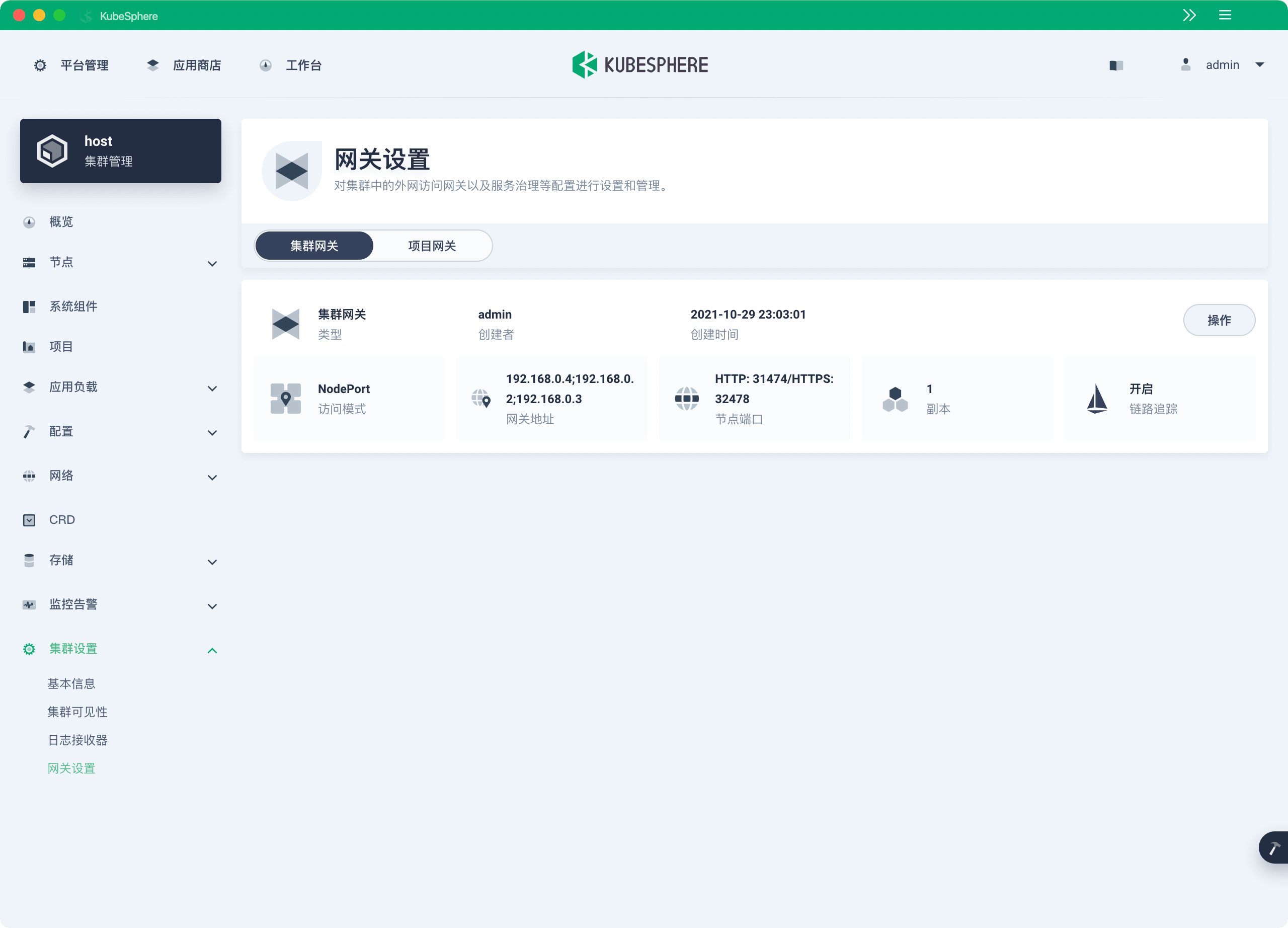
All project gateways can be centrally managed and configured. Administrators no longer need to switch between different workspaces to configure gateways. Since the K8s ecosystem has many Ingress Controllers available as gateway solutions, KubeSphere 3.2.0 has refactored the gateway backend. Now any Ingress Controller in the community that supports v1/ingress can be flexibly integrated as a gateway solution with KubeSphere.
Authentication and Authorization
Unified identity management and a comprehensive authentication system are indispensable capabilities for logical isolation in multi-tenant systems. In addition to supporting identity authentication systems like AD/LDAP and OAuth2, KubeSphere 3.2.0 also includes a built-in authentication service based on OpenID Connect, providing identity authentication capabilities for other components. OpenID Connect is a user identity authentication protocol based on the OAuth 2.0 specification. It is simple yet provides extensive functionality and security options to meet enterprise-level business needs.
Application Store Open to Partners
The application store and application lifecycle management are unique features of KubeSphere. KubeSphere implements these features based on its self-developed and open-sourced OpenPitrix.
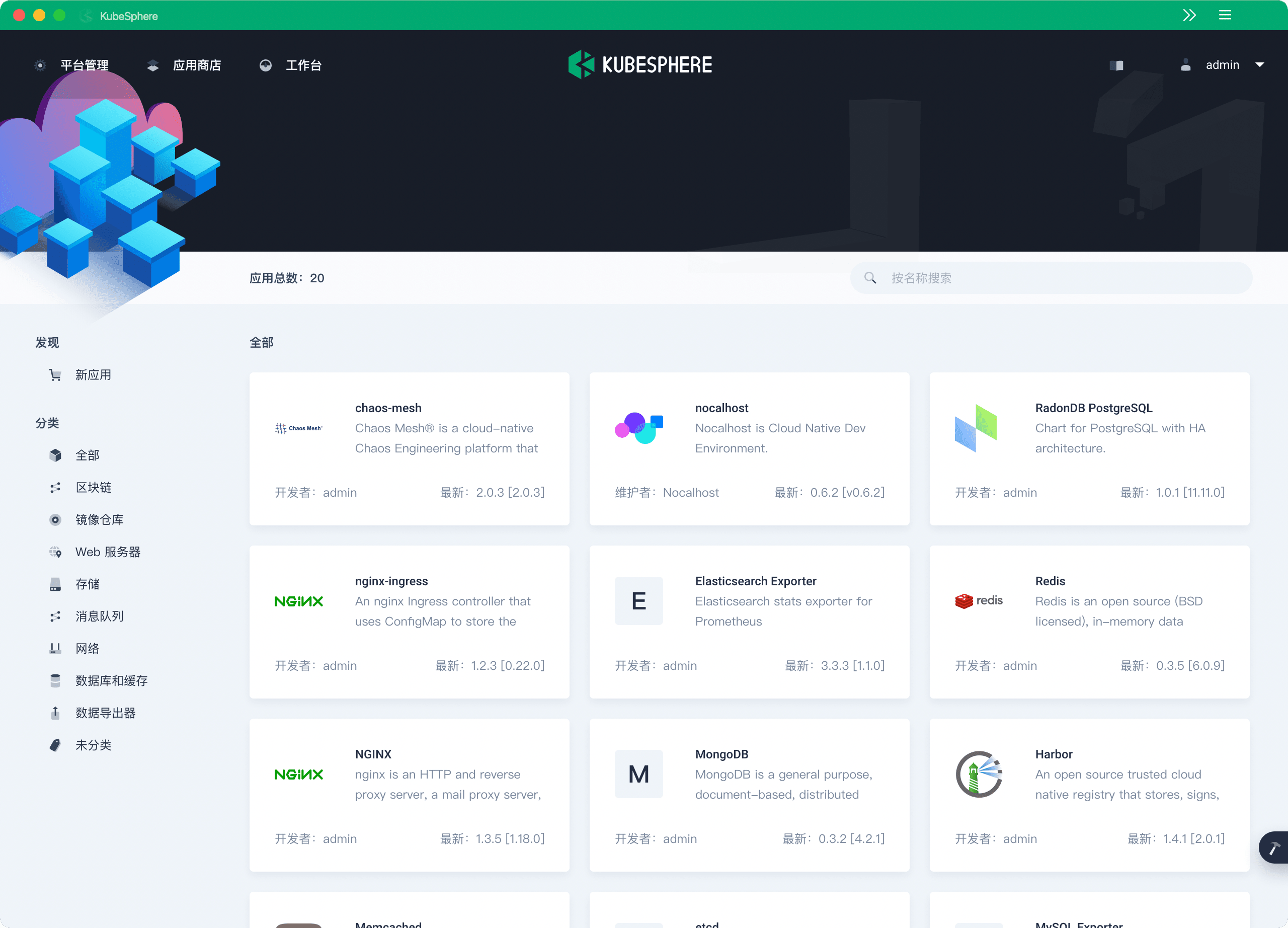
KubeSphere 3.2.0 adds a “dynamic application store loading” feature. Partners can submit applications as Helm Charts to be integrated into the KubeSphere application store. Once the Pull Request is merged, the application is dynamically loaded into the store without being restricted by KubeSphere versions. The built-in Chart repository address is: https://github.com/kubesphere/helm-charts. Community partners are welcome to submit Helm applications. For example, Nocalhost and Chaos Mesh have already been integrated into KubeSphere 3.2.0 as Helm Charts, allowing users to deploy applications to Kubernetes with one click.
KubeSphere DevOps Becoming More Independent
Starting from v3.2.0, KubeSphere DevOps has gradually evolved into an independent project ks-devops. End users can freely choose any Kubernetes cluster as the runtime environment. Currently, the backend of ks-devops can be installed via Helm Chart.
Jenkins, as a CI engine with a massive user base and rich ecosystem, will truly “play” the role of an engine, working behind the scenes to continuously provide stable pipeline functionality. A new CRD PipelineRun is introduced to encapsulate pipeline execution records, reducing the number of APIs that directly interact with Jenkins and improving CI pipeline performance.
Starting from v3.2.0, KubeSphere DevOps adds support for building images in containerd-based pipelines. In the future, KubeSphere DevOps will become an independent project supporting front-end and back-end independent deployment, introducing Tekton, ArgoCD, and GitOps tools, and integrating project management and test management platforms.
More Flexible Cluster Deployment
For users building their own K8s clusters or those with existing K8s clusters, KubeSphere provides two deployment methods: KubeKey and ks-installer.
KubeKey is an efficient cluster deployment tool open-sourced by the KubeSphere community. It uses Docker by default at runtime but can also integrate with Containerd, CRI-O, iSula, and other CRI runtimes. The ETCD cluster runs independently, supporting separate deployment from K8s for improved deployment flexibility.
If you use KubeKey to deploy Kubernetes and KubeSphere, the following features are also noteworthy:
- Supports the latest Kubernetes version v1.22.1, with backward compatibility for 4 versions. KubeKey also adds experimental support for deploying K3s.
- Supports automatic renewal of Kubernetes cluster certificates
- Supports Internal LoadBalancer high-availability deployment mode, reducing cluster deployment complexity
- Most integrated components (Istio, Jaeger, Prometheus Operator, Fluent Bit, KubeEdge, Nginx ingress controller) have been updated to their latest upstream versions. See Release Notes 3.2.0 for details.
User Experience
SIG Docs members have comprehensively refactored and optimized the Chinese and English copywriting on the Console interface, making the interface text and terminology more professional and accurate. Hardcoded and concatenated UI strings in the frontend have been removed to better support localization and internationalization of the Console interface.
In addition, several active users in the KubeSphere community have contributed enhancements to the frontend, including adding support for image search in Harbor registries, adding support for mounting storage volumes in init containers, and removing automatic workload restarts during volume expansion.
See Release Notes 3.2.0 for more UX optimizations, feature enhancements, and bug fixes. You can install KubeSphere 3.2.0 online with two commands via the official documentation. Offline installation will be available for download in about a week.
Acknowledgments
Below are the GitHub IDs of contributors who participated in the code and documentation contributions for KubeSphere 3.2.0. If any are missing, please contact us. Listed in no particular order.