

I took on a new project today, so I needed to set up a local LAMP environment. For simplicity, I decided to install everything directly using YUM. After installing MySQL, I needed to set a root password. I’m not sure how everyone used to do it, but I always used
/usr/bin/mysqladmin -u root password 'new-password'
this command. But today, when I started MySQL on a RHEL 6.1 system, I found that this approach isn’t the most secure. Let’s take a look at how the system helps us configure this properly. If you’re a MySQL veteran, feel free to skip this article entirely.
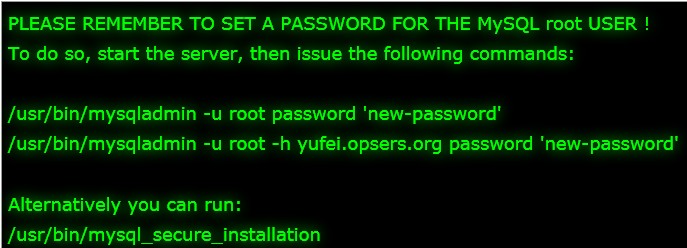
When you start the database for the first time after installation, you’ll see the following prompt:
PLEASE REMEMBER TO SET A PASSWORD FOR THE MySQL root USER !To do so, start the server, then issue the following commands:/usr/bin/mysqladmin -u root password 'new-password'/usr/bin/mysqladmin -u root -h yufei.opsers.org password 'new-password'Alternatively you can run:/usr/bin/mysql_secure_installation
Notice this line:
Alternatively you can run: /usr/bin/mysql_secure_installation
I’m not sure if I overlooked it before or if it simply wasn’t there in previous versions, but I noticed it today.
This is essentially a security setup wizard, and it’s interactive, which is very nice. You might also discover from the following setup that there are some security settings you may not have paid attention to before (of course, I hadn’t either). Alright, let’s see what MySQL’s interactive security setup looks like.
Run the following command
[root@yufei ~]# /usr/bin/mysql_secure_installation
Pay close attention to the prompt:
NOTE: RUNNING ALL PARTS OF THIS SCRIPT IS RECOMMENDED FOR ALL MySQL
SERVERS IN PRODUCTION USE! PLEASE READ EACH STEP CAREFULLY!
In order to log into MySQL to secure it, we’ll need the current password for the root user. If you’ve just installed MySQL, and you haven’t set the root password yet, the password will be blank, so you should just press enter here.
If you’ve already set a root password, enter your password; if not, the password is blank
Enter current password for root (enter for none): Just press EnterOK, successfully used password, moving on...
Setting the root password ensures that nobody can log into the MySQL
root user without the proper authorisation.
This is where we set the root password
Set root password? [Y/n] yNew password: Re-enter new password: Password updated successfully!Reloading privilege tables.. ... Success!
By default, a MySQL installation has an anonymous user, allowing anyone
to log into MySQL without having to have a user account created for
them. This is intended only for testing, and to make the installation
go a bit smoother. You should remove them before moving into a
production environment.
Remove anonymous users
Remove anonymous users? [Y/n] y ... Success!
Normally, root should only be allowed to connect from ‘localhost’. This
ensures that someone cannot guess at the root password from the network.
Disable remote root login
Disallow root login remotely? [Y/n] y ... Success!
By default, MySQL comes with a database named ‘test’ that anyone can
access. This is also intended only for testing, and should be removed
before moving into a production environment.
Remove the test database
Remove test database and access to it? [Y/n] y - Dropping test database... ... Success! - Removing privileges on test database... ... Success!
Reloading the privilege tables will ensure that all changes made so far
will take effect immediately.
Reload privileges now
Reload privilege tables now? [Y/n] y ... Success!
Cleaning up…
All done! If you’ve completed all of the above steps, your MySQL
installation should now be secure.
Thanks for using MySQL!
That completes the relevant settings. Isn’t that much smarter? For a newbie like me, it’s a pretty good option. Of course, if you are very familiar with MySQL, I’m sure you’ve already done these settings anyway. One last thing: on RHEL 6.1, the MySQL version is:
[root@yufei ~]# mysql -Vmysql Ver 14.14 Distrib 5.1.52, for redhat-linux-gnu (x86_64) using readline 5.1http://www.opsers.org/linux-home/server/rpm-packages-installed-mysql-you-set-up-safe.html