

Symptom: After installing MySQL, phpMyAdmin cannot log in and returns error 1130, but the MySQL command line login with `mysql -u root -p` works fine.
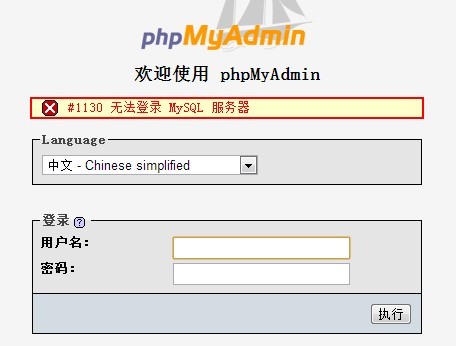
Analysis and Solution:
A Baidu search reveals that MySQL error 1130 is caused by the remote user lacking remote access privileges. Solution: Log into MySQL locally, then change the “host” column in the “user” table of the “mysql” database from ”localhost” to '%'.
mysql -u root -p
mysql>use mysql;
mysql>select 'host' from user where user='root';
mysql>update user set host = '%' where user ='root';
mysql>flush privileges;
mysql>select 'host' from user where user='root';
The first command logs in as the privileged root user.
The second selects the mysql database.
The third queries the host value (the allowed connecting host/IP name) from the user table.
The fourth modifies the host value (adding host/IP addresses using the % wildcard), though you can also add a specific IP address directly.
The fifth flushes MySQL’s system privilege tables.
The sixth re-checks the user table to confirm the change.
Finally, restart the MySQL service to complete the process.