

Note: The following uses the zyyh user and CentOS system as an example.
1. Check the OpenSSH software version. For the SFTP service to restrict users to specific file directories, version 4.8 or higher is required.
[root@localhost ftp]# rpm -qa | grep openssh
openssh-server-5.3p1-81.el6_3.x86_64
openssh-5.3p1-81.el6_3.x86_64
openssh-clients-5.3p1-81.el6_3.x86_64
2. Create the folder the SFTP user will access, as well as the user and password (please use root to perform these operations):
#mkdir -p /backup/zyyh/zyyh Create the directory to restrict
#useradd -m -d /backup/zyyh/zyyh -s /sbin/nologin zyyh
#
3. Restrict the user to only enter their home directory when logging in via SFTP. Modify the /etc/ssh/sshd_config file.
Copy code as follows:
[root@localhost ]# vim /etc/ssh/sshd_config
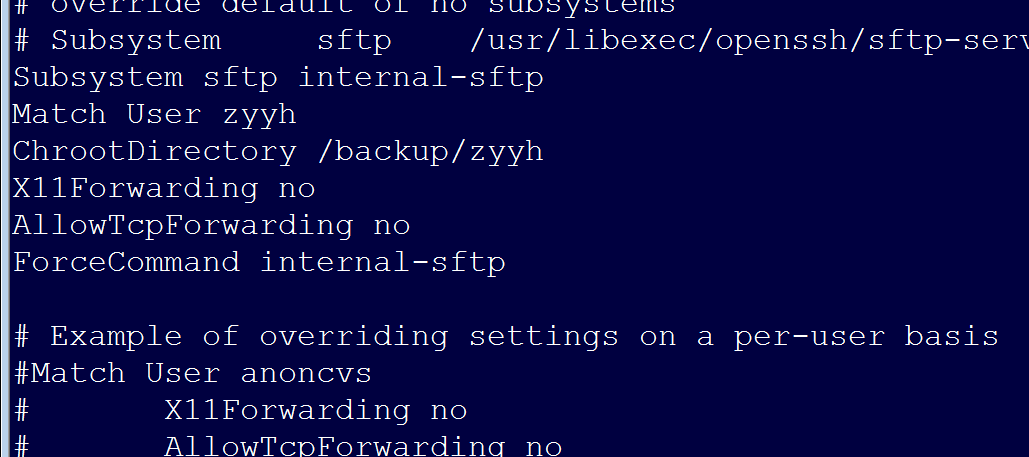
#Subsystem sftp /usr/libexec/openssh/sftp-server # Comment this out and add the following code (note the username and path, please replace them with your own)
Subsystem sftp internal-sftp
Match User zyyh
ChrootDirectory /backup/zyyh/
X11Forwarding no
AllowTcpForwarding no
ForceCommand internal-sftp
#passwd zyyh
#service sshd restart #Restart the SSH service
4. Set Permissions:
chown root:root /backup/zyyh/zyyh
chmod 755 /backup/zyyh/zyyh
chown -R zyyh.zyyh /backup/zyyh/zyyh
4. Test the connection
Copy code as follows:
# sftp -oPort=22 [email protected] (Please fill in your own IP)
sftp>
sftp> ls
zyyh
This indicates success.