

Note: RHEL 7 and CentOS 7 have been out for a while now. Let’s take some time to study them. Compared to the 6 and 5 series, several areas have changed significantly, which might take some getting used to. Below is a brief overview of the major changes:
I. CentOS Services Now Use systemd Instead of sysvinit
1. systemd Service Management Tool:
systemctl is the primary tool, combining the functionality of the previous service and chkconfig commands into one. You can use it to enable/disable services either permanently or only for the current session.
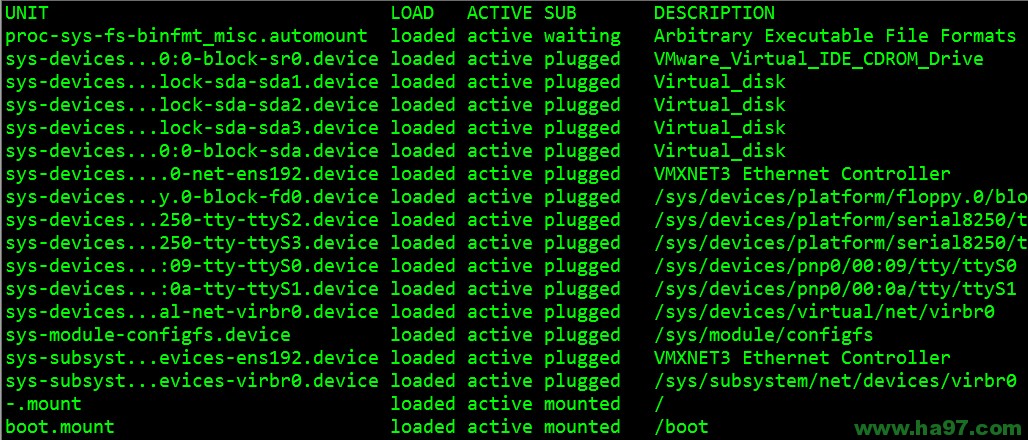
systemctl can list the status of running services, as shown below:
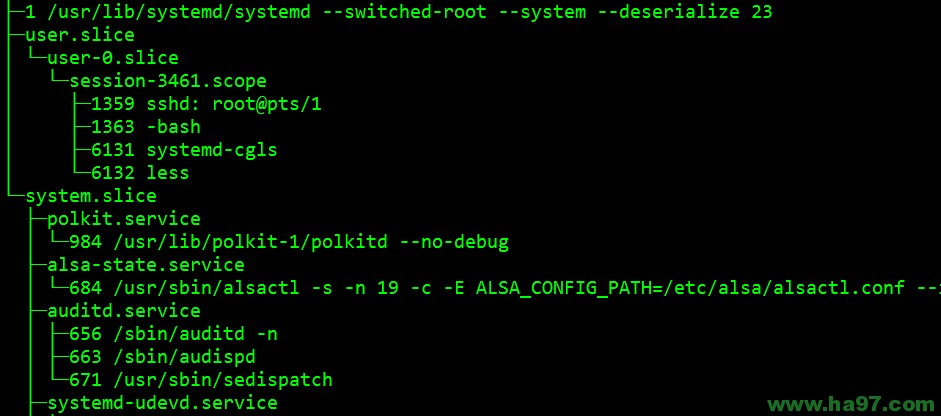
systemd-cgls lists running processes in a tree format, recursively displaying control group contents. As shown below:
2. How to Start/Stop, Enable/Disable Services?
Start a service:
systemctl start postfix.service
Stop a service:
systemctl stop postfix.service
Restart a service:
systemctl restart postfix.service
Display the status of a service:
systemctl status postfix.service
Enable a service to start at boot:
systemctl enable postfix.service
Disable a service from starting at boot:
systemctl disable postfix.service
Check if a service is enabled at boot:
systemctl is-enabled postfix.service;echo $?
List all enabled services:
systemctl list-unit-files|grep enabled
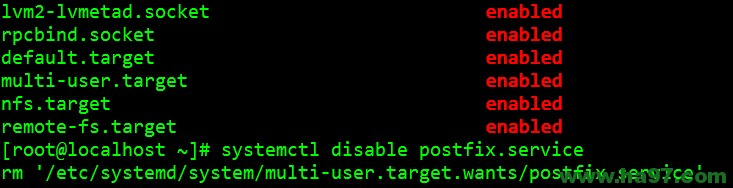
Note: Enabling a service creates a symbolic link in the current “runlevel” configuration directory /etc/systemd/system/multi-user.target.wants/, pointing to the corresponding service configuration file in /usr/lib/systemd/system. Disabling a service removes this symbolic link. As shown below:
Looking at the files in /usr/lib/systemd/system, the syntax is completely different from the old-style init scripts in /etc/init.d/.
II. Changing System Runlevels:
1. systemd uses targets, which are more flexible than sysvinit runlevels, as a replacement. Runlevel 3 is replaced by multi-user.target. Runlevel 5 is replaced by graphical.target. runlevel3.target and runlevel5.target are symbolic links pointing to multi-user.target and graphical.target respectively.
You can switch to “runlevel 3” using the following command:
systemctl isolate multi-user.target or systemctl isolate runlevel3.target
You can switch to “runlevel 5” using the following command:
systemctl isolate graphical.target or systemctl isolate runlevel5.target
2. How to change the default runlevel?
systemd uses a symbolic link to point to the default runlevel. Before creating a new link, you can delete the existing link with: rm /etc/systemd/system/default.target
Default boot to runlevel 3:
ln -sf /lib/systemd/system/multi-user.target /etc/systemd/system/default.target
Default boot to runlevel 5:
ln -sf /lib/systemd/system/graphical.target/etc/systemd/system/default.target
systemd does not use the /etc/inittab file.
3. How to check the current runlevel?
The old runlevel command still works under systemd. You can continue to use it, even though systemd replaces the previous system’s runlevel concept with ‘targets’ (multiple ‘targets’ can be active simultaneously).
The equivalent systemd command is systemctl list-units –type=target
III. Other Configuration Tools:
1. The setup and ntsysv tools are still retained, but their functionality has been greatly reduced. Previously, the ntsysv tool could control the auto-start of all system services; now it can only control a small subset of services.
2. The /etc/resolv.conf DNS configuration file remains unchanged.
3. The network interface configuration file /etc/sysconfig/network-scripts/ifcfg-ens192 has changed in both naming conventions and some options.
4. The boot method now uses GRUB2, which has the following features: 1) Modular design; 2) Support for multiple hardware architectures; 3) Internationalization and multi-language support; 4) Independent memory management; 5) Scripting language support.
Appendix: systemd Overview
systemd is an init system for Linux, led by Lennart Poettering and open-sourced under the LGPL 2.1 and later licenses. Its development goal is to provide a superior framework for expressing dependencies between system services, thereby enabling parallel service startup during system initialization while reducing Shell system overhead, ultimately replacing the currently prevalent System V and BSD-style init programs.
Compared to the System V-style init used by most distributions, systemd employs the following new technologies:
Uses socket-activated and bus-activated services to improve parallel performance of interdependent services;
Uses cgroups instead of PIDs to track processes, so even daemons created after two fork() calls do not escape systemd’s control.
From a design perspective, since systemd uses components like cgroups and fanotify to implement its features, it is only suitable for Linux.
For more detailed information about systemd, please refer to: http://en.wikipedia.org/wiki/Systemd