

Today let’s talk about the differences between servers and ordinary computers.
Overall, the difference isn’t as big as you might think, but due to different use cases, there are still some distinctions.
Next, we’ll explain in detail from both hardware and software perspectives.
Hardware:
In terms of composition, servers also include common hardware found in ordinary computers such as memory, hard drives, CPU, network cards, and so on.
Let’s first understand the composition of a server rack:
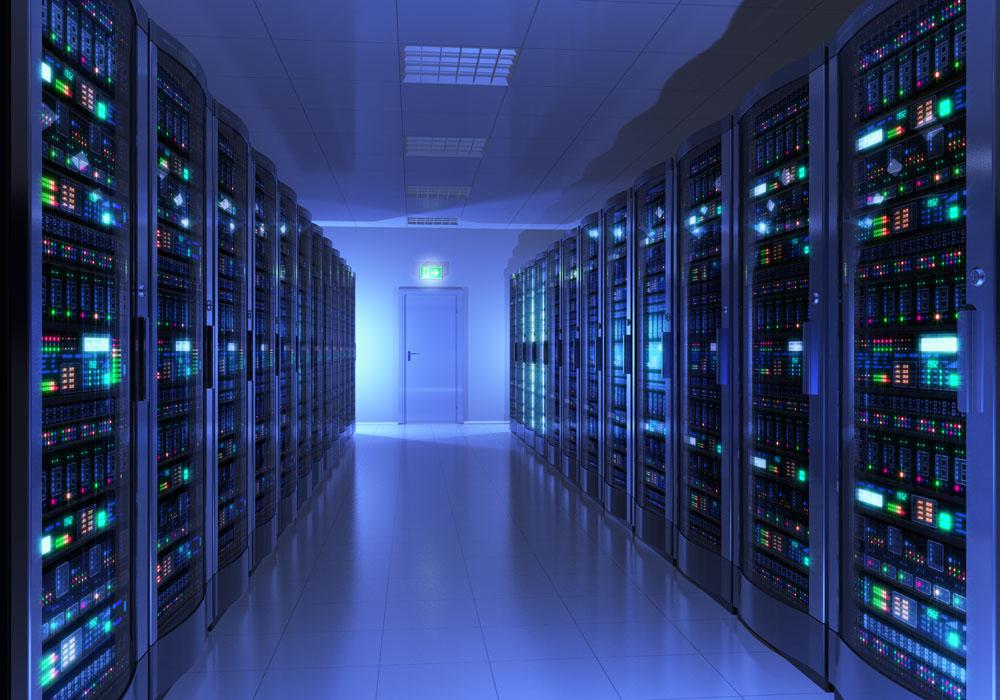
A server rack, also called a cabinet, is something many people have seen before. Don’t mistake it for a single server—it’s just a relatively large cabinet.
Inside the cabinet, there are multiple layers, with one or several layers holding a single server. A cabinet typically consists of multiple servers.
U is a unit that represents the size of a server, short for “unit.” 1U means the server is about 48.26cm (19 inches) wide and 4.5cm (multiples of 4.445cm) tall. Common server sizes include 1U, 2U, and other specifications.
Some smaller servers take up less space, while many larger servers from IBM and DELL occupy 2U, 3U, or even larger cabinet space. That’s why many IDC providers charge rentals based on an entire cabinet or by the U size—if your colocated server takes up more space, you’ll be charged higher colocation fees. A cabinet is like a building, and a server inside it is like an apartment in that building—the larger the space you need, the higher the cost.
At the back of the cabinet, there are many power strips and network cables arranged, all reserved for each server. When racking a server, you just need to configure it, place it in, and plug in the network cable and power.
Differences between server hardware and ordinary computer hardware:
Server configurations may not seem impressive, but they are very expensive. Cheap ones cost a few thousand, while expensive ones can cost tens of thousands or even more. This is mainly due to the server’s requirements for stability, scalability, and other aspects. Servers are designed from the ground up for continuous, uninterrupted operation, unlike home computers that may be turned on and off multiple times a day.
On the motherboard, server motherboards reserve more expansion slots than ordinary computers, allowing you to install more CPUs, memory, network cards, and more hard drives.
For CPUs, the manufacturing process, stability, and scalability requirements are higher than those for ordinary computers—after all, servers essentially run 24/7 without interruption. Server CPU cache, core count, thread count, and other indicators are also more demanding than ordinary computers, such as a 40-core 80-thread CPU. Additionally, the server’s bus design supports multi-way access, meaning multiple CPUs can coordinate well together. Home computers generally have only one CPU.
For hard drives, servers have more drive bays for installing more hard drives. Enterprise-grade hard drives also feature faster rotational speeds, reaching 10,000 to 15,000 RPM, while ordinary home hard drives typically operate at 7,200 or 5,400 RPM. Additionally, servers can use RAID disk arrays to improve overall disk speed.
For memory, server motherboards have more memory slots, up to 20 or 30 slots, easily supporting 2TB to 3TB of total memory. Home computers generally don’t need this much and rarely use it. Server memory also features better ECC error correction for greater stability and supports higher memory frequencies.
For bandwidth, it’s centrally managed by the data center and then allocated to your machine based on the bandwidth you’ve purchased. Data centers typically have greater bandwidth and speed, and the temperature and power stability are also more suitable for servers.
For network cards, desktop home computers usually have them integrated into the motherboard by default, with only one network port. If you need more, you have to purchase them separately. Servers come with at least 2-4 ports by default, or even more, and have more slots for installing additional network cards and binding more IP addresses.
For power consumption, since servers support more expansion, power usage changes as you add more hard drives, memory, and other hardware, ranging from a few hundred watts to several thousand watts.
For power supplies, many servers can use dual power supplies to handle unexpected failures and meet the power needs of expanding hardware.
Additionally, servers are generally operated remotely. Monitors, mice, and keyboards are only needed during the server racking phase or when a fault occurs. Once the system is installed and racked, the server typically stays put, which is why what you see inside a cabinet is usually just the servers themselves.
Software Differences:
This can be further divided into operating systems and regular application software.
The operating systems used are completely different from those we use at home. Mainstream types include Windows, Linux, Unix, and so on.
Among them, Windows systems are not the home versions like Win7 or Win10, but server-specific versions such as Windows Server 2012, 2016, 2019, 2022, and others that better meet enterprise needs. Some may ask: can I install these systems on my own computer? Of course you can, but if you do, you may have to give up many everyday software applications, because many of our games and other software are incompatible with these systems.
Linux is an open-source operating system that holds over 90% market share in the server field. It has many distributions, such as CentOS, Debian, Ubuntu, Red Hat, and others that I personally use often. The Tianhe and Sunway TaihuLight supercomputers from a few years ago are also said to have been built on Linux-based operating systems.
For application software, servers mostly run databases, middleware, storage, and other website-related software, such as Oracle, MySQL, Redis, Memcache and other database software, as well as Nginx, Apache and other web front-end software. Other software is generally rare.
Ordinary computers, on the other hand, typically integrate video, entertainment, office work, and gaming into one machine, supporting a wider range of software.
What Types of Servers Are There?
By chassis structure, servers can be divided into “tower servers”, “rack-mounted servers”, “cabinet servers” and “blade servers”, among others.
Of course, there are many other classification methods. For example, the types we often hear about include dedicated hardware servers (a complete physical server), VPS, cloud servers, and so on.
A VPS virtualizes individual small servers on a single physical server. Here, the dedicated server is called the parent machine, and the VPS instances inside are called chicks. So the quality of a VPS largely depends on the hardware quality of the dedicated server and its overall load.
Cloud servers are clusters of multiple physical servers, like a city where each building is a physical server. Overall performance is better than VPS and represents the future direction. Well-known examples include Amazon, Alibaba Cloud, Microsoft Azure, Google Cloud, and so on.
There’s a lot of knowledge in this area, such as virtualization technology and storage technology. If you’re interested, feel free to leave a comment below the video, and I’ll make a dedicated episode on this topic later.
Next question: Can servers be used at home?
Theoretically yes, but it’s generally not done.
Home computers are usually optimized for gaming, video, and other scenarios. Server motherboards basically don’t have sound cards by default, and the graphics cards are very weak. After all, the web software used on servers doesn’t need these things.
The advantages of server CPUs—multi-way access and high stability—don’t really show in home scenarios, and ordinary home computers rarely run without interruption.
Moreover, while servers can accommodate more hard drives, memory, and CPUs, along with higher power consumption, this also means they need better cooling systems. Servers are equipped with multiple fans for cooling, with each fan requiring higher rotation speeds than home computer fans.
This generates more heat and more noise.
Can a home computer be used as a server? Can you put it at home as a server?
A home computer can indeed be used as a server. Functionally speaking, both are computers—they’ve just been optimized to different degrees for various scenarios.
For some business scenarios with lower requirements, it’s certainly possible. You can choose to keep the computer at home or colocate the chassis at a data center.
There are a few drawbacks to keeping it at home that you should be aware of.
First, the stability of home network bandwidth and the environment simply can’t compare to a data center. Data centers have professional high-power backup power supplies and air conditioning equipment to ensure no power outages and stable temperatures. Data center bandwidth offers better line quality, is closer to carrier core equipment, and cross-network access between multiple carriers achieves better speeds.
Additionally, many ISPs in China block port 80 on home broadband connections. So if you put your computer at home as a regular web server, there will be more inconveniences.
Also, home broadband usually only offers dynamic IP addresses, and applying for a static IP isn’t cheap either.
So if you really want to use an ordinary computer as a web server, it’s still recommended to colocate the chassis at a carrier’s data center.
Can servers be used for mining?
In many previous videos, we talked about mining various virtual currencies, and some fans asked: can servers be used for mining?
Here’s a unified reply: theoretically yes, but it’s generally not done.
First, regarding computing power: although the average server CPU isn’t bad, the graphics card side is usually quite weak. As everyone knows, CPU computing power can’t compare to GPU computing power. There aren’t many coins that CPUs can mine.
Second, if you own your own or colocated dedicated server, it’s fine. But if you’re using a purchased VPS or cloud server, there are usually many restrictions—especially with some smaller hosting providers that limit your server resources. Prolonged high CPU usage risks getting your account suspended, which isn’t worth it. Even without restrictions, mining causes system resource usage to spike so high that no other work can be done, and in the end you might not even earn back the rental fees—it’s not worth it.
Of course, some hosting providers and exchanges do offer mining rig services. If you really want to rent servers for mining, those are clearly more suitable for you.
So using ordinary servers for mining is not a wise move.
Summary:
After all that, let’s wrap things up.
Servers require higher standards for hardware stability, ambient temperature, expandability, and bandwidth lines compared to ordinary computers. They use specialized server operating systems, and management is mostly remote. However, they are like students who excel in one subject but are weak in others—they focus on specific fields, have limited available software, are noisy, and are not suitable for home use.
Ordinary computers are more balanced across video, entertainment, office work, and other areas, with a wider range of available software and standard bandwidth lines. They can also be used as small-scale servers.
Watch the video version:
https://youtu.be/R7w_EKP0Yus
Alternative:
https://www.ixigua.com/home/3448503351653896