

ARP attacks primarily exist within local area networks (LANs). If a computer in the LAN is infected with an ARP Trojan, the infected system will attempt to intercept communication data from other computers in the network through “ARP spoofing,” thereby causing communication failures for other machines on the network.
1. How to Diagnose:
Below is an example using 88.153 as the infected host, with other machines on the same network segment including 152, 154, etc. When one host is infected, machines such as 152 and 154 in the same rack will all experience packet loss: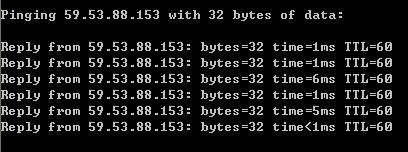
The following is the traffic graph for 153, showing a sharp spike in traffic during the attack period: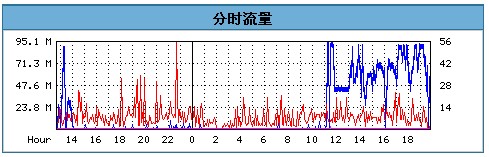
Of course, if you have the means, you can also use packet capture tools to detect anomalies; the traffic from the attacked IP will be significantly abnormal.
2. Solution:
If the machine is not yet infected, using ARP defense software can provide some protection, such as security software like Safedog which includes an ARP firewall.For machines that are already infected, they should be isolated. If necessary, the system must be reinstalled, and sometimes even a full hard drive format is required. Users can also manually